Page 7-105
Troubleshooting
INTER-TEL
®
AXXESS
®
MANUAL VERSION 11.0 – May 2008
Changing the License
7
TROUBLE-
SHOOTING
D. CHANGING THE LICENSE
9.10 If necessary, you can upload a new license that provides a different set of features. If the
new license, however, supports new capacities, you must make sure that you have the appro-
priate hardware installed.
9.11 To change a license, obtain a new license (see page 7-95) and then upload the license
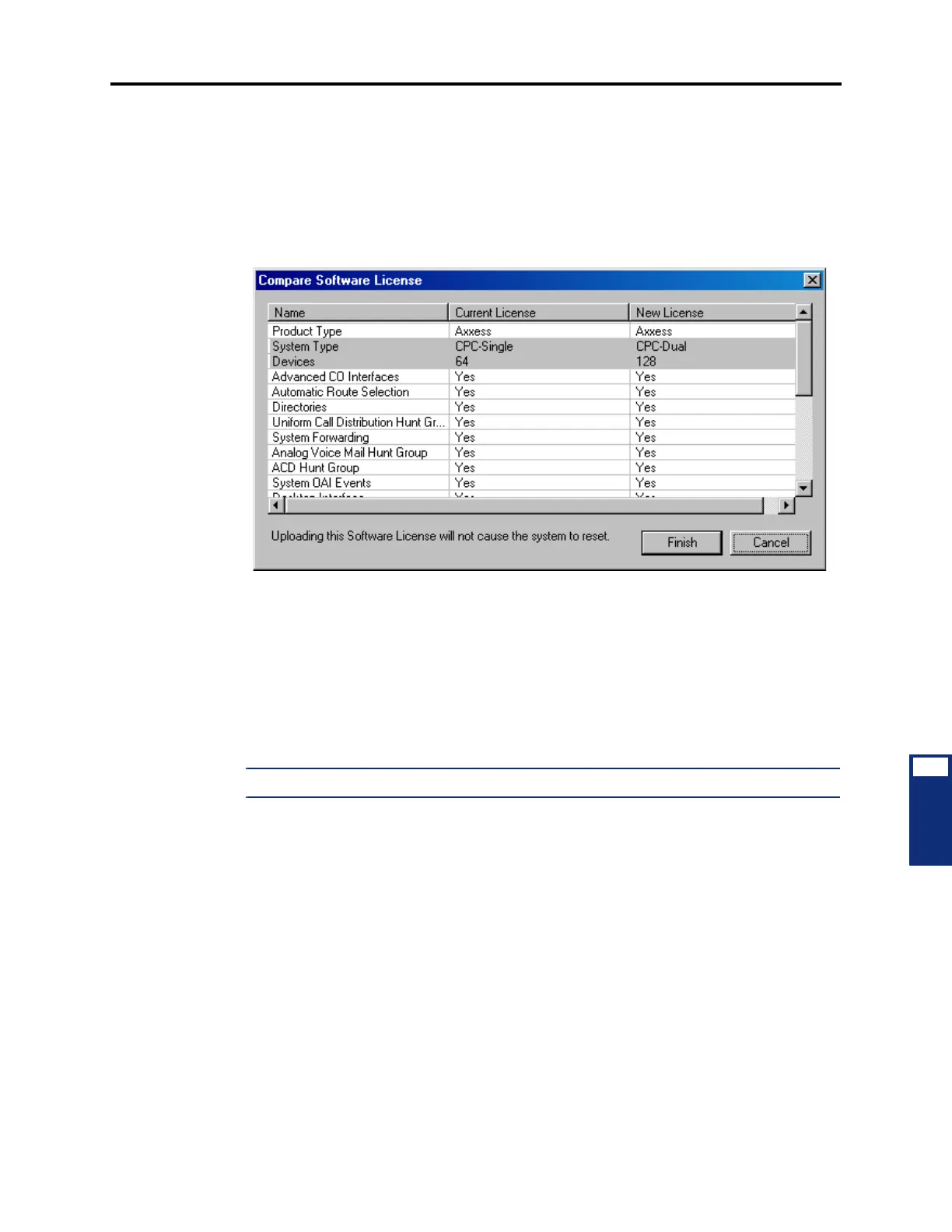
(see page 6-45). The system compares the new license to the existing license and then displays
a screen similar to the one shown below.
9.12 In this screen, the areas of the license that are changing are highlighted. For example, in
the above screen, the System Type is changing from CPC-Single to CPC-Dual, and the number
of devices supported is increasing to 128. In addition, the status line indicates whether the sys-
tem requires a reset once the license is uploaded.
9.13 After you have verified that you want to upload the new license, click
Finish. The new
software license is loaded, and the old software license is stored on the system. The licenses
currently uploaded to the system are displayed in the Software License folder (see page 6-97).
For more information about system and software licenses, see page 5-11.
NOTE: The system may require a reset if the CPU card type has changed.
10. AUTOMATIC DIAGNOSTICS DELIVERY
10.1 Automatic Diagnostics Delivery (ADD) is a new troubleshooting feature available for
the CPC and CP Server. If programmed, the system automatically sends information to Inter-
Tel whenever the system freezes. Because the information is sent directly to Inter-Tel, Techni-
cal Support is able to retrieve system freezes without involving a technician, providing quicker
response times.
10.2 The CPC and CP Server use port 443 for communicating with the Inter-Tel ADD
server. If this port is blocked when attempting to send freezes, an error message appears in
Message Print. ADD is available only in On-Line Monitor (OLM) mode. To enable ADD, you
must contact Inter-Tel Technical Support.



 To Next Page