Page 6-318
Programming
INTER-TEL
®
AXXESS
®
MANUAL VERSION 11.0 – May 2008
Keyset DB Programming Password
K. KEYSET DB PROGRAMMING PASSWORD
10.58 This password is used by the Administrator stations when programming through a
phone. It can consist of only digits. See FEATURES, page 5-276 for details.
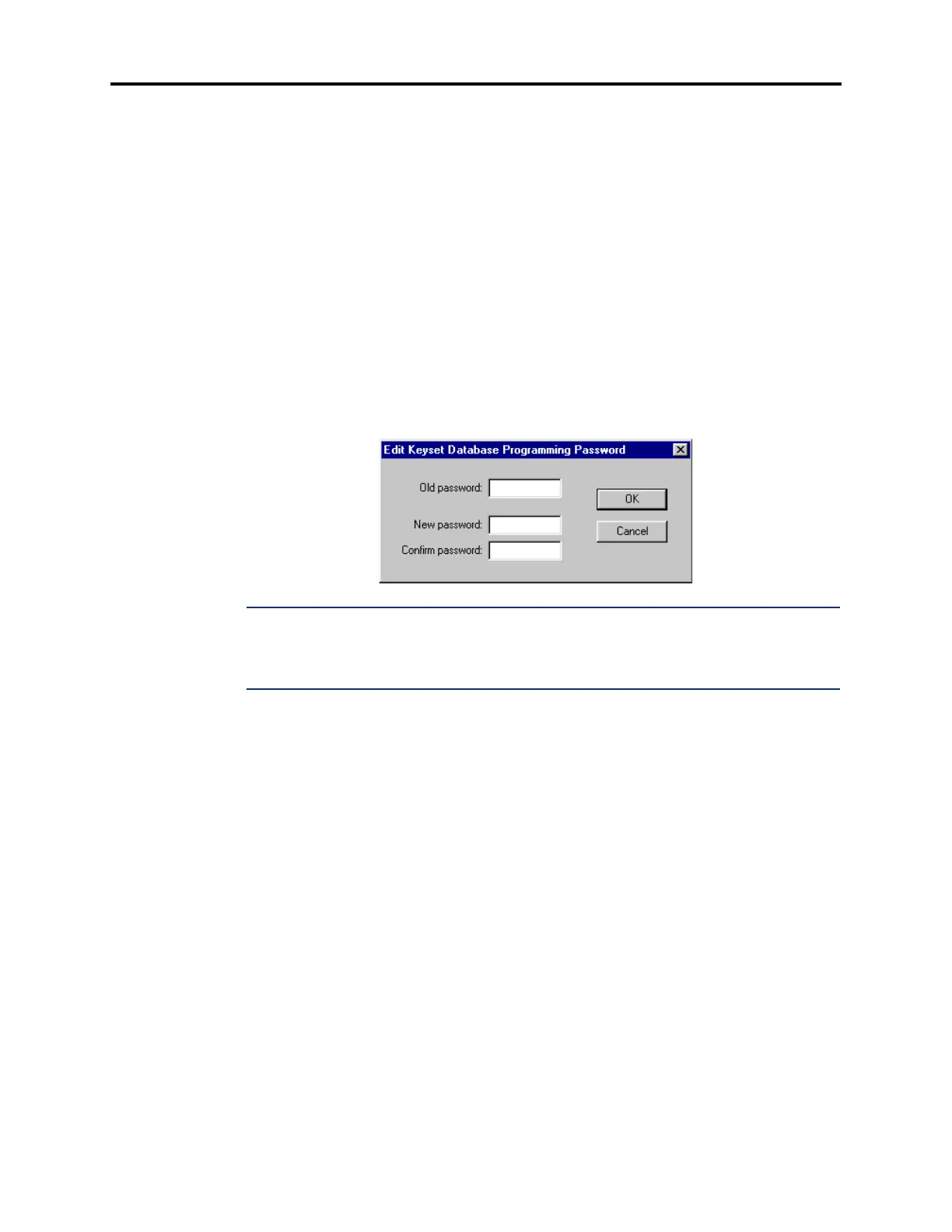
10.59 To program the password right-click on
Keyset DB Programming Password. A win-
dow appears as shown below. Then do the following:
1. Enter the old password, if one exists, in the Old Password box.
2. Enter the new password (up to 8 digits, using digits 0-9) in the New Password box. The
digits will not appear on the screen when typed; they will appear as asterisks (***).
3. Retype the password exactly as before in the Confirm Password box.
4. Select OK to exit and save the password. If the entered passwords match, you will
return to the Password field. If not, you must re-enter the new password and verify it
again. If you make a mistake while entering the password or want to leave it
unchanged, select
Cancel.
NOTE: To provide system security and prevent unauthorized access to the system database,
Keyset DB Programming should have a password. To make the passwords difficult to guess,
they should not consist of one digit repeated several times. The password should be changed
periodically.



 To Next Page