Page 6-116
Programming
INTER-TEL
®
AXXESS
®
MANUAL VERSION 11.0 – May 2008
Moving Cards
Moving Cards
3.26 A card can be moved to any unoccupied slot (except slots 8 and 16, which are reserved
for CPCs or CPU Cards). To do this, highlight the existing card and drag and drop it to the new
location. Or, highlight the card to move and press
CTRL + the up/down arrow to move the card
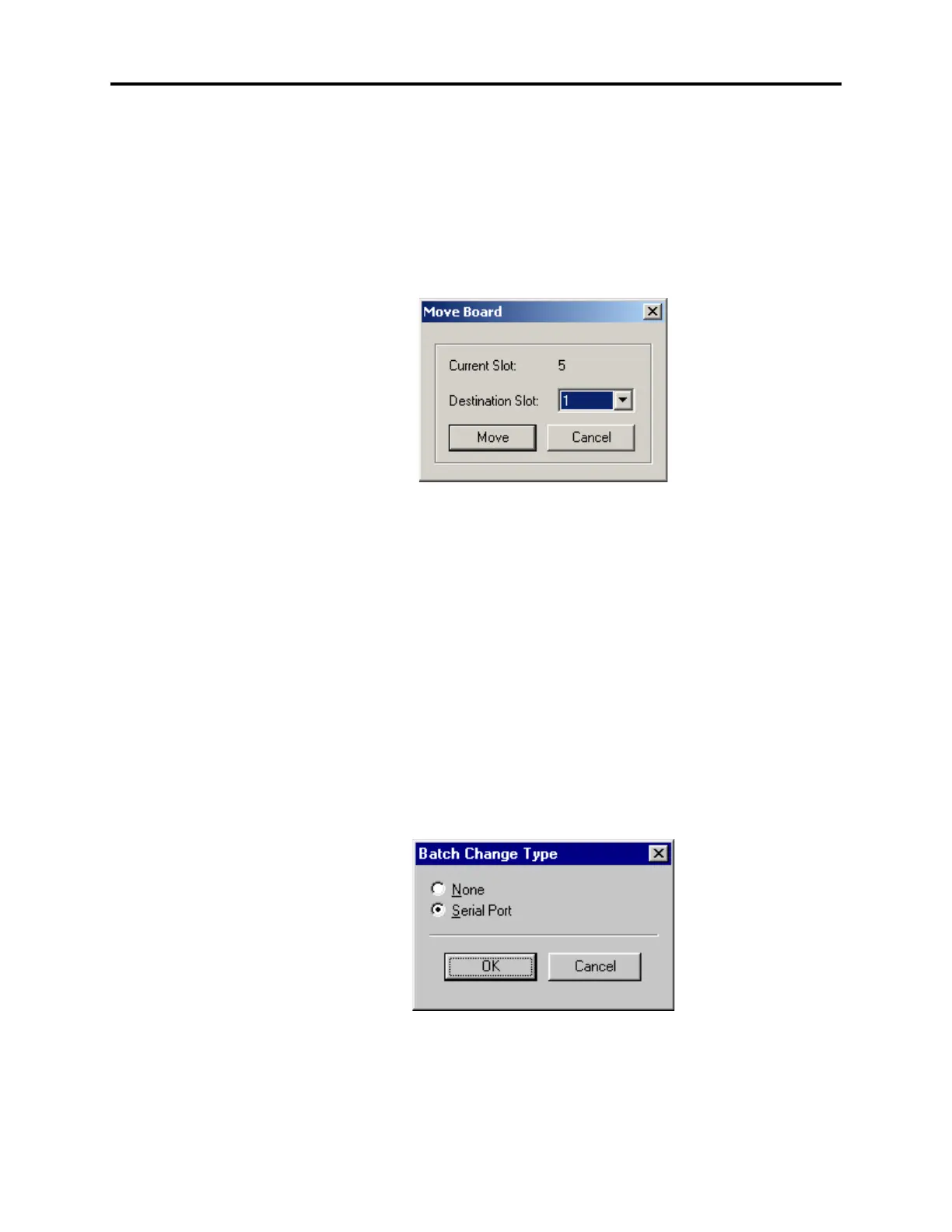
up or down in the list. You can also move a card using the Move Board shortcut menu option.
To do this, right-click on the desired card or press
CTRL + M. Then select Move Board. The
Move Board dialog appears, as shown below. Select the destination slot and click
Move or
click
Cancel to terminate the move process. (This can only be done while in local program-
ming mode.)
CPC or CPU Card Configuration
3.27 You can configure the serial ports and page port on the CPC and CPU. If a CPC is
installed, you can also configure the modem and IP port.
3.28 Ports: (You cannot change the first port.) If you equip a Serial Port, its number is
assigned automatically. If you want to see the programming for this port (as performed in
Devices and Feature Code programming, described on page 6-156), double-click on the port
number.
• To equip a single port: To select the port type, select the current Port description and
use the drop-down list box to scroll to the new port type. Then press
ENTER or click on
another field to save the change.
• To equip several circuits at once: Highlight the ports you want to equip. (To highlight
a series of items, hold down
SHIFT while selecting the first and last item. To highlight
two or more that are not consecutive, hold down
CTRL while selecting the desired
items.) Then right-click and select
Batch Change Type. The following window
appears. Place a dot in the port type you want to assign and select
OK.
3.29 Page Port: You cannot disable the page port. Its number is shown for your reference. If
you want to see the programming for the page port (as performed in Devices and Feature Code
programming, described on page 6-156), double-click on the page port number.



 To Next Page