Page 6-350
Programming
INTER-TEL
®
AXXESS
®
MANUAL VERSION 11.0 – May 2008
Programming Command and Event Ports
So, if the ASR Setting is set to Active for any of the upper-level folders, the ASR Enabled
value is applied to that level and any subfolders below it.
Programming Command and Event Ports
2.29 The EM system supports an Operations, Administration, and Management (OAM)
interface that allows you to send commands to and receive responses from the system. To use
this interface, you must program the appropriate ports in DB Programming. These ports
include the following, which are located under Voice Processor:
• Management Command Port: Enter the port number that the system will use for
receiving commands and sending responses. The valid range is 0 - 65535, and the
default is 4444.
• Management Event Port: Enter the port number that the system will use for sending
event messages to the connected console. The valid range is 0 - 65535, and the default
is 4445.
NOTE: Make sure these ports are open on firewalls/routers if the PC issuing these commands
is located outside of the current subnet.
L. MONITOR PASSWORD
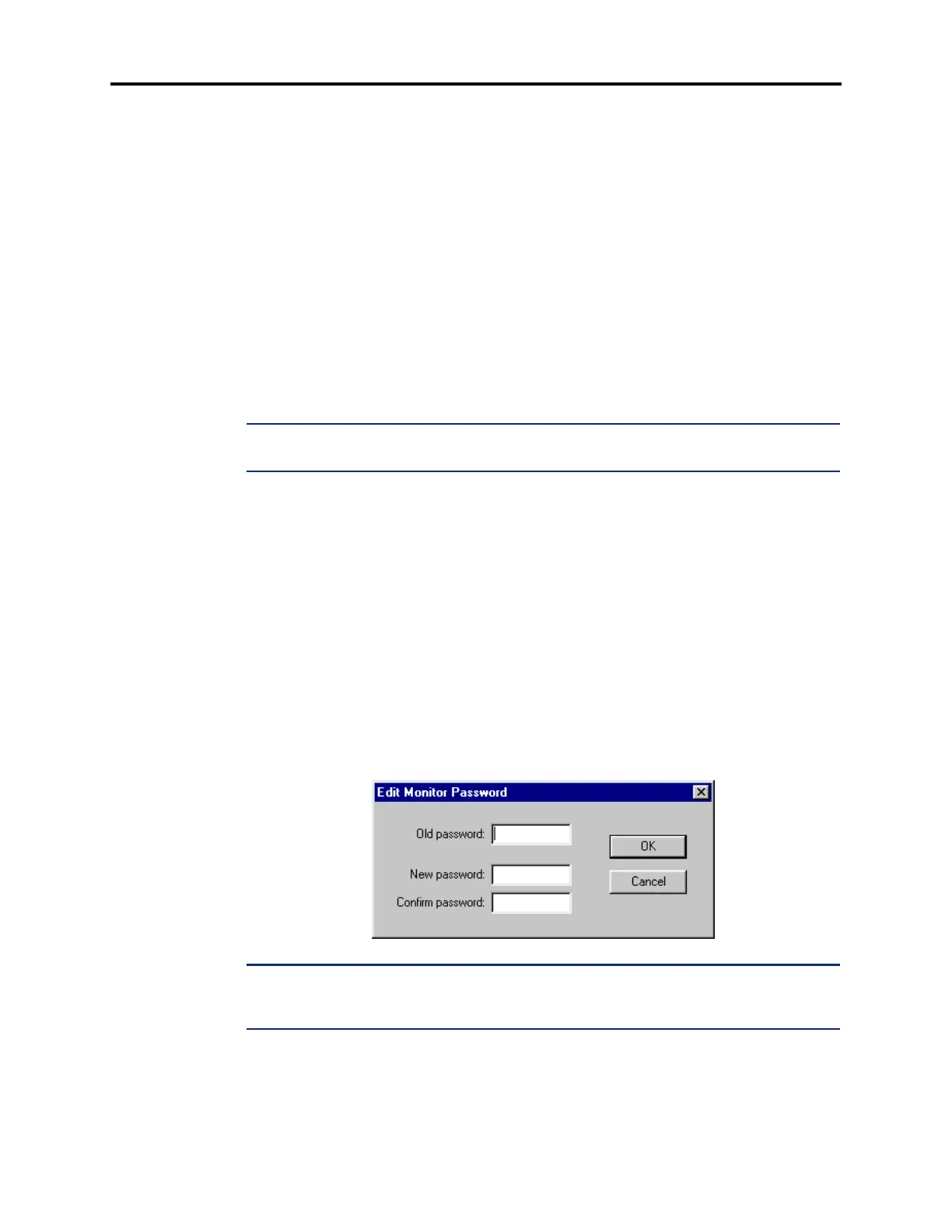
2.30 To protect the Voice Processor against unauthorized access, a password can be required
for the AVDAPMon utility described on page 3-231. To program the password right-click on
Monitor Password and select Edit Password. A window appears as shown below.
1. Enter the current password, if one exists.
2. Enter the new password (up to 40 characters) in the New Password box. The characters
will not appear on the screen when typed; they will appear as asterisks (***).
3. Retype the password exactly as before in the Confirm Password box.
4. Select OK to exit and save the password. If the entered passwords match, you will
return to the Password field. If not, you must re-enter the new password and verify it
again. If you make a mistake while entering the password or want to leave it
unchanged, select
Cancel.
NOTE: To provide system security, the e-mail system must have a password. To make the
passwords difficult to guess, they should not consist of predictable patterns, such as one digit
repeated several times.



 To Next Page