Page 6-53
Programming
INTER-TEL
®
AXXESS
®
MANUAL VERSION 11.0 – May 2008
Operations Menu
PROGRAMMING
6
10.12 To retrieve history and Message Print queue blocks:
NOTE: If Automatic Diagnostics Delivery (ADD) is running, you cannot retrieve Message Print
timestamps or save Message Print logs. If you attempt to retrieve Message Print timestamps or
save Message Print logs while ADD is running, an error message appears.
1.
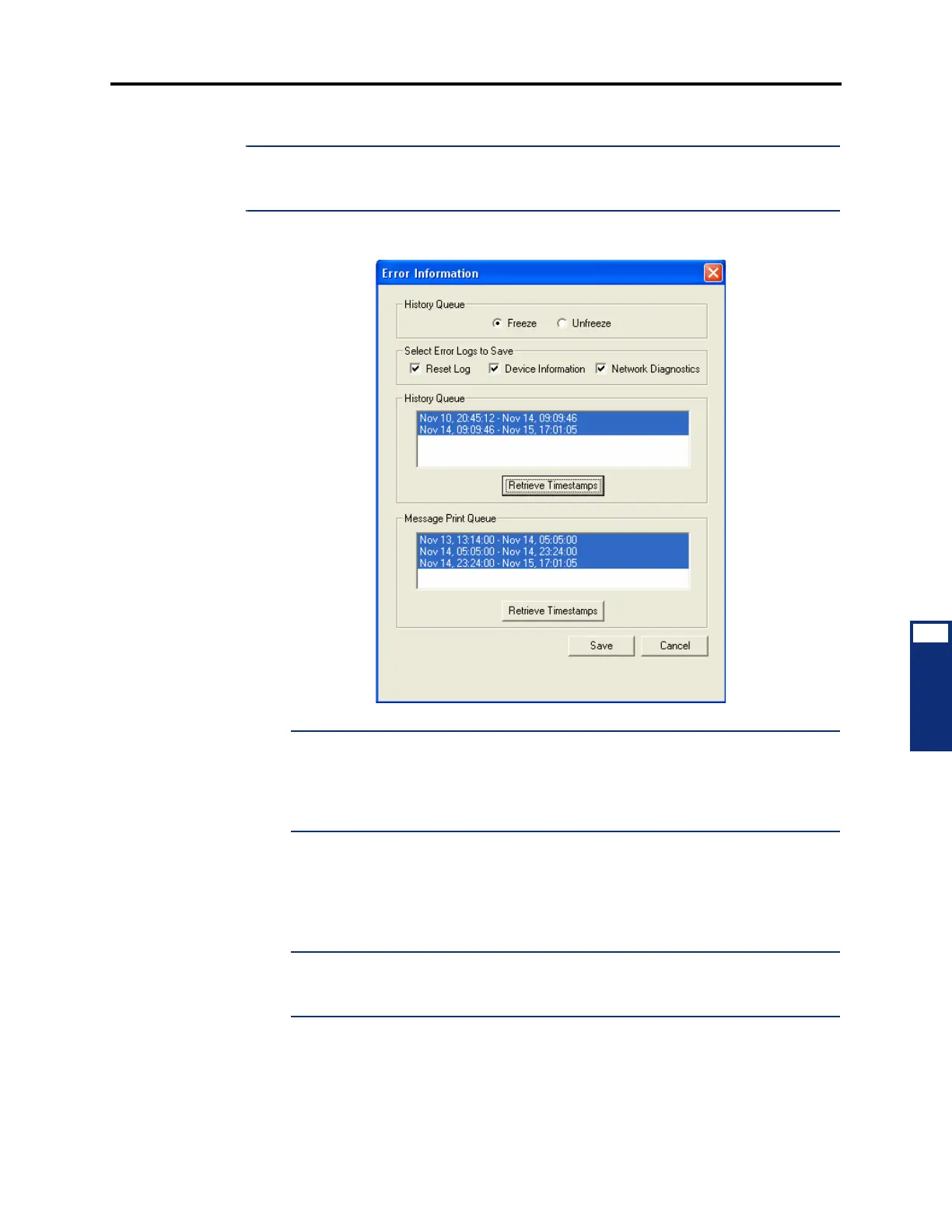
Select Error Information from the Operations menu. The following screen appears.
NOTE: When you select the Network Diagnostics option before you complete a system
freeze, the freeze includes a Network Diagnostics Log file with an extension of
.ndl.
This log file captures settings for CPS, CPC, IPRC, and IP settings, as well as insuffi-
cient bandwidth alarms. This information can be obtained using Diagnostics Monitor
(see page 5-324).
2.
If the system is not already frozen, select Freeze. Otherwise, continue to the next step.
3. Click Retrieve Timestamps to view the timestamps associated with the history and
Message Print queues. The blocks are listed based on the time intervals.
4. Highlight the timestamps that you want to save.
NOTE: To select multiple timestamps that are listed consecutively, hold down SHIFT
while selecting the first and last desired timestamp. To select multiple individual times-
tamps, hold down CTRL while making your selection.
5.
Click Save. The standard Windows browse screen appears.
6. Select the destination for the files (maximum 65 characters, including the freeze file
names) and click
OK.



 To Next Page