Page 6-272
Programming
INTER-TEL
®
AXXESS
®
MANUAL VERSION 11.0 – May 2008
Major Reset Scheduling
NOTE: If this flag is enabled, the installer should inform the customer that enabling this flag
will drop all active calls at the specified time, should a major reset be necessary. This will not
happen every day, but it will happen occasionally. The customers should be aware of this so
that they do not mistake the reset for a system failure.
8.18 Days of the Week: Select the days of the week on which you want automatic resets to
occur. Resets occur on the days of the week that are enabled, provided the
Always Reset On
Days Of Week
flag is enabled. By default, all days of the week are disabled.
8.19 Always Reset On Days Of Week: Set this option to Yes to have resets occur on the
specified days of the week. If this option is disabled, resets will not occur on the specified
days. By default, this is disabled.
NOTE: If a red “x” is displayed next to Always Reset On Days Of Week, you have not
enabled any of the days of the week (e.g., Monday, Tuesday, etc.). You must have at least one
day of the week enabled; otherwise, resets will not occur.
8.20 When finished, the system reset as programmed.
8.21 To perform an immediate reset: Select
Reset Now from the Operations menu.
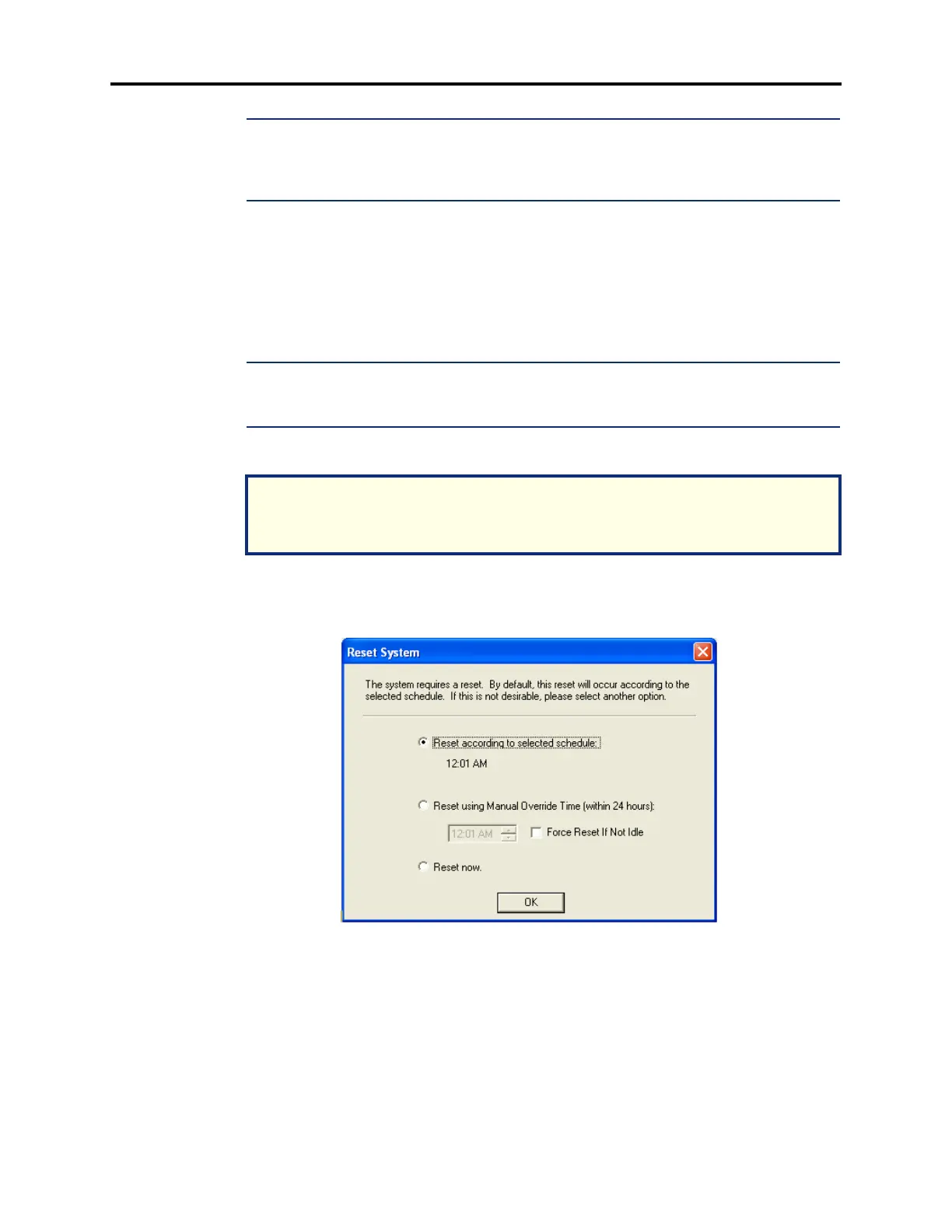
8.22 Reset System Dialog: When you make a change that requires a reset, the Reset System
dialog appears upon existing DB Programming.
8.23 This dialog has the following options:
• Reset according to selected schedule: Resets the system according to the schedule that
the user has selected in the Major Reset Scheduling folder (System\Maintenance). The
reset schedule that is currently selected is also displayed.
NOTICE
A system reset terminates all calls in progress. Inter-Tel recommends that you schedule
resets to occur after normal business hours.



 To Next Page