Page 6-325
Programming
INTER-TEL
®
AXXESS
®
MANUAL VERSION 11.0 – May 2008
Programming the Music-On-Hold Profiles
PROGRAMMING
6
7. Set the desired values for each field by selecting the value you want to change and
scrolling to the desired setting. The available fields are as follows:
• Music-On-Hold: Determines what outside callers will hear after their call is put
on hold. This option can be set for Silence, Tick Tone, Ringback, Board, or Use
Next Device’s Audio Source. It is set to Board by default.
• Audio on Transfer to Ring: Determines what outside callers, except those using
Direct Inward System Access (DISA), will hear after their call is transferred. This
option can be set for Music-On-Hold, Ringback, Silence, Tick Tone, Board, or
Use Next Device’s Audio Source. It is set to Ringback by default. (The feedback
that DISA callers hear is determined by the DISA Transfer tone system flag.)
• Audio on Hold for Transfer Announcement: Determines what outside callers
(except those using DISA) will hear while their call is on transfer hold. After the
transfer is completed, the caller will hear the Audio On Transfer to Ring (or Hold)
selection. This option can be set for Ringback, Silence, Tick Tone, Music-On-
Hold, Board, or Use Next Device’s Audio Source. It is set to Music-On-Hold by
default. (The feedback that DISA callers hear is determined by the DISA Transfer
tone system flag.)
• Audio on Transfer to Hold: Determines what outside callers (except those using
DISA) will hear while their call is being transferred to hold. This option can be set
for Ringback, Silence, Tick Tone, Music-On-Hold, Board, or Use Next Device’s
Audio Source. It is set to Music-On-Hold by default. (The feedback that DISA
callers hear is determined by the DISA Transfer tone system flag.)
8. Press ENTER or click outside the field to save your change.
11.19 To program a Music-On-Hold Profile for a CRT:
1. Go to System – Trunk-Related Information – Call Routing Tables. A list of CRTs
appears.
2. Click the desired CRT.
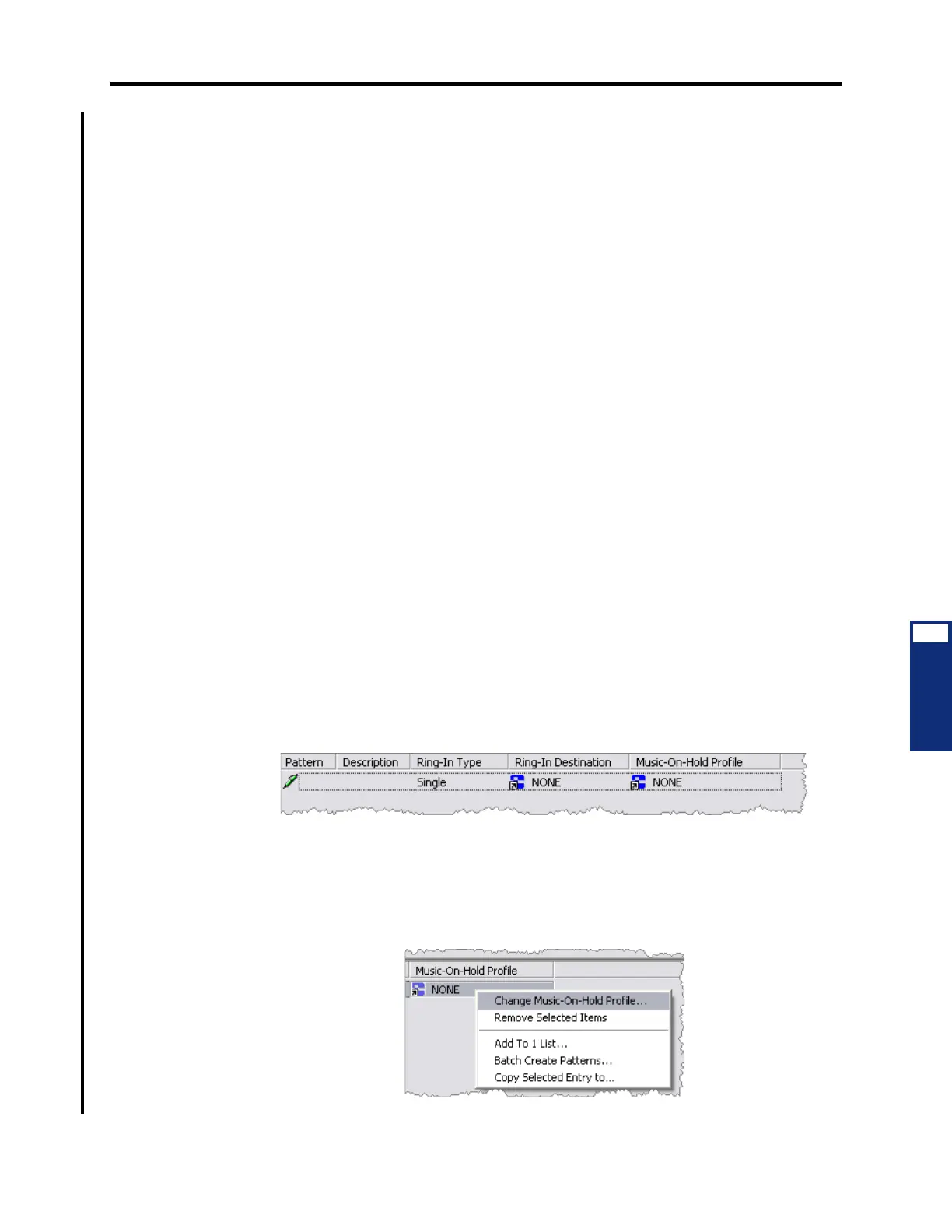
3. Right-click anywhere in the right screen, and then click Add To List (if there is no
blank space, press CTRL-N). The Patterns list appears.
4. Do one of the following:
• Type the desired profile ID in the
Music-On-Hold Profile field.
• Select the profile ID from the Change Music-On-Hold Profile dialog box:
1.) Right-click the existing Music-On-Hold Profile value. A submenu appears.



 To Next Page