Page 7-97
Troubleshooting
INTER-TEL
®
AXXESS
®
MANUAL VERSION 11.0 – May 2008
Obtaining a Software License
7
TROUBLE-
SHOOTING
7. Enter the serial number of the CPC or CP Server software security key and select the
number of ports (devices) you want the license to support.
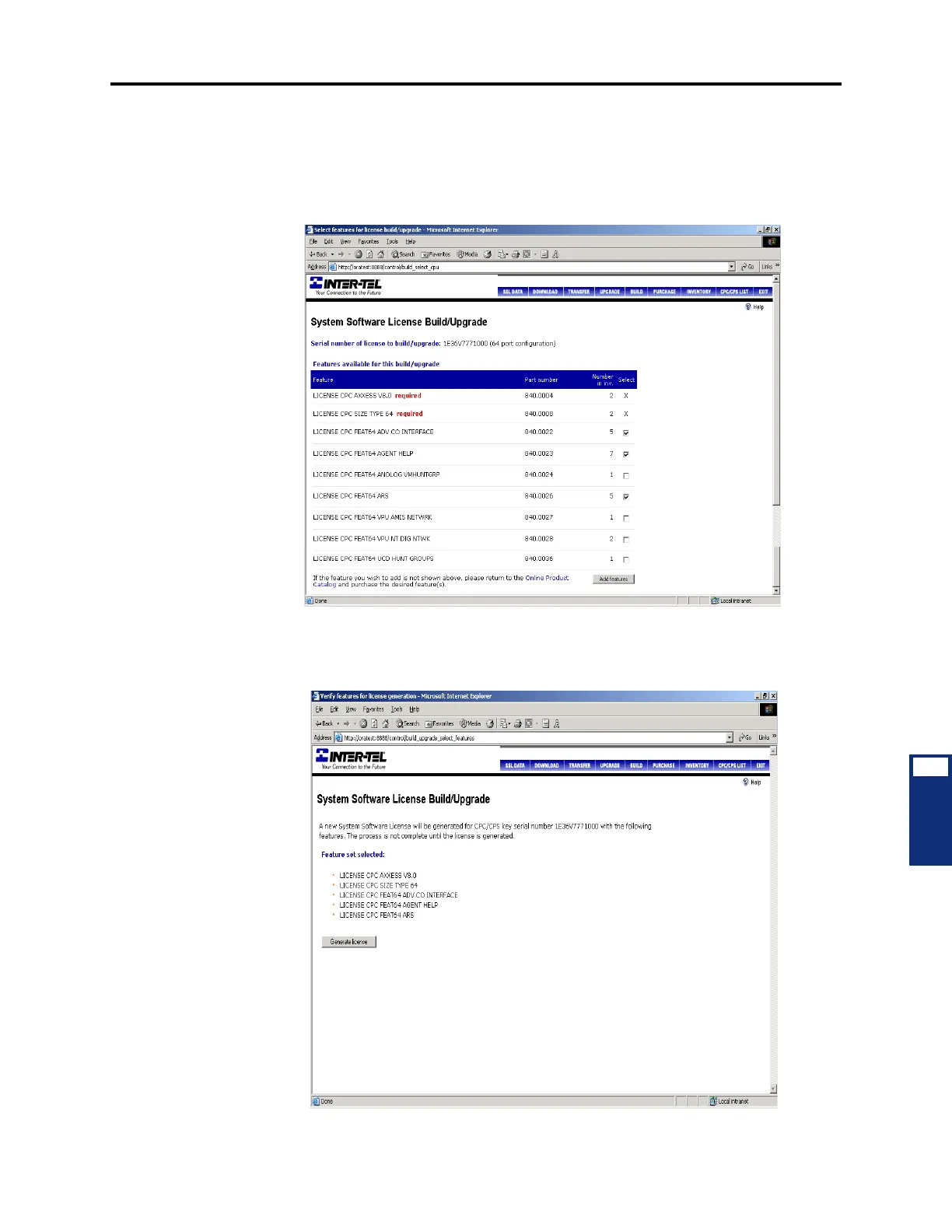
8. Click Submit. If the inventory contains the license features required for the CPU type
selected, the screen below appears. If, however, the inventory does not contain the
required features, an error page appears. This page identifies the missing feature.
9. Select the features you want supported on this license, then click Add features. A
screen summarizing the license features appears, and the number of features available
in inventory is adjusted accordingly.



 To Next Page