Page 6-127
Programming
INTER-TEL
®
AXXESS
®
MANUAL VERSION 11.0 – May 2008
T1, T1/PRI, or E1/PRI Card Configuration and Programming
PROGRAMMING
6
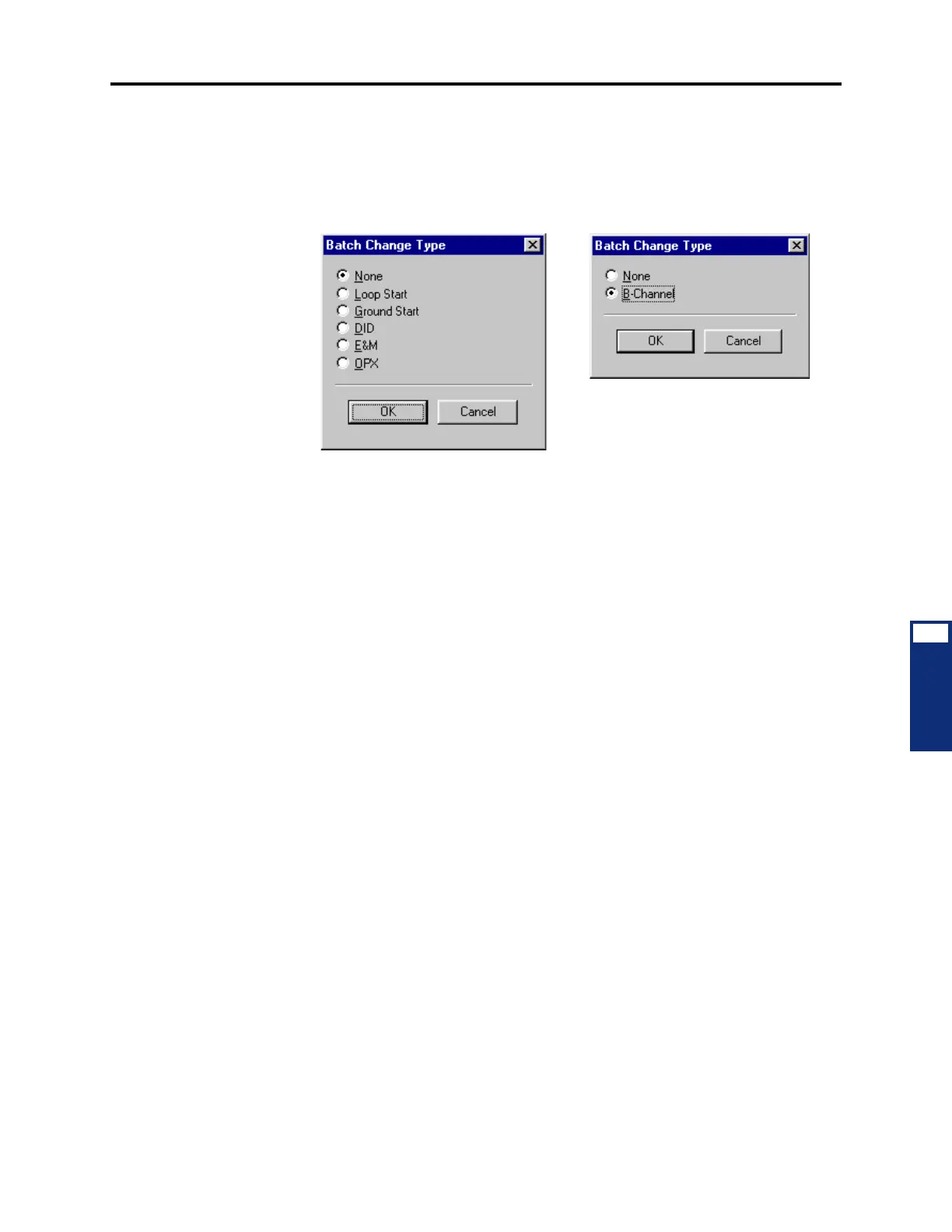
• To equip several circuits at once: Highlight the circuits you want to equip. (To high-
light a series of items, hold down
SHIFT while selecting the first and last item. To high-
light two or more that are not consecutive, hold down
CTRL while selecting the desired
items.) Then right-click and select
Batch Change Type. One of the following windows
appears. Place a dot in the circuit type you want to assign and select
OK.
3.84 If the new devices require extension numbers, you will be prompted to select the first
number in the batch. The available extension numbers will be assigned sequentially to the
newly equipped circuits. If you attempt to exceed the device limit of the System, you will see
an error message telling you the operation cannot be performed.
T1/E1 Diagnostics
3.85 T1 Diagnostics is used for troubleshooting T1 or E1. It shows the status of various con-
ditions for the selected card.
• Hourly Display: Double-click on
Hourly to see the number of error that have occurred
in each hour for the past 24 hours.
• Daily Display: Double-click on
Daily to see the number of errors that have occurred
during several 24-hour periods.
• Hourly Summary: The hourly summary shows the number of errors that have occurred
in the past hour.
• Daily Summary: The daily summary shows the number of errors that have occurred in
the past 24 hours.
• Last Error Update Hour and Day: These fields show the date and time that the infor-
mation was last updated. (Information is automatically updated whenever a new card is
selected.)
• T1/E1 Status: Double-click on
T1/E1 Status to see the following fields. They show the
status of the T1 or E1 card and allow you to perform diagnostics. To update the infor-
mation, right-click anywhere and select
Update All Statuses.
— Make Busy: This option can be used to busy-out all of the circuits. When it is
enabled, the card is busied out, just as it would be if the busy-out switch on the
card was used. To change this option, right-click on the current Value and then
select
Enable Make Busy. To turn off the Make busy, right-click again and select
Disable Make Busy.
T1 Options: T1/PRI or E1/PRI Options:



 To Next Page