Page 6-201
Programming
INTER-TEL
®
AXXESS
®
MANUAL VERSION 11.0 – May 2008
Stations on the Local Node
PROGRAMMING
6
4.200 Intelligent Directory Search (IDS): Because of the IDS feature introduced in v9.1, the
information you enter in any endpoint Description and Username field will have an impact on
how users search for information in the system. The Description and Username fields are
located in System\Devices and Feature Codes\Local\<station>. See page 5-244 for details
about IDS.
4.201 To enter a description to support IDS:
1. Select the Descriptions field and then enter the full name, up to 20 characters, in the
text box. The full name should be entered in the form: Last name, First name as much
as possible. Note that the field is case-sensitive, therefore, IDS will display “Bond,
James” rather than “BOND, JAMES” if that is what you programmed into the database.
When using this method, the algorithm considers everything before the comma as the
last name and everything after the comma as the first name. For example, a user named
“Billy Bob Via Linda” should have his description programmed as “Via Linda, Billy
Bob.” Be careful with descriptions like “Smith, George IP” to indicate that this exten-
sion is George Smith’s IP phone because IDS will think the name is “George IP Smith.”
2. Press ENTER or select another field to save the change.
4.202 Hidden Entries in the Voice Mail Directory: There is a Voice Mail feature that allows
you to program a description for a user in DB Programming but hides the description in the
Voice Mail directory. For example, a user may have a primary extension (for example, at the
office) programmed as “BOND, JAMES.” However, the same user may have a secondary
extension—for example, at home—that is not published from the Voice Mail directory.
4.203 To hide an entry in the Voice Mail directory, enter a tilde (~) immediately before the
last name (for example, “~BOND, JAMES”) in the Description field. See page 5-249 for
details.
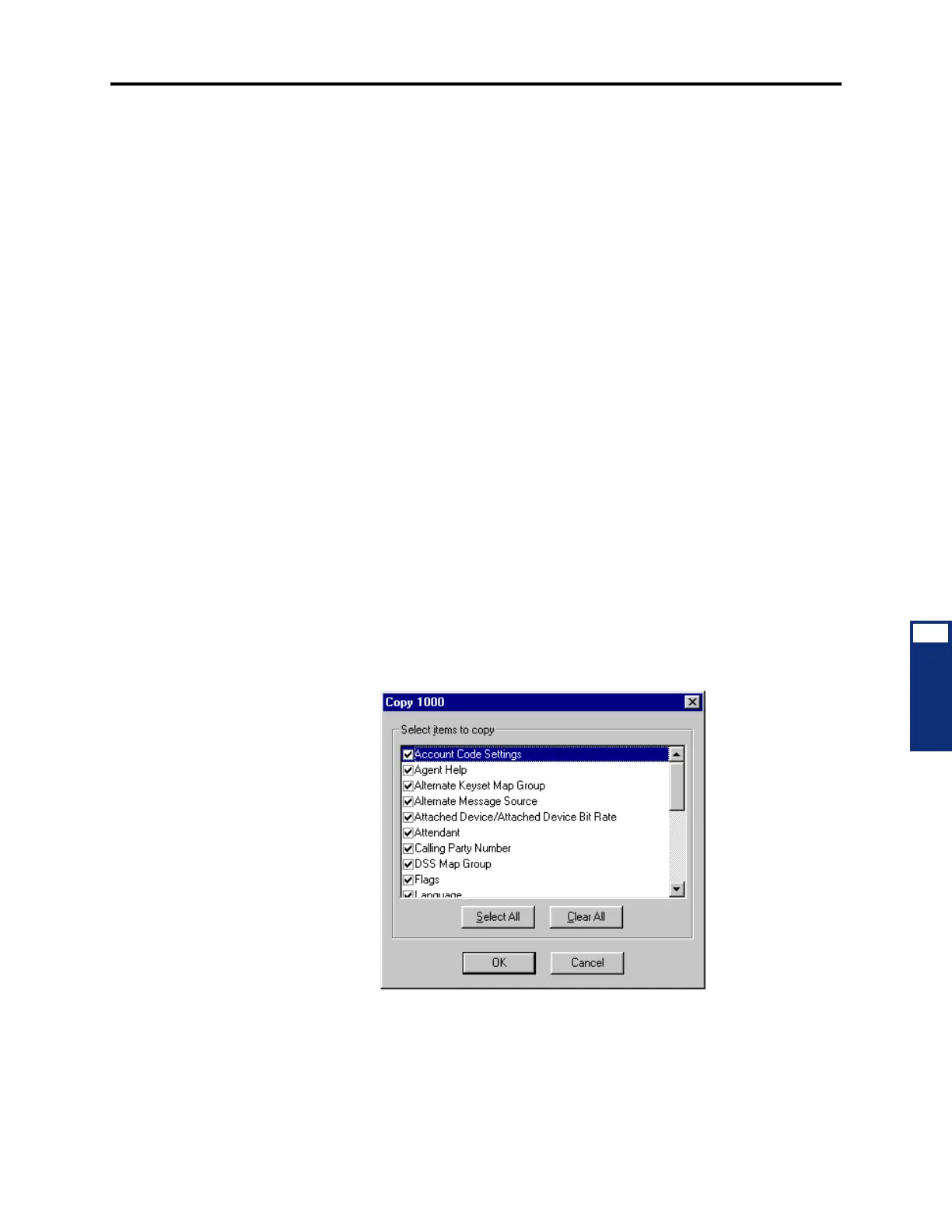
4.204 Copying Station Programming: To copy a station, right-click on the extension number
and then select
Copy. To paste the programming information into another station, right-click
on the station where you want the information pasted. Then select
Paste. You will see a
screen, like the one shown below, that allows you to select the attributes you want to copy.



 To Next Page