Page 6-248
Programming
INTER-TEL
®
AXXESS
®
MANUAL VERSION 11.0 – May 2008
Trunks
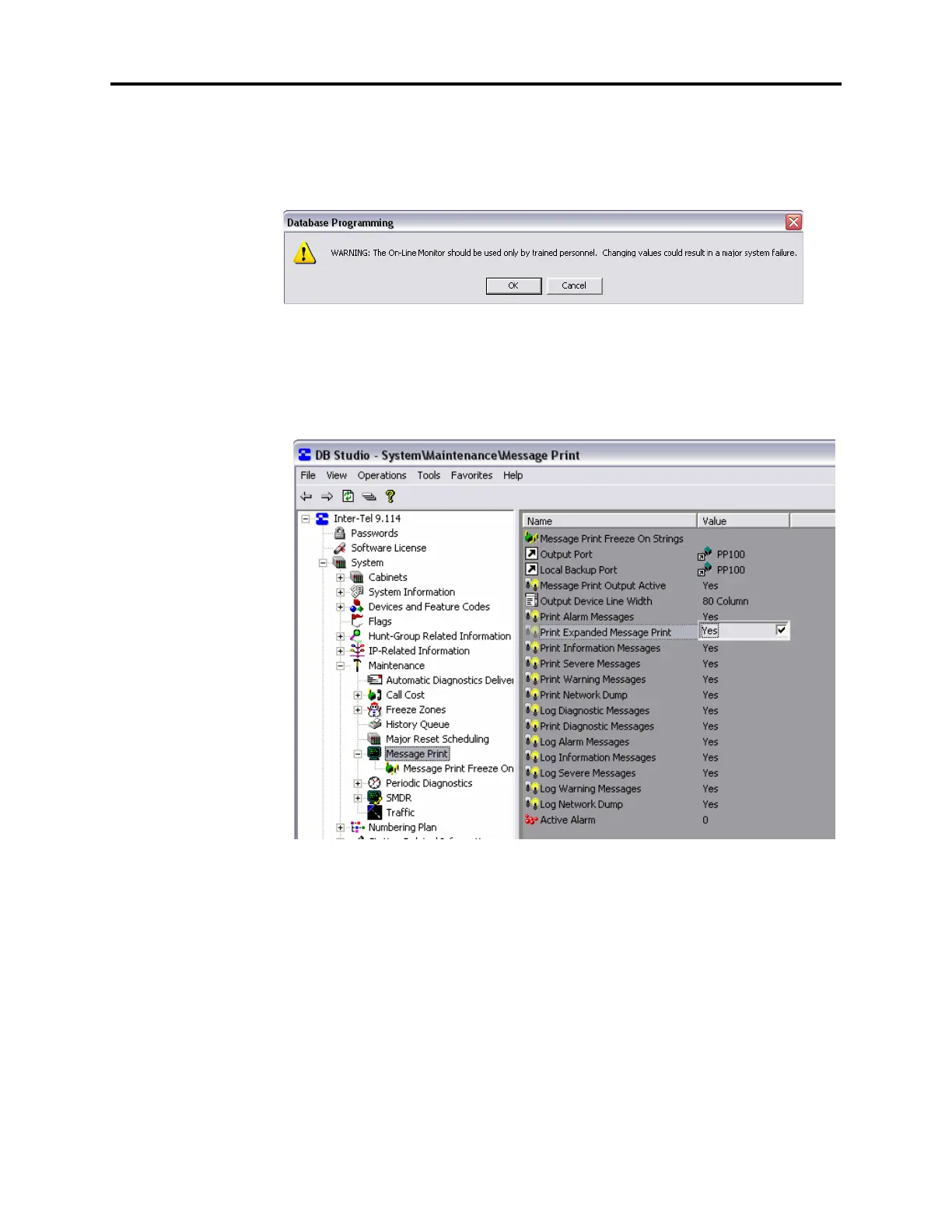
4.353 To set up Expanded Message Print capability:
1. On an idle or nearly idle system, start Session Manager.
2. From DB Studio, select View and then click On-Line Monitor. The OLM warning mes-
sage displays.
3. Click OK and a checkmark appears next to the On-Line Monitor option. The OLM view
of DB Programming displays, as indicated by a darker background in the right pane and
the appearance of previously hidden folders in the left pane.
4. From the left pane, select System – Maintenance – Message Print – Print Expanded
Message Print
. Make sure the value is set to Yes. The default is No.



 To Next Page