Page 6-249
Programming
INTER-TEL
®
AXXESS
®
MANUAL VERSION 11.0 – May 2008
Trunks
PROGRAMMING
6
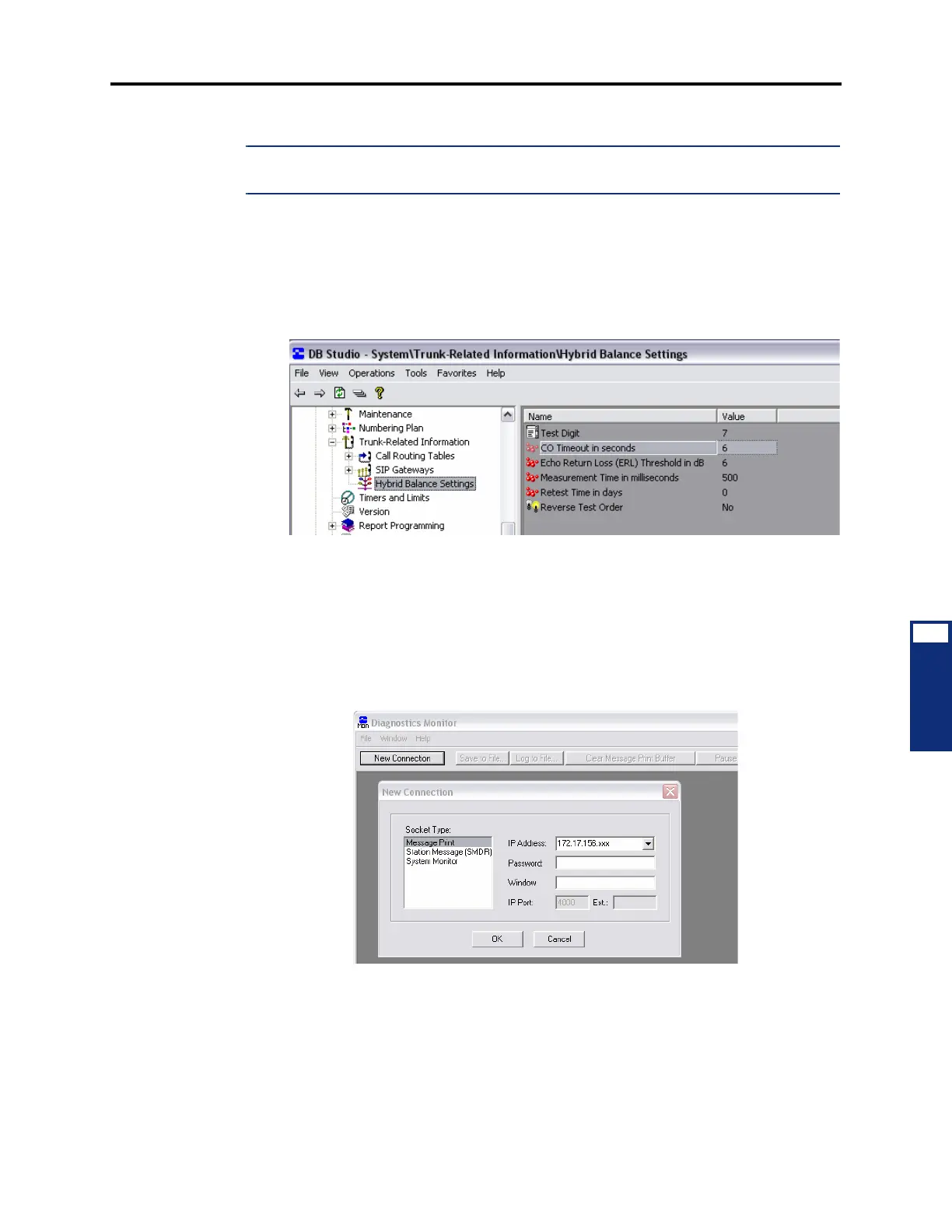
4.354 To verify the “CO Timeout in seconds” timer value:
NOTE: Proceed only if the “Print Expanded Message Print” capability has been enabled in DB
Programming. See page 6-248 for details.
1.
If you have not already done so, start DB Programming in OLM mode as described in
steps 1. through 3. on page 6-248.
2. From the left pane, select System – Trunk-Related Information – Hybrid Balance Set-
tings
. Change the CO Timeout in seconds value to 4, if it is set to any other value. The
default is 6 seconds.
3. After validating that the Print Expanded Message Print option is enabled and the CO
Timeout in seconds value is set to 4, click
View and then click On-Line Monitor to dis-
able the option. You exit OLM mode and the regular DB Programming window dis-
plays. As appropriate, proceed either to the procedure to run a Hybrid Balance Test on a
single trunk or on all trunks. See page 6-250.
4.355 To activate the Message Print client:
1. From your Windows desktop, select Start – Inter-Tel DB Programming – Diagnostics
Monitor
. The Diagnostics Monitor and New Connection windows display.
2. Select Message Print and click OK. Scrolling Message Print output from the system
appears in the Diagnostics Monitor window.
3. Minimize the Diagnostics Monitor window until needed.



 To Next Page