Page 6-392
Programming
INTER-TEL
®
AXXESS
®
MANUAL VERSION 11.0 – May 2008
Mailbox Programming
Password
4.117 A password of up to 12 digits can be programmed for use by the subscriber when
retrieving messages. To program a password for the mailbox right-click on
Password and
select
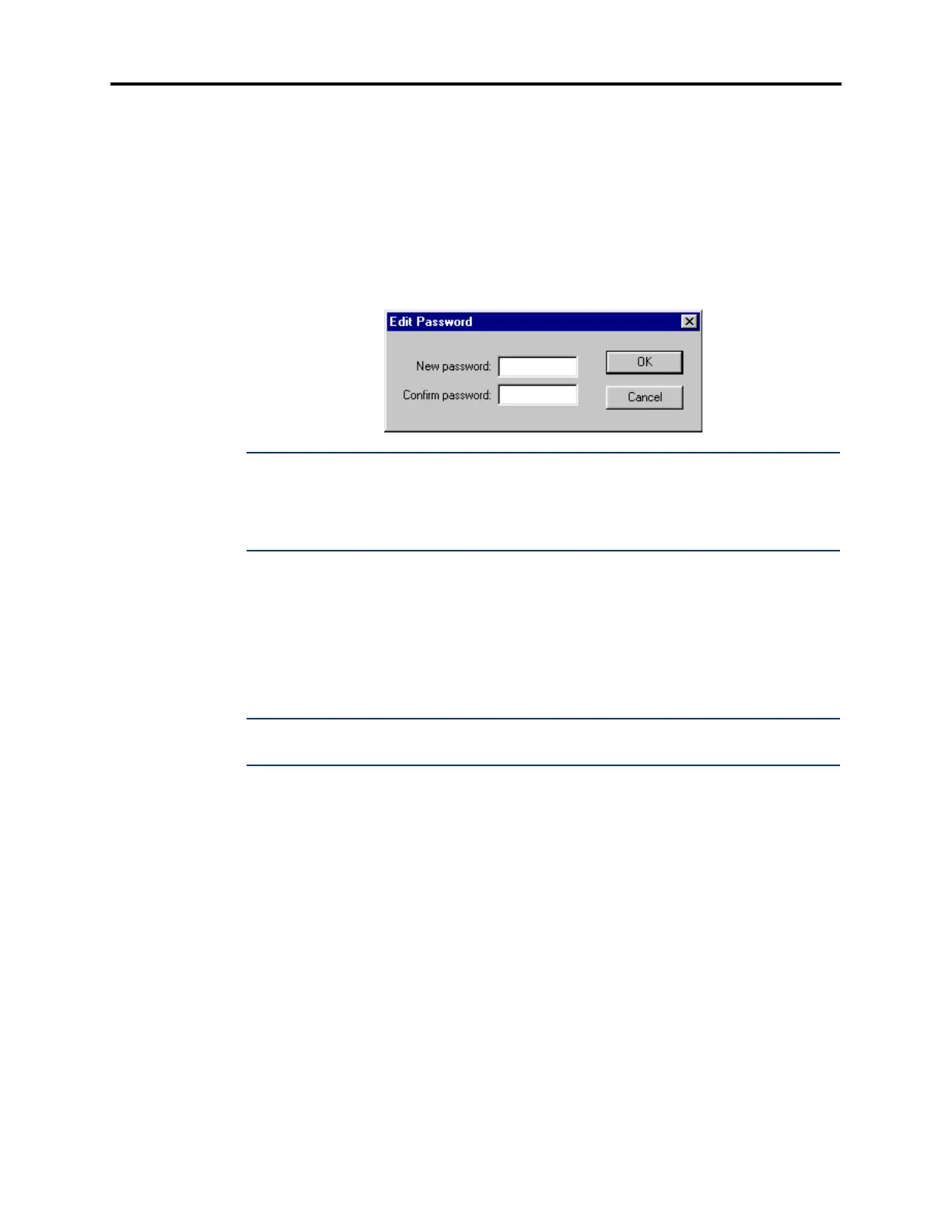
Edit Password. A window appears as shown below. Enter the password (up to 12 digits,
using digits 0-9) in the New Password box. The digits will not appear on the screen when
typed; they will appear as asterisks (***). Then retype the password exactly as before in the
Confirm Password box. Then select
OK to exit and save the password. If the entered passwords
match, you will return to the Password field. If not, you must re-enter the new password and
verify it again. If you make a mistake while entering the password or want to leave it
unchanged, select
Cancel.
NOTE: To provide system security, all mailboxes should have a password. To make the pass-
words difficult to guess, they should not match the mailbox number or consist of one digit
repeated several times. The default password should be changed the first time the user logs in.
This is especially important in the System Administrator's mailbox which allows programming
access to the Voice Processor.
Greeting
4.118 The system greeting, the mailbox primary greeting, or the mailbox alternate greeting
can be enabled. The greeting selection defaults to the system greeting. To determine the greet-
ing callers will hear when they reach the mailbox, select
Greeting and scroll the highlight bar
to the desired selection (Primary, Alternate, or System Greeting). Then press
ENTER or click
on another field to save your change.
NOTE: Even if re-programmed, the system greeting will continue to play until the greeting
selected here has been recorded.
Transfer Method
4.119 (This is used for associated mailboxes only.) When a call is received by an automated
attendant and the caller enters an extension number, the Transfer Method of the associated
mailbox determines how the call will be transferred. Select the drop-down list box and scroll to
the desired setting. Then press
ENTER or click on another field to save your change. The avail-
able Transfer Methods are as follows:
• Announce-Only: The caller is asked to state his or her name. Then the call is trans-
ferred to the associated extension number. When the station user answers the transfer,
the system plays the caller’s name and completes the transfer.
• Screened: The caller is asked to state his or her name. Then the call is transferred to the
associated extension number. When the station user answers the transfer, the system
plays the caller’s name. The station user has the options of replaying the name, sending
the call to voice mail (if the extension has a mailbox), transferring the call to another
extension, accepting the call, or rejecting the call.
• Unannounced: The call is transferred to the associated extension number after the sys-
tem checks the station to determine its status (busy, available, ringing, etc.).



 To Next Page