Page 7-78
Troubleshooting
INTER-TEL
®
AXXESS
®
MANUAL VERSION 11.0 – May 2008
IPRC Diagnostic Displays
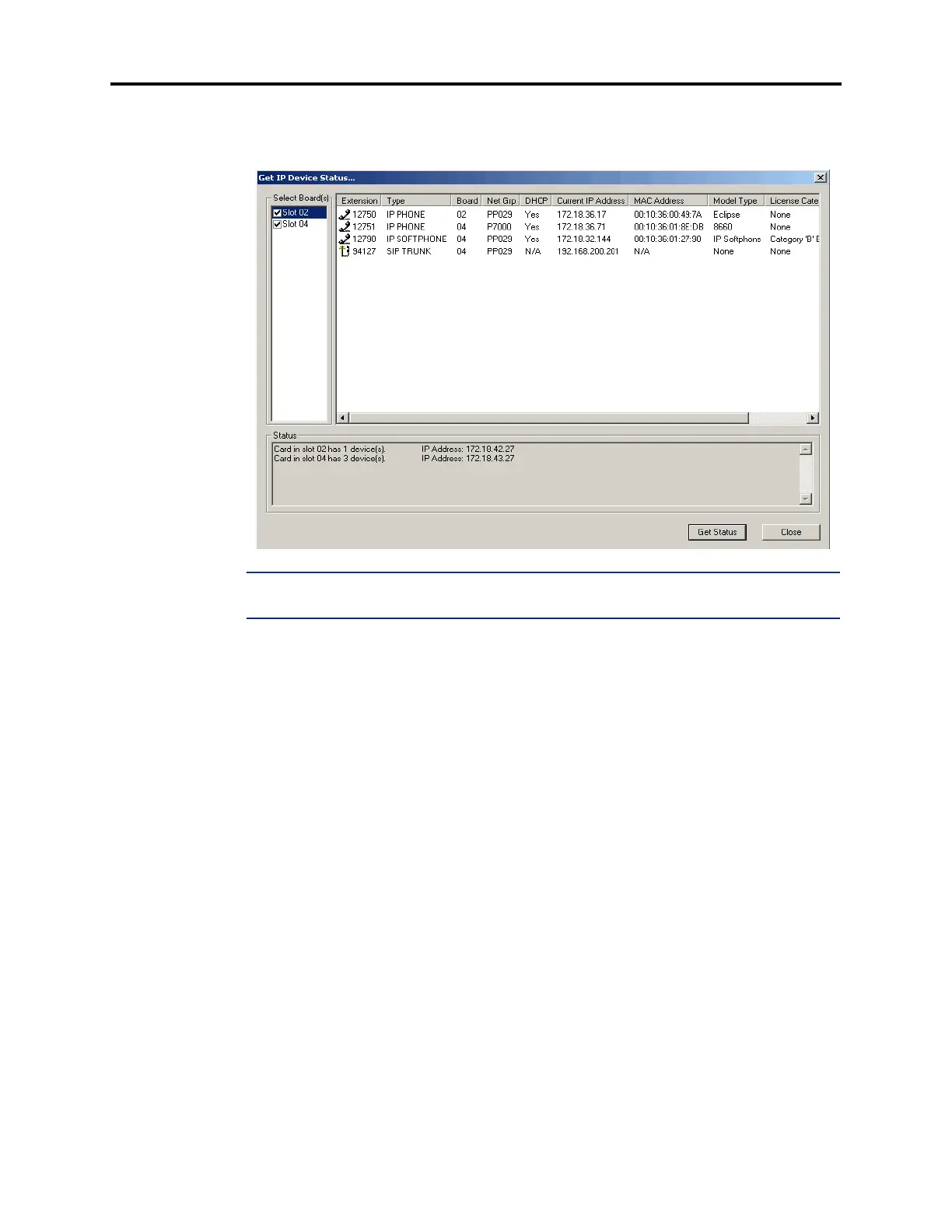
7.12 IP Device Status: You can view the connection status of Inter-Tel IP devices on the
local node at any time using the
IP Device Status option under the Operations menu. When
selected, the Get IP Device Status screen similar to the one below appears.
NOTE: There must be at least one IPRC installed and equipped to use the IP Status feature. If
you select this option on a system with no IPRCs, an error message appears.
7.13 To view the status of the IP devices that terminate at a particular IPRC, select the slot
number of the IPRC. The right frame displays the following information for each IP device:
• Extension: Indicates the extension number assigned to the IP device.
• Type: Displays the device type associated with the extension. Possible options include
IP PHONE and IP SLA.
• Board: Indicates the board number of the device.
• Port: Displays the port number of the device.
• DHCP: Indicates if the device is obtaining its IP address from a DHCP server.
• Current IP Address: Displays the IP address currently assigned to the device.
• MAC Address: Displays the MAC address assigned to the device.
• Model Type: Describes the model of endpoint being displayed. The following list
shows the possible entries for the model type and license categories. Click
Get Status
to retrieve IP Device status.
— Offline (no device is installed)
— IP Phone +
— IP Single-Line Adapter
—SIP
— SpectraLink
— Models 8864, 8665, 8668



 To Next Page