Page 5-250
System Features
INTER-TEL
®
AXXESS
®
MANUAL VERSION 11.0 – May 2008
Feature Directory
B. FEATURE DIRECTORY
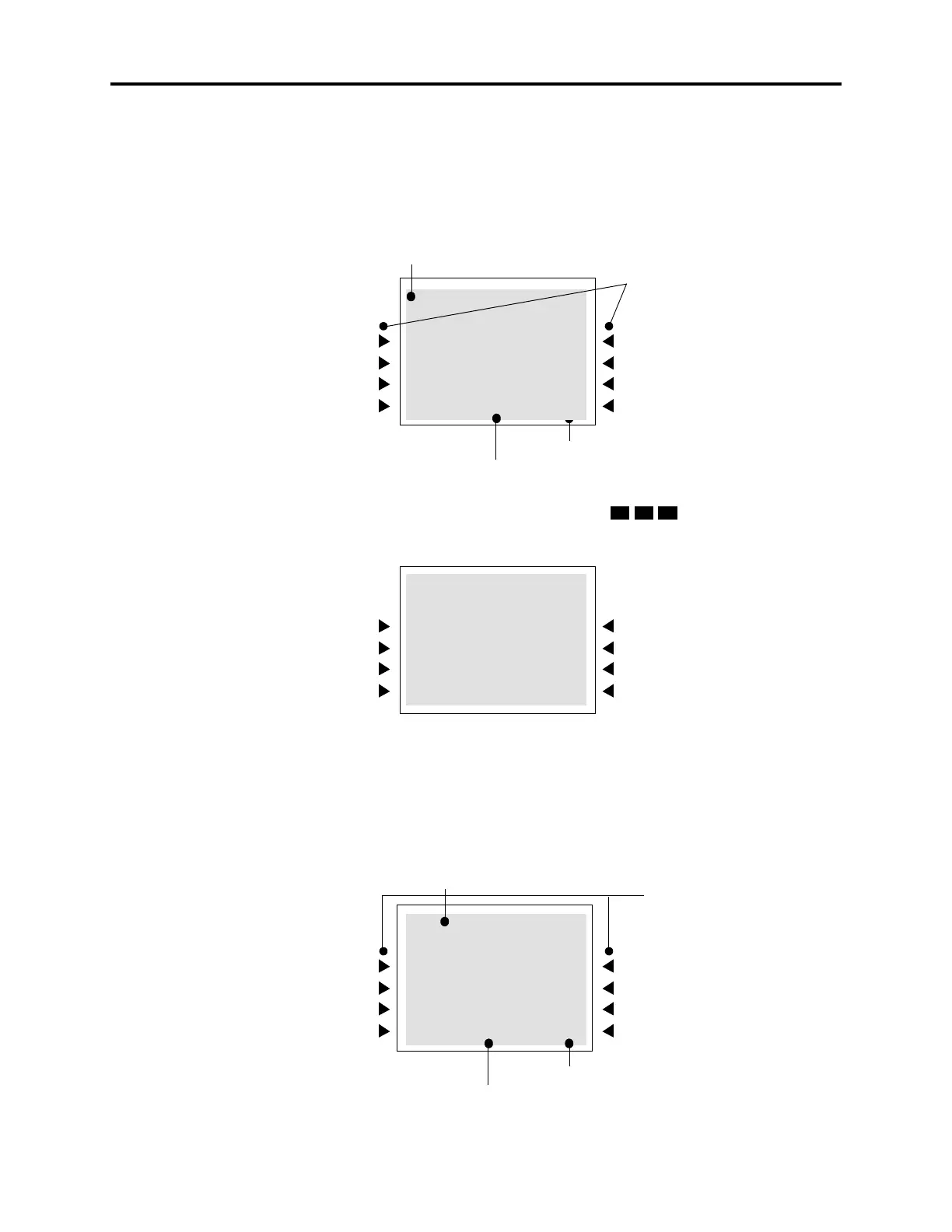
40.24 The following are examples of the Feature directory displays. Upon accessing the Fea-
ture directory, the user will see the entire directory. Just like the IC directory, a six-line display
endpoint shows three possible matches at a time. The entries on the first and third lines see the
same extension. The menu buttons, arrow menu buttons, the total number of matches, under-
line, and dialpad buttons in the Feature directory function the same as the IC directory.
40.25 In the following example, the user entered “SYS” (
) to search one of the Sys-
tem Forward features.
C. OUTSIDE DIRECTORY
40.26 Outside directory also functions just like the Feature directory. Upon accessing the Out-
side directory, the user will see the entire directory. If the number is programmed as “Private”
in DB Programming, that number appears as “PRIVATE NUMBER” in the display, as shown
below.
ARROW MENU BUTTONS
_ACCT CODE FOLLO
391
ACCT CODE FOLLOW
ACD AGENT LOGIN
ACD AGENT LOGOUT
1/81 >>
MENU BUTTONS
TOTAL NUMBER OF MATCHES
UNDERLINE
SYS_FORWARD OFF
353
SYS FORWARD OFF
SYS FORWARD ON
SYS FWD ON/OFF
1/5 >>
ARROW MENU BUTTONS
EEE_ STORE
PRIVATE NUMBER
EEE STORE
EFG SYSTEM
EGH STORE
<< 21/35 >>
MENU BUTTONS
TOTAL NUMBER OF MATCHES
UNDERLINE



 To Next Page