Page 6-88
Programming
INTER-TEL
®
AXXESS
®
MANUAL VERSION 11.0 – May 2008
Networking Wizard
NOTE: You can create only one node at a time while you are using the networking wizard.
16.5 To create and configure a new node:
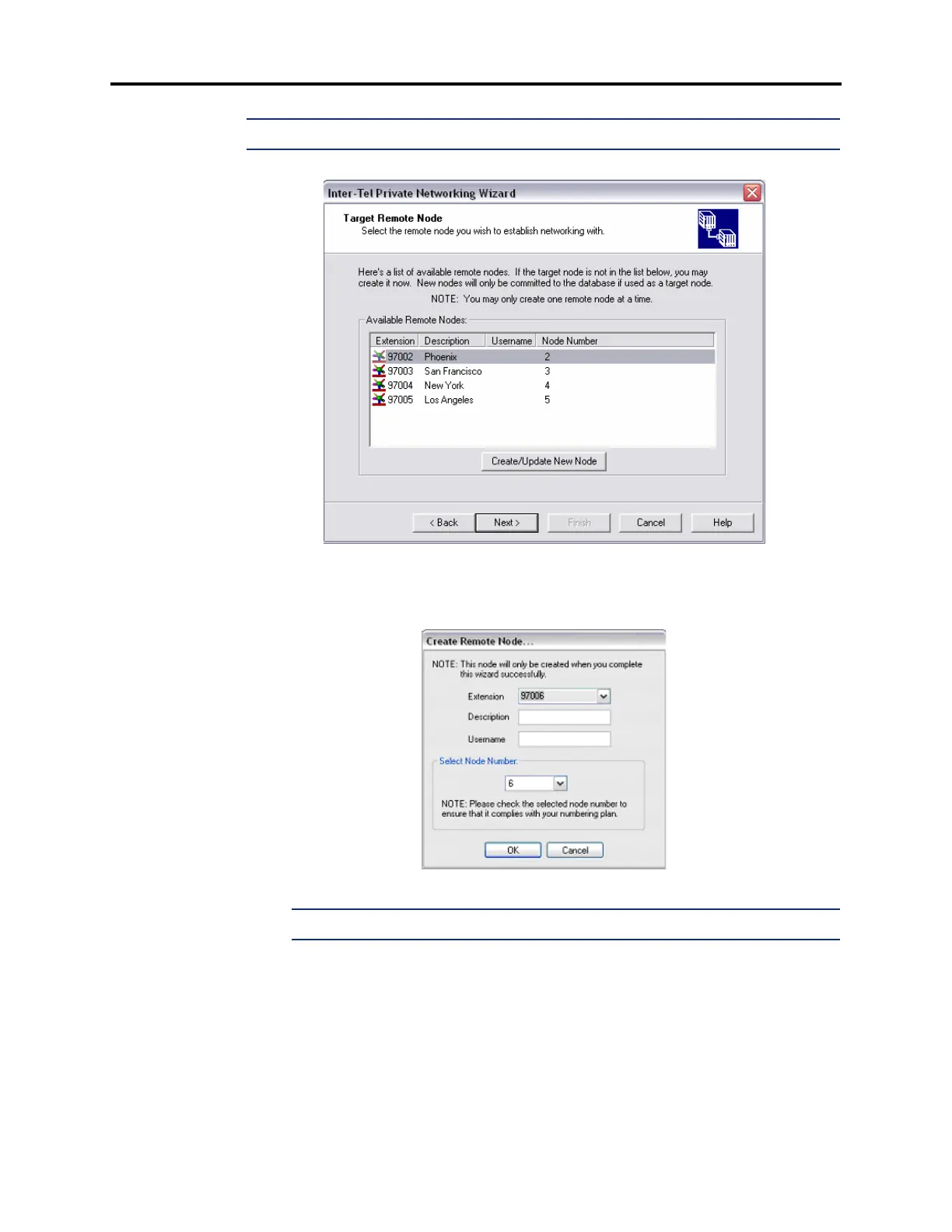
1. Click Create/Update New Node. The Create Remote Node dialog box opens, as shown
below.
NOTE: If the node limit has been reached, an error appears.
2.
Select an Extension for the node using the drop-down list box.
3. Enter a Description for the node.
4. Enter the Username for the node.
5. Select the Node Number using the drop-down list box. Make sure the node number you
select for the new node complies with your numbering plan.
6. Click OK.



 To Next Page