Page 6-93
Programming
INTER-TEL
®
AXXESS
®
MANUAL VERSION 11.0 – May 2008
Networking Wizard
PROGRAMMING
6
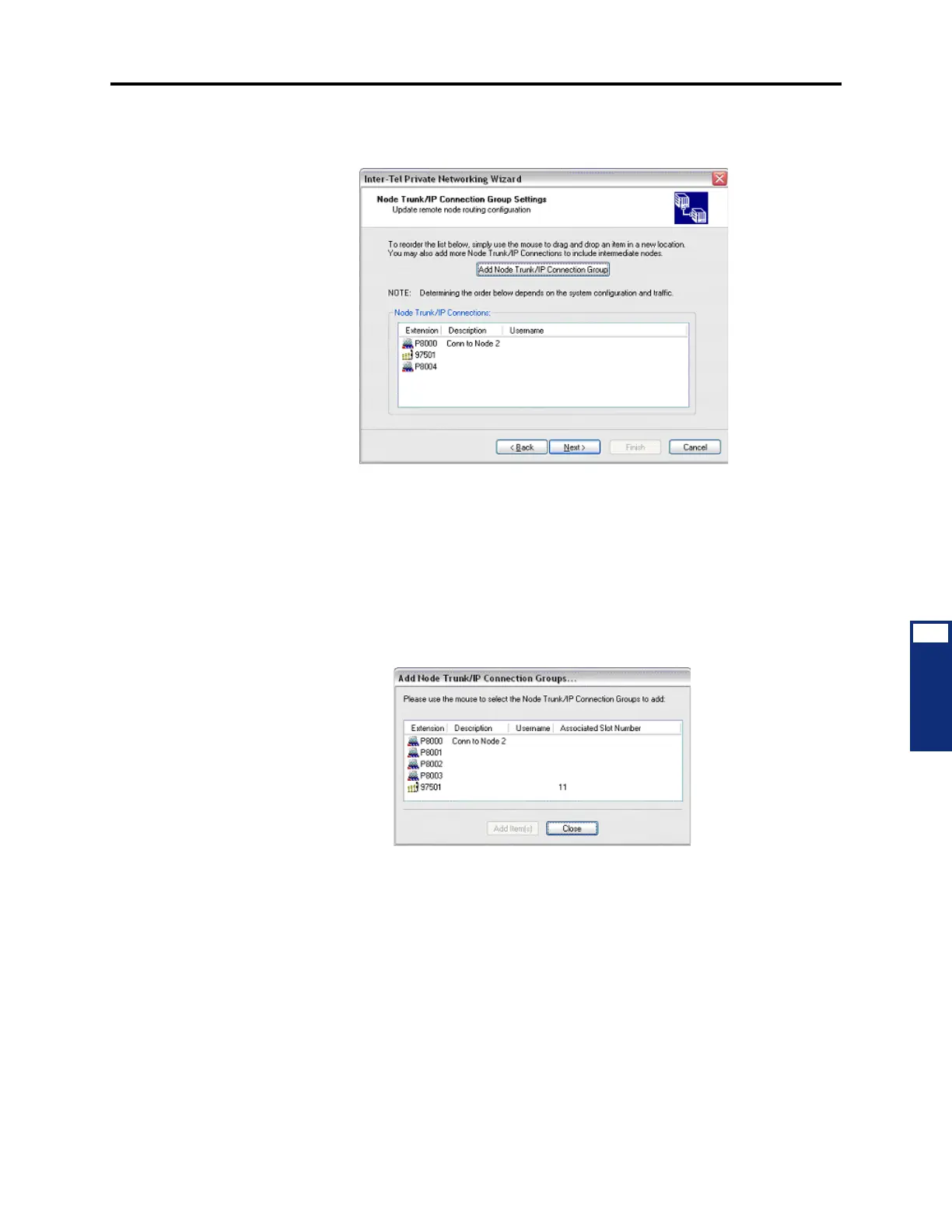
16.19 Updating Node Trunk/IP Connection Group Settings: The fifth screen of the net-
working wizard displays the Node Trunk/IP Connections for the target node.
16.20 The Add Node Trunk/IP Connection Group button allows you to add Node Trunk/IP
Connections. After you have added Node Trunk/IP Connections, you can reorder the list by
dropping and dragging with the mouse.
16.21 To add Node Trunk/IP Connections:
1. Click Add Node Trunk/IP Connection Group. The Add Node Trunk/IP connection
Groups dialog box appears as shown below. The dialog box is pre-populated with the
Node Trunk/IP Connections Groups in the system.
2. Select one or more Node Trunks or IP Connections and click Add Item(s).
3. Click Close. The Node Trunks/IP Connections you selected are added to the Node
Trunk/IP Connection Group Settings page of the wizard.
4. Based on your system’s configuration and traffic, if necessary, reorder the list of Node
Trunk/IP Connections by dropping and dragging them with the mouse.
5. Click Next.



 To Next Page