Page 6-90
Programming
INTER-TEL
®
AXXESS
®
MANUAL VERSION 11.0 – May 2008
Networking Wizard
2. Select the Target Slot for the card using the drop-down list box.
3. Select the number of Networking VoIP resources for the IPRC.
NOTE: The number of Networking VoIP resources is either 16 channels or the maxi-
mum number of Networking VoIP resources that may be created without exceeding the
device limit (not exceeding 32).
4.
Select the Extension for the IP connection using the drop-down list box. This extension
is not easily modified. Make sure the extension you select for the new IP connection
complies with your numbering plan.
5. Update the Static IP Address, if necessary.
6. Update the Static Subnet Mask, if necessary.
7. Update the Static Gateway, if necessary.
8. Click OK.
16.10 The new board is added to the Networking Boards screen of the wizard. If you want to
use this new board, select it from the list and click
Next.
16.11 To create and configure a new T1/E1 PRI Card:
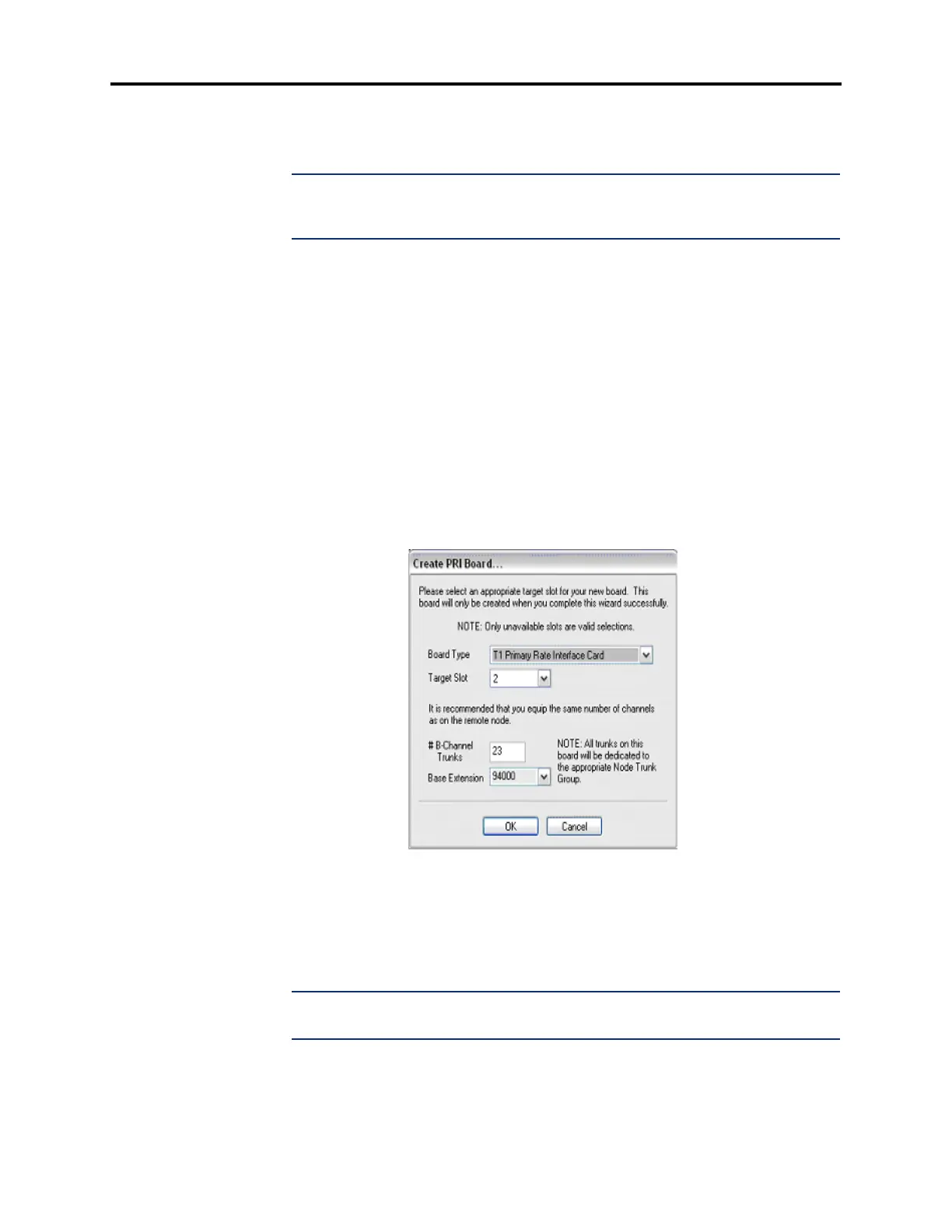
1. Click Create/Update New Board. The Create PRI Board dialog box appears as shown
below.
2. Select T1 Primary Rate Interface Card or E1 Primary Rate Interface Card using the
drop-down list box.
3. Select the Target Slot for the card using the drop-down list box.
4. Select the number of B-Channel trunks to equip for the card.
NOTE: For T1 PRI boards, the default number of channels is 23. For E1 PRI boards,
the default number of channels is 30.
5.
Select the Base Extension for the trunk using the drop-down list box.
6. Click OK.



 To Next Page