Page 6-251
Programming
INTER-TEL
®
AXXESS
®
MANUAL VERSION 11.0 – May 2008
Trunks
PROGRAMMING
6
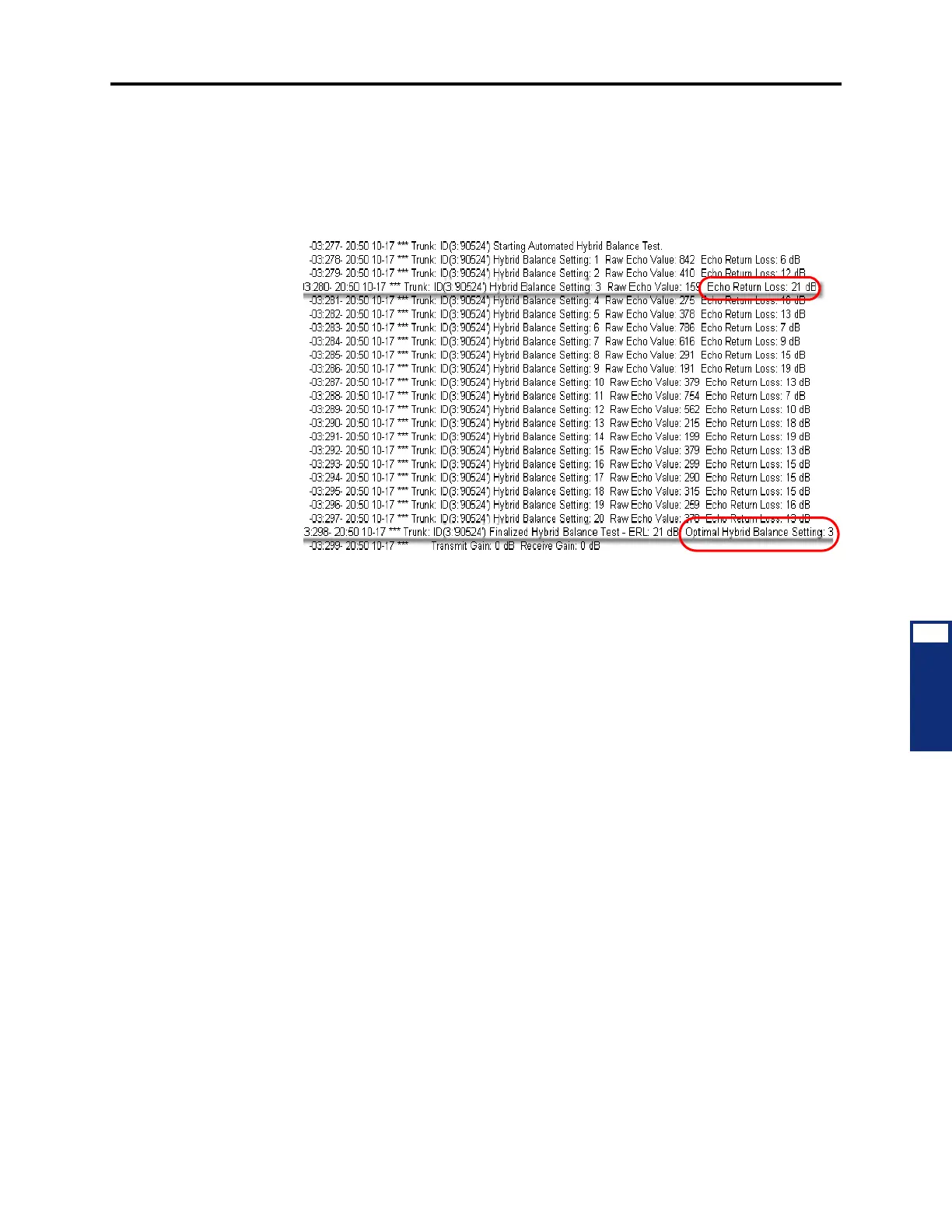
4. Maximize the Diagnostics Monitor window displaying the Expanded Message Print
output. For the selected trunk, a free-form Message Print output displays the Echo
Return Loss (ERL) for each of the 20 possible Hybrid Balance Settings and—based on
the greatest ERL value of the 20 settings—recommends the Optimal Hybrid Balance
Setting. In the following example of Expanded Message Print output, the greatest ERL
recorded for the is 21 dB and the recommended Optimal Hybrid Balance Setting is 3.
5. Record the pertinent results printed in the Message Print client.
6. Return to the DB Programming session. In the left pane of DB Studio, select System –
Devices and Feature Codes – Trunks – <the trunk extension you tested>. For the
Hybrid Balance option, select
Short or Normal based on the value recommended for
the Optimal Hybrid Balance Setting (see page 6-256).
7. Repeat this procedure and compare the greatest ERL values. Acceptable tolerance
between the first and second runs is ±2 dB. If the second Hybrid Balance Test results
are within tolerance, the process is complete and you can proceed to step 8. of this pro-
cedure.
If the greatest ERL in second run is more than the allowed tolerance, run the test and set
the Hybrid Balance value until you obtain consecutive ERL results within the ±2 dB
tolerance.
8. Change the System – Message Print – Print Expanded Message Print option value to
No.
9. Exit OLM mode by un-selecting the On-Line Monitor option in the View menu of DB
Studio.
CO Trunk Groups
4.357 Allows you to program a specific trunk. See page 6-228 for details.



 To Next Page