CAN Controller
UG0331 User Guide Revision 15.0 442
12.2.5 CAN Test Modes
Using the Command Register, page 455 loopback and the listen-only settings, the CAN controller can
perform certain test operations as summarized in the following table.
12.3 CAN Controller Configuration
The CAN Controller instance can be accessed from the MSS configurator. Depending on the application,
the CAN instance can be enabled or disabled (default) from the MSS. When disabled, the CAN instance
is held in reset (lowest power state). When enabled, by default, the CAN ports are configured to connect
to the CAN allocated device MSIO CAN ports.
Note: The MSIOs allocated to the CAN instance are shared with other MSS peripherals. These shared I/Os are
available to connect to the MSS GPIOs.
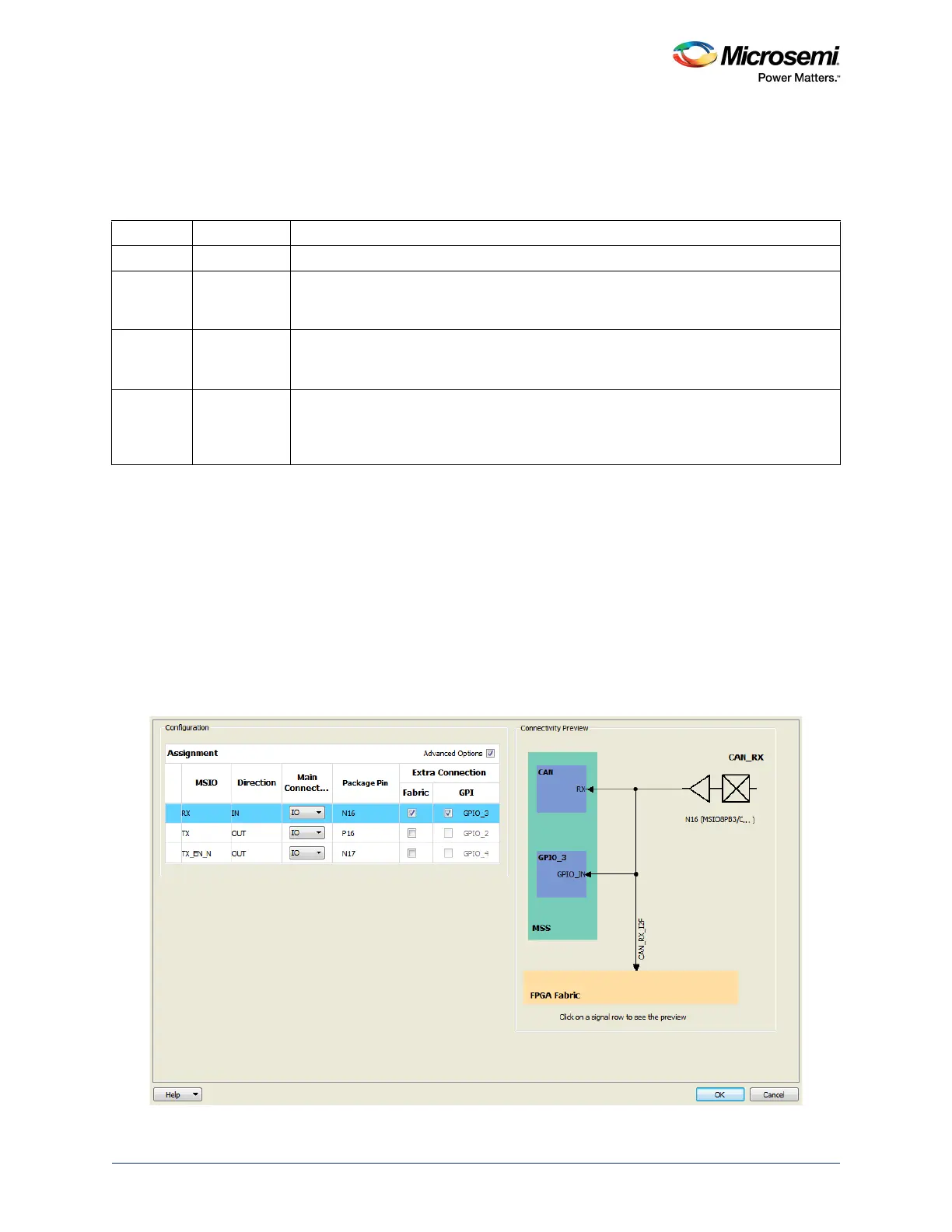
Connecting the CAN ports to the allocated CAN MSIOs or fabric or both is done in the CAN Configurator.
The Advanced Options in the Configuration window provide the options to enable extra connectivity
between the MSIOs and fabric or GPIOs (or both fabric and GPIOs), as shown in the following figure.
Figure 170 • CAN Configurator GUI
Table 436 • Test Modes
Loop back Listen-only Comment
0 0 Normal operation
0 1 Listen-only mode
The CAN controller receives all bus traffic but does not send any information to the bus.
This feature is useful for automatic bit-rate detection.
1 1 Internal loop back
The CAN controller receives the sending data. No data is sent to the network and no
data is received.
1 0 External loop back
The CAN controller participates in the regular CAN transmission and reception.
Furthermore, a copy of all sent messages is received. This mode works only if at least
one additional CAN node is on the network.




 To Next Page