Communication Block
UG0331 User Guide Revision 15.0 596
17.3 How to Use the Communication Block
17.3.1 COMM_BLK Configuration
The COMM_BLK peripheral can be initialized and configured in the user application software by using
application programming interfaces (APIs) available in COMM_BLK firmware driver. The COMM_BLK
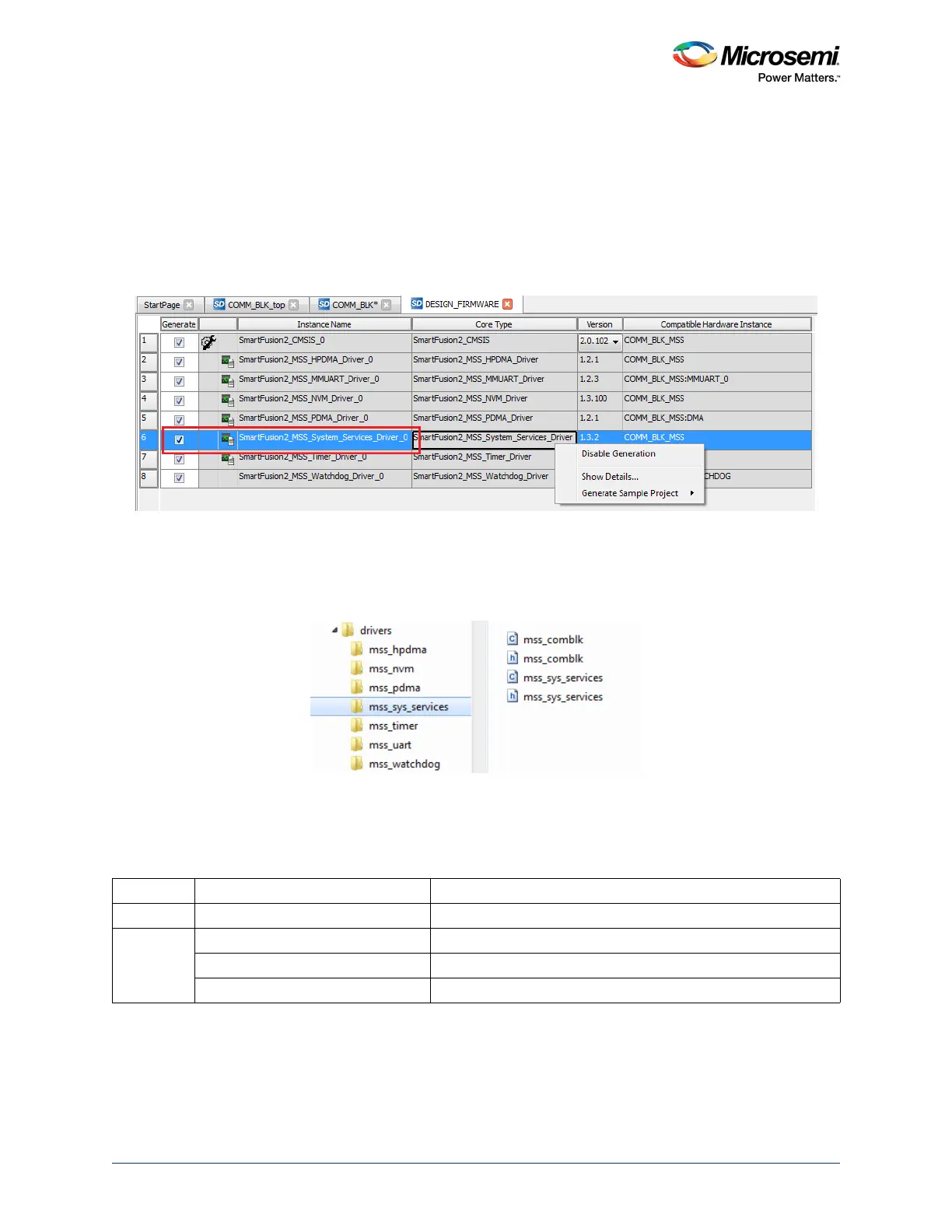
firmware driver is part of system services driver. The system services driver is enabled by default in
firmware core configurator when the Libero SoC project is created. The following figure shows the
system services driver in firmware core configurator.
Figure 252 • System Services Driver in Firmware Core Configurator
Once top-level component is generated (Generate the component by clicking Generate Component or
by selecting SmartDesign > Generate Component from the menu), the firmware and SoftConsole
workspace are created in the project folder. The following figure shows the system services driver folder
hierarchy.
Figure 253 • System Services Driver Folder Hierarchy
17.3.1.1 APIs
The following table lists the APIs for the COMM_BLK.
Note: Microsemi recommends using system services driver provided in firmware core configurator for system
service application development.
Table 592 • APIs for the COMM_BLK
Category API Description and Usage
Initialization MSS_COMBLK_init Initializes COMM_BLK
Write MSS_COMBLK_send_cmd Send command opcode and command parameters
MSS_COMBLK_send_cmd_with_ptr Send command opcode and command parameters pointer
MSS_COMBLK_send_paged_cmd Send command opcode and a page of data




 To Next Page