Universal Serial Bus OTG Controller
UG0331 User Guide Revision 15.0 300
target is reset. It can then begin device enumeration.
If the device is disconnected while a session is in progress, a disconnect interrupt is generated (the
DisCon bit in USB_IRQ_REG (0x4004300A), goes High).
10.2.3.4.2 Peripheral Mode
Where the USB controller is operating in Peripheral mode, no interrupt is generated when the device is
connected to the host. However, a disconnect interrupt (USB_IRQ_REG (0x4004300A)) is generated
when the host terminates a session.
10.3 How to Use USB OTG Controller
Microsemi recommends the following flow for configuring the USB OTG controller.
• Instantiate the SmartFusion2 MSS component into the Libero SoC project
• Configure (enable/disable) the SmartFusion2 MSS components as per the application needs
using the MSS configurator
• Configure the USB OTG controller as explained in the following sections
Note: The MSS USB does not support full behavioral simulation models. Refer to SmartFusion2 MSS BFM
Simulation User Guide for more information.
10.3.1 Libero Settings for USB OTG Configuration
USB OTG controller is configured using the USB macro available in the Libero SoC design software.
Using the USB macro settings options, the USB controller interface can be configured to either ULPI or
UTMI interface. For external USB PHY (ULPI or UTMI) reset, Microsemi recommends to configure GPIO
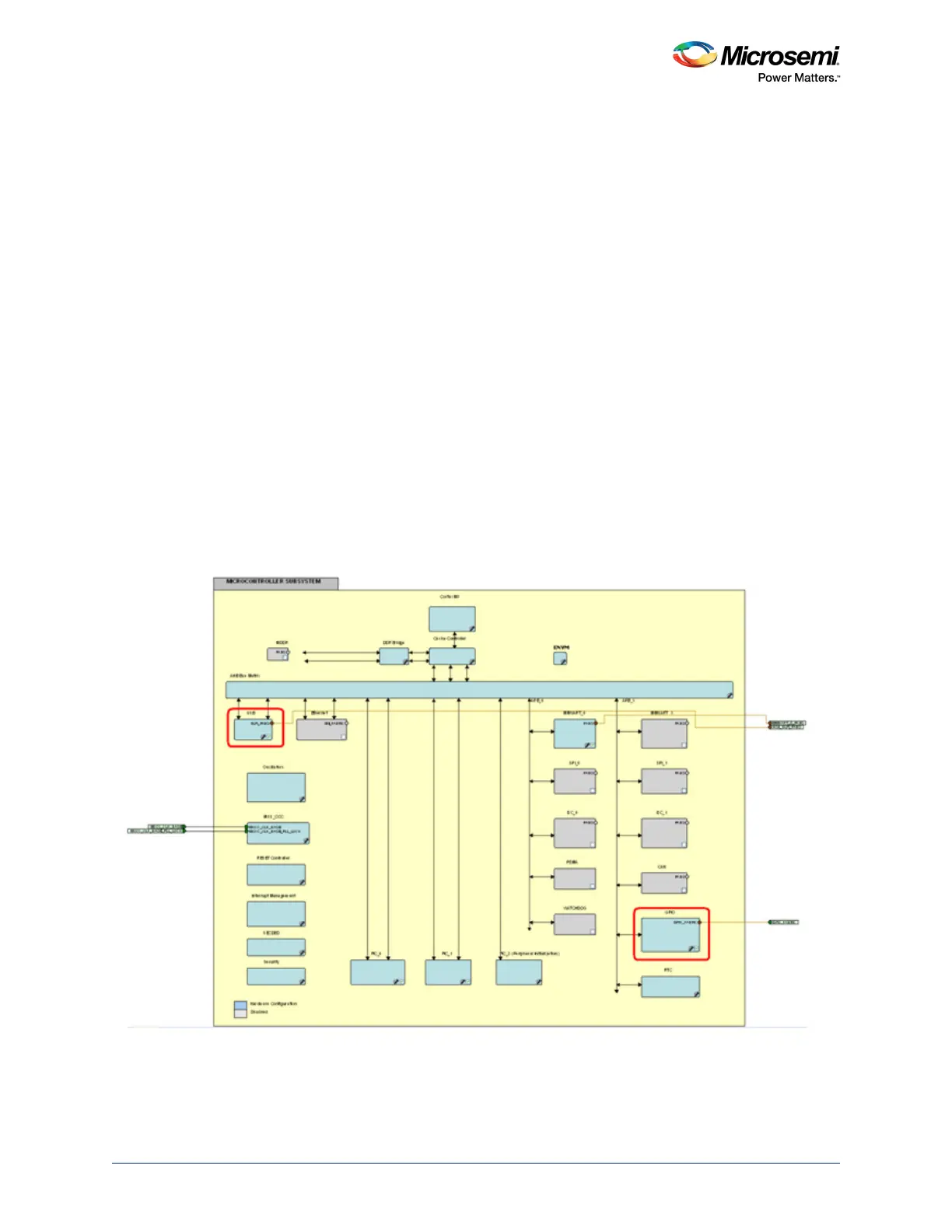
using the GPIO macro in the Libero SoC design software. The following figure highlights these two
mandatory blocks for the USB controller configuration in the applications.
Figure 146 • MSS Configurator with USB and GPIO Macros Enabled




 To Next Page