CAN Controller
UG0331 User Guide Revision 15.0 445
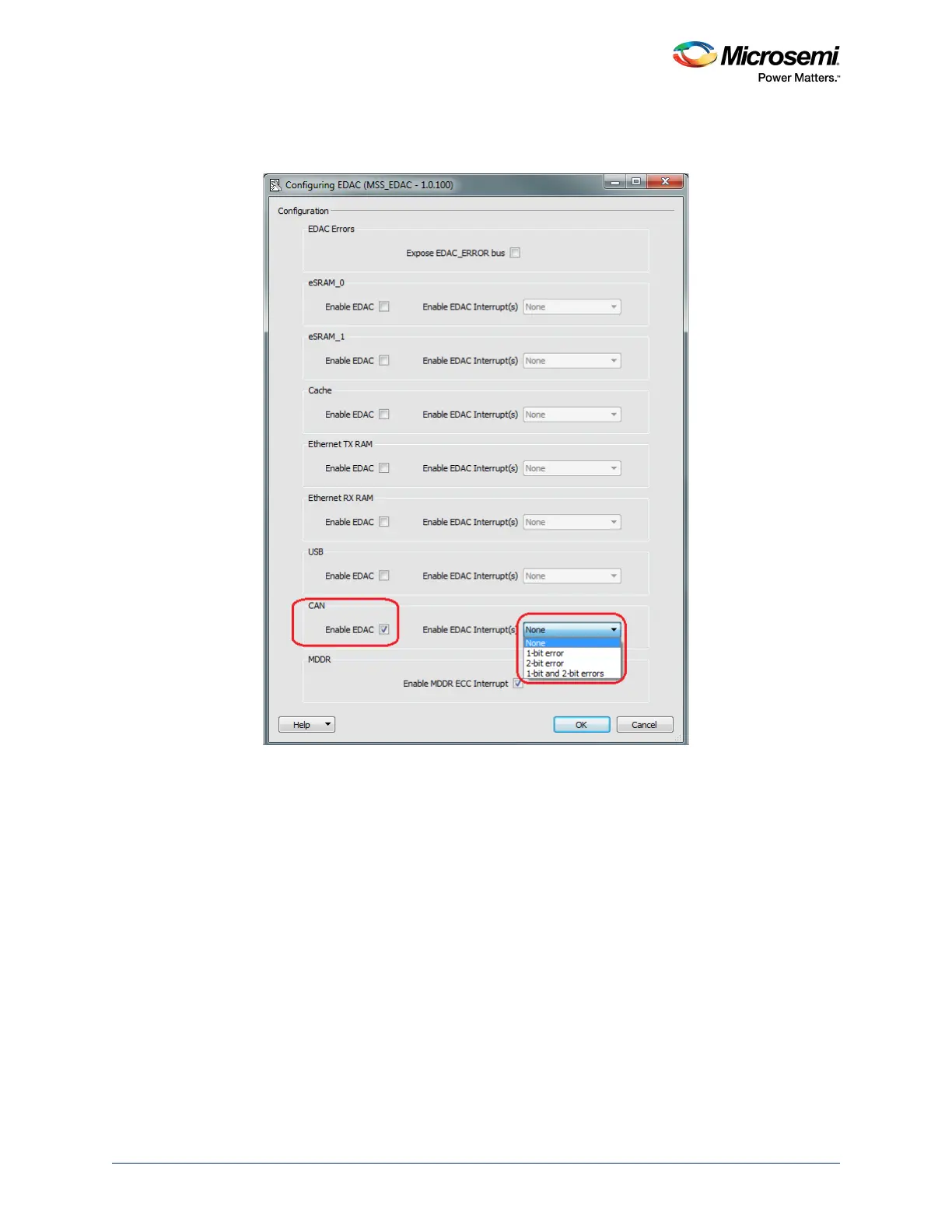
To configure (enable/disable) EDAC for the CAN controller, the SECDED configurator can be used within
the MSS configurator in Libero SoC.
Figure 173 • Enabling EDAC for the CAN from the SECDED Configurator
Expose EDAC_ERROR Bus - Use to expose the EDAC_ERROR bus signal to the FPGA fabric, where
it can be used by the design.
Enable EDAC - Use to enable EDAC functionality for the CAN controller.
Enable EDAC Interrupt(s) - Use to enable the EDAC interrupts for the CAN controller. Interrupts for 1-bit
error and 2-bit error or both can be enabled, as shown in the preceding figure. Refer to the MSS EDAC
Configuration User Guide for more information on the SECDED configurator options and ports
descriptions.
Note: The MSS CAN does not support full behavioral simulation models. Refer to SmartFusion2 MSS BFM
Simulation User Guide for more information.




 To Next Page