Fabric Interface Controller
UG0331 User Guide Revision 15.0 768
24.7.1.1 Step 1: Configure the MSS FIC Sub-Block
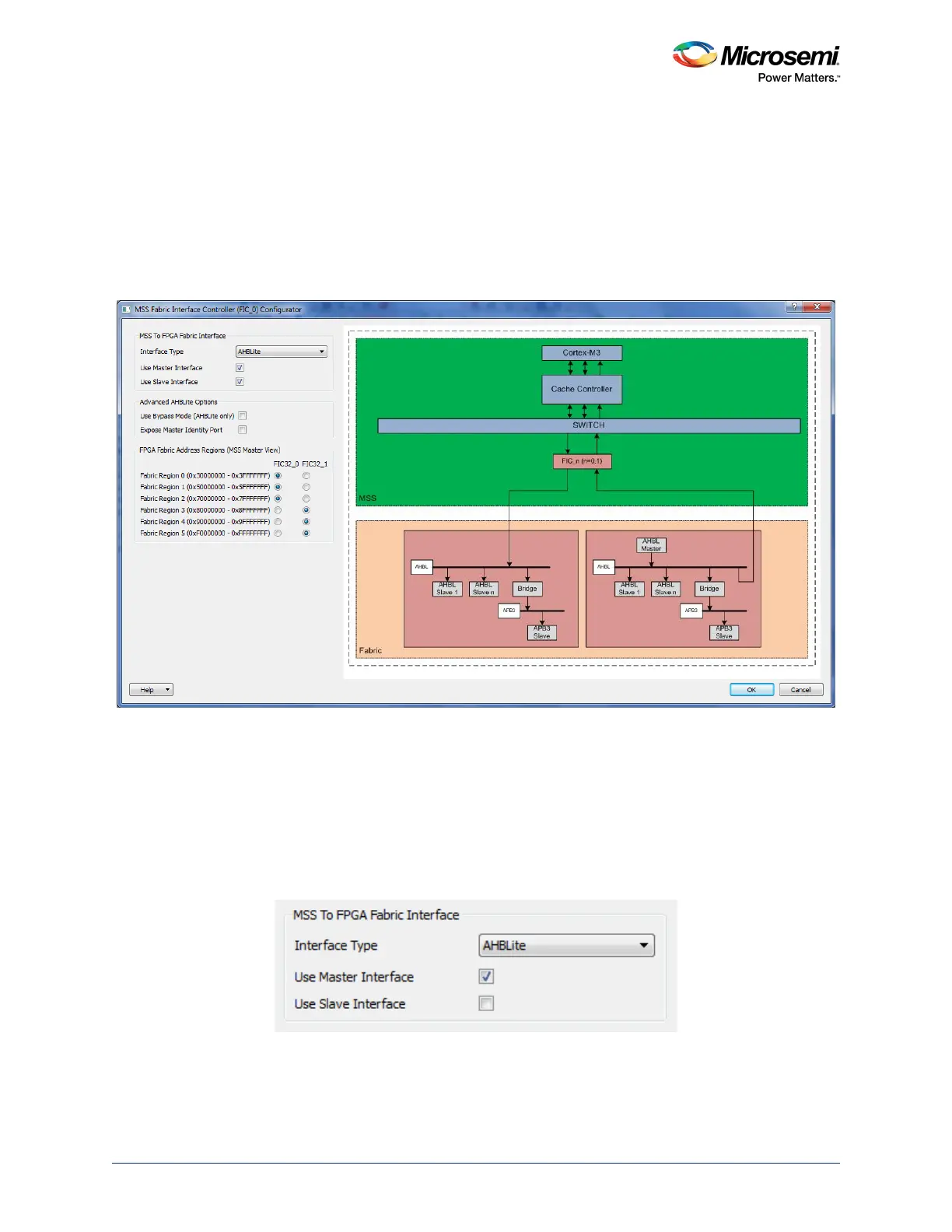
As shown in the following figure, the FIC configurator (applies to both FIC_0 and FIC_1) is organized as
follows. In the left panel, the following can be configured:
• The MSS to the FPGA fabric interface
• Advanced AHB-Lite options
• The FPGA fabric address regions (MSS master view) – available in FIC_0 configurator only
In the right panel, a dynamic picture displays the high level block diagram of the architecture chosen. The
picture changes when any option in the MSS To FPGA fabric interface group is configured.
Figure 338 • FIC Configurator
24.7.1.1.1 MSS to the FPGA Fabric Interface
Interface Type: Use this option to select between the AMBA APB (AHB to APB bridge) and AHB-Lite
(AHB to AHB bridge) FIC modes (as shown in the following figure).
Use Master Interface: Use this option to expose the Master Bus Interface (BIF) port. When selected, the
port is automatically available on the MSS core.
Use Slave Interface: Use this option to expose the Slave Bus Interface (BIF) port. When selected, the
port is automatically available on the MSS core.
Figure 339 • MSS to FPGA Fabric Interface Core
24.7.1.1.2 Advanced AHBLite Options
Use Bypass Mode: Use this option to enable the FIC Bypass mode. This option is only active when the
interface type is AHB-Lite (as shown in the following figure). The clock ratio between M3_CLK,




 To Next Page