RTC System
UG0331 User Guide Revision 15.0 607
4. Generate the component by clicking Generate Component or by selecting SmartDesign >
Generate Component. For more information on generation of the component, refer to the Libero
SoC User Guide. The firmware driver folder and SoftConsole workspace is included in the project.
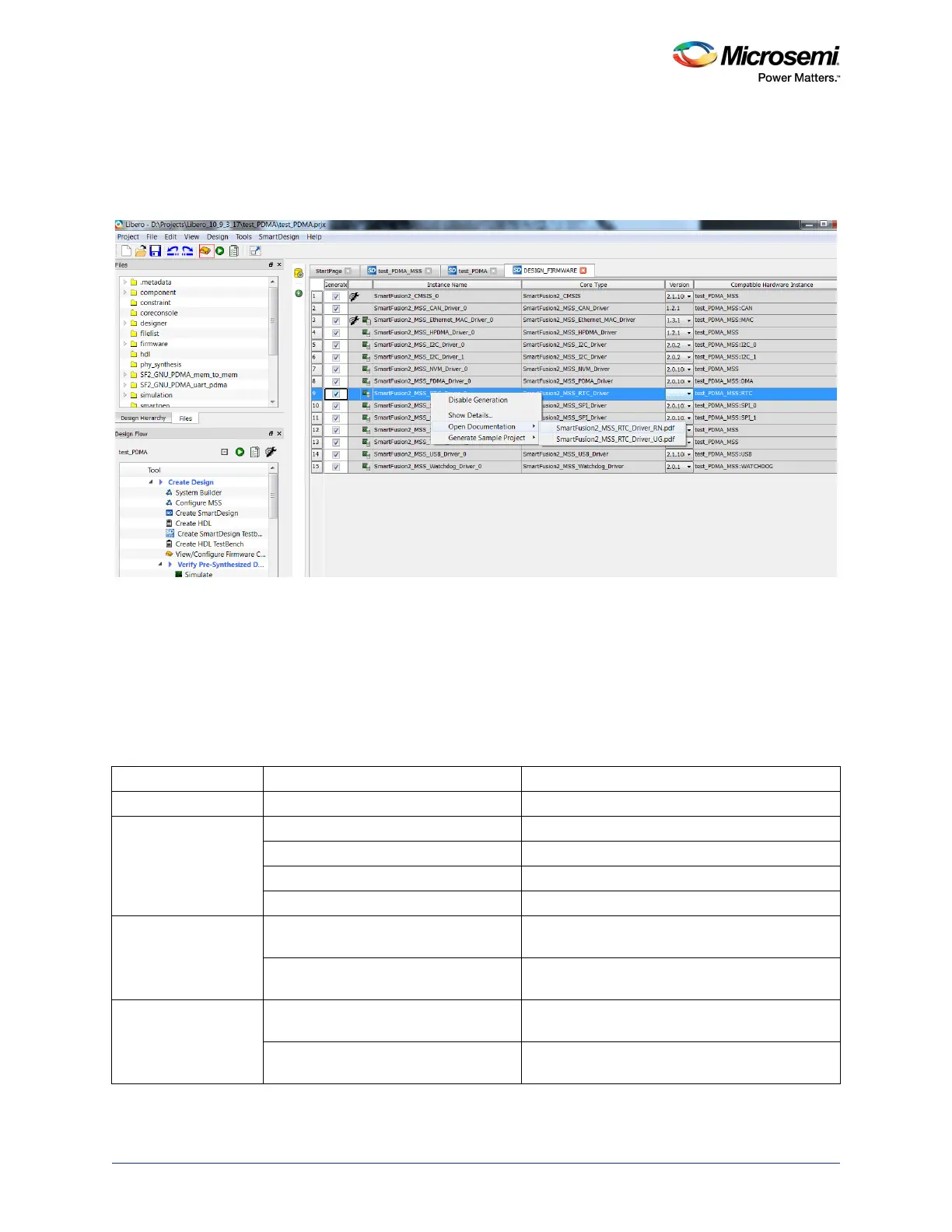
Click the highlighted Configure firmware button as shown in the following figure to find the RTC
drivers.
Figure 259 • RTC Driver User Guide
5. Click Generate Bitstream under Program Design to complete *.fdb file generation.
6. Double-click Export Firmware under Handoff Design for Firmware Development in the Libero
SoC design flow window to generate the SoftConsole Firmware Project. The SoftConsole folder
contains the mss_rtc firmware driver. The firmware driver, mss_rtc (
mss_rtc.c and mss_rtc.h)
which provides a set of functions for controlling the RTC, can also be downloaded from the
Microsemi firmware catalog. The following table lists the APIs for RTC.
For more information on the APIs, refer to the SmartFusion2_MSS_RTC_Driver_UG (shown in the
preceding figure).
Table 603 • RTC APIs
Category API Description and Usage
Initialization MSS_RTC_init() Initializes RTC
Setting and reading the
RTC counter current
value
MSS_RTC_set_calendar_count() Sets new calendar values to RTC counter
MSS_RTC_set_binary_count() Sets new binary values to RTC counter
MSS_RTC_get_calendar_count() Returns calendar count
MSS_RTC_get_binary_count() Returns binary counter value
Setting the RTC match
and mask values
MSS_RTC_set_calendar_count_alarm() Sets the RTC to generate an alarm when the time
and date passed as parameter
MSS_RTC_set_binary_count_alarm() Sets the RTC to generate an alarm when the
counter value passed as parameter
RTC counter increment
detection
MSS_RTC_get_update_flag Indicates if the RTC counter incremented since the
last call to MSS_RTC_clear_update_flag()
MSS_RTC_clear_update_flag Clears the hardware flag set when the RTC
counter increments




 To Next Page