Serial Peripheral Interface Controller
UG0331 User Guide Revision 15.0 523
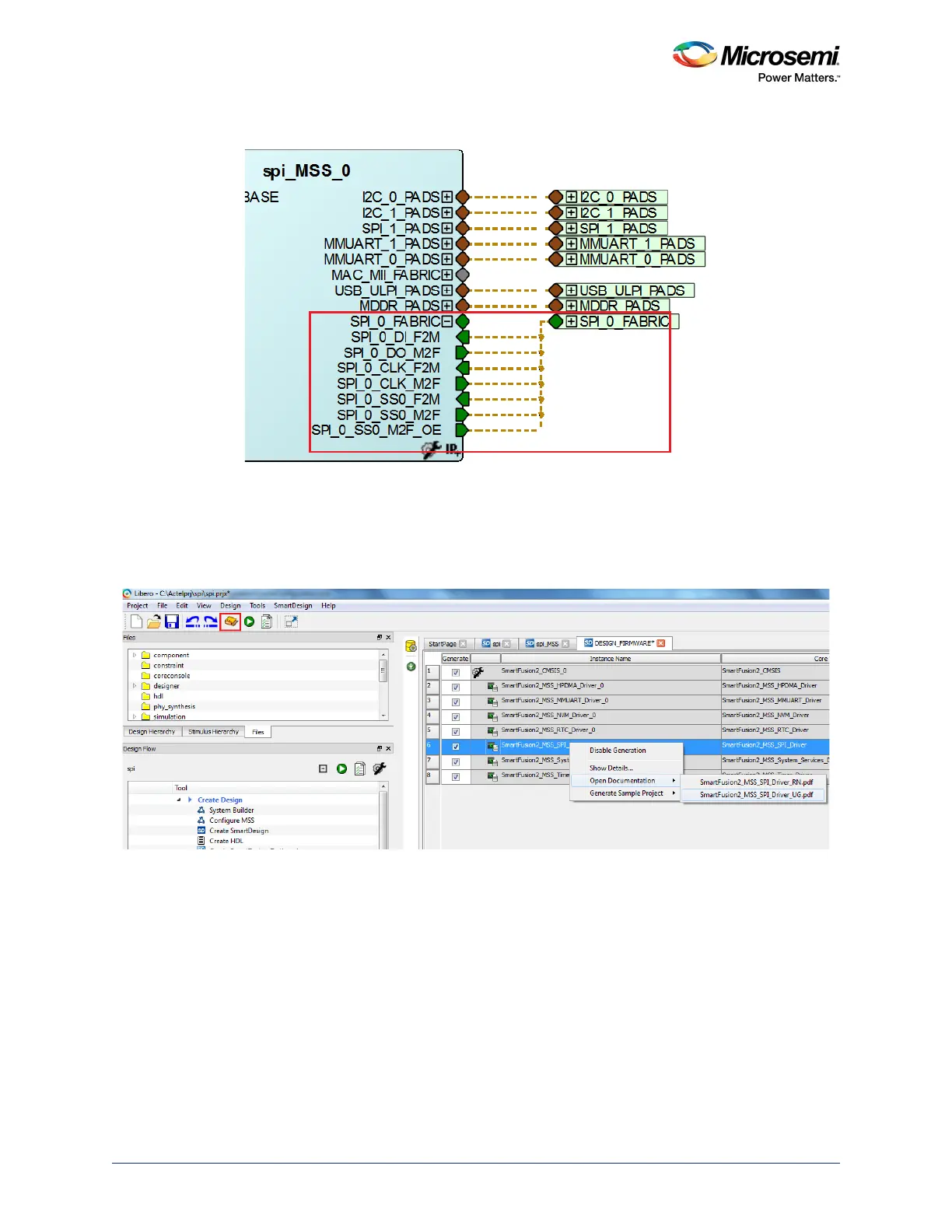
Figure 223 • SPI Interface Signals - Connection Type Fabric
4. Generate the component by clicking Generate Component or by selecting SmartDesign >
Generate Component.
For more information on generation of the component, refer to the Libero SoC User Guide. The
firmware driver folder and SoftConsole workspace are included into the project. Click the Configure
firmware button highlighted in the following figure to find the SPI driver information.
Figure 224 • SPI Driver User's Guide
5. Click Generate Bitstream under Program Design to complete the .fdb file generation.
6. Double-click the Export Firmware under Handoff Design for Firmware Development in the Libero
SoC design flow window to generate the SoftConsole Firmware Project. The SoftConsole folder
contains the mss_spi firmware driver. The firmware driver, mss_spi (
mss_spi.c and mss_spi.h),
which provides a set of functions for controlling the MSS SPIs can also be downloaded from the
Microsemi Firmware Catalog.




 To Next Page