MSS GPIO
UG0331 User Guide Revision 15.0 571
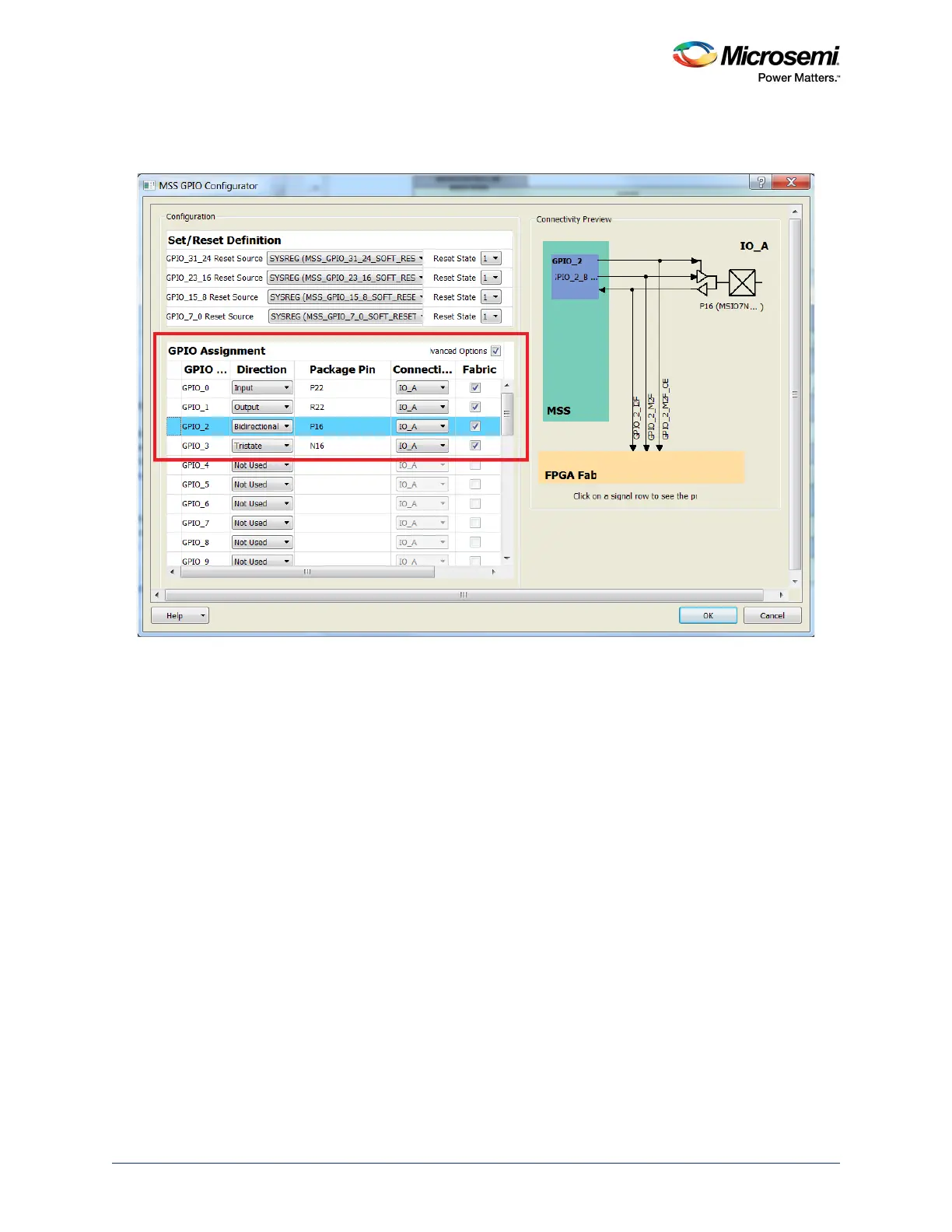
To configure a GPIO to simultaneously connect with fabric, select the Advanced Options and Fabric
check boxes in Libero SoC, as shown in the following figure.
Figure 246 • Configuring GPIOs as Input, Output, Tristate, or Bi-directional
Connectivity Preview
GPIOs have access to IO_A or IO_B MSIOs. If an MSIO is used by any shared peripheral, GPIOs cannot
access those particular MSIOs. GPIOs can be connected directly to the fabric by selecting FABRIC_A or
FABRIC_B.
GPIOs connecting to MSIOs can also be shared with fabric using the Advanced Options of the MSS
GPIO configurator.




 To Next Page