MSS GPIO
UG0331 User Guide Revision 15.0 569
Step 2
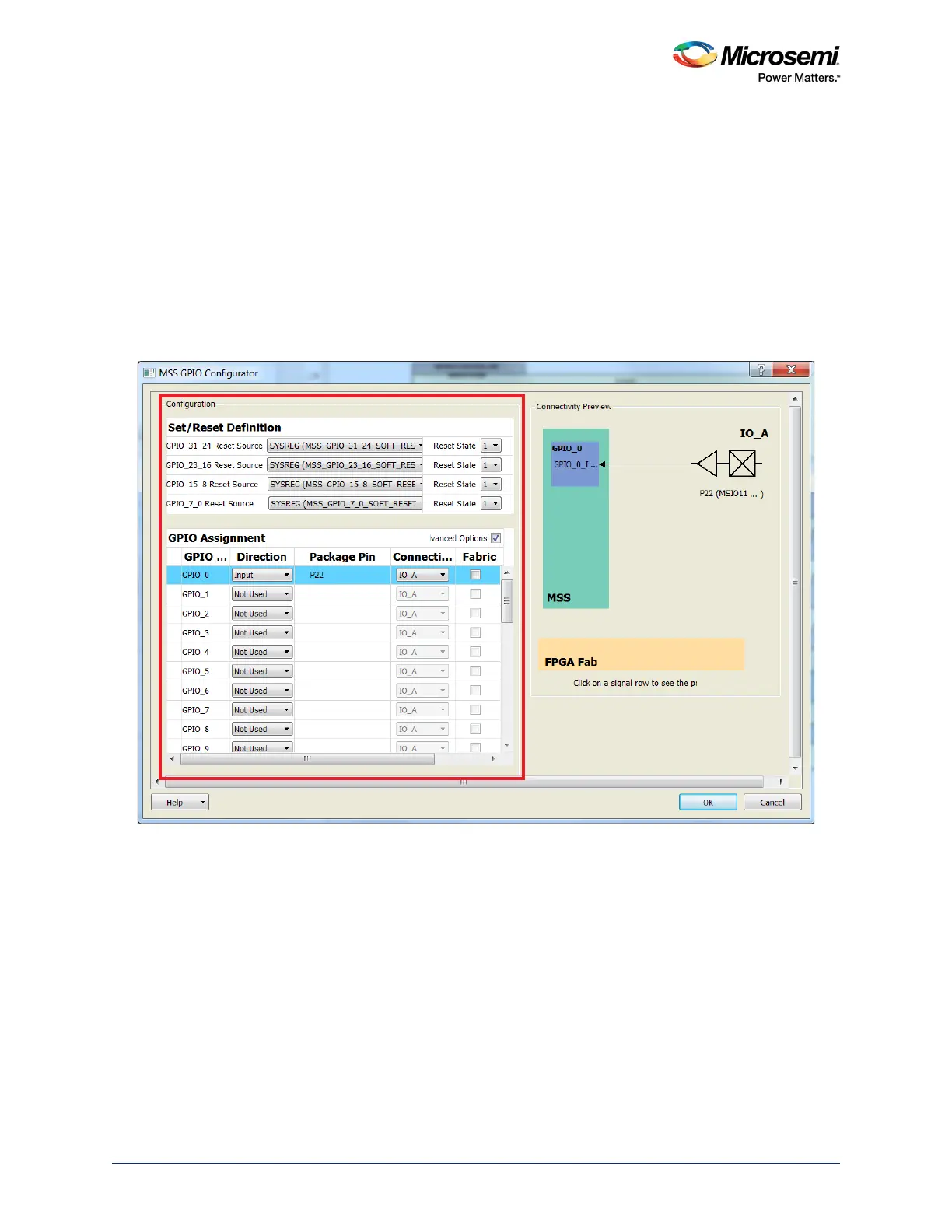
Double-click GPIO or right-click, GPIO and select the configure option to program the GPIOs.
16.3.1.1 GPIO Configurator Options
The following fields are shown in the GPIO configurator (see the following figure):
• Set/Reset definition: Used to initialize the GPIOs
• GPIO assignment: 3 programming fields associated with each GPIO
• Direction: Selects Input, Output, Bidirectional, or Tristate mode
• Package pin: Shows the MSIO pin associated with the GPIO
• Connectivity: Selects IO_A/ IO_B MSIO or FABRIC_A/ FABRIC_B
• Advanced options – When enabled, shows the possibility of connecting the GPIO input or GPIO
output to the fabric.
Figure 244 • MSS GPIO Configurator





 To Next Page