MMUART Peripherals
UG0331 User Guide Revision 15.0 487
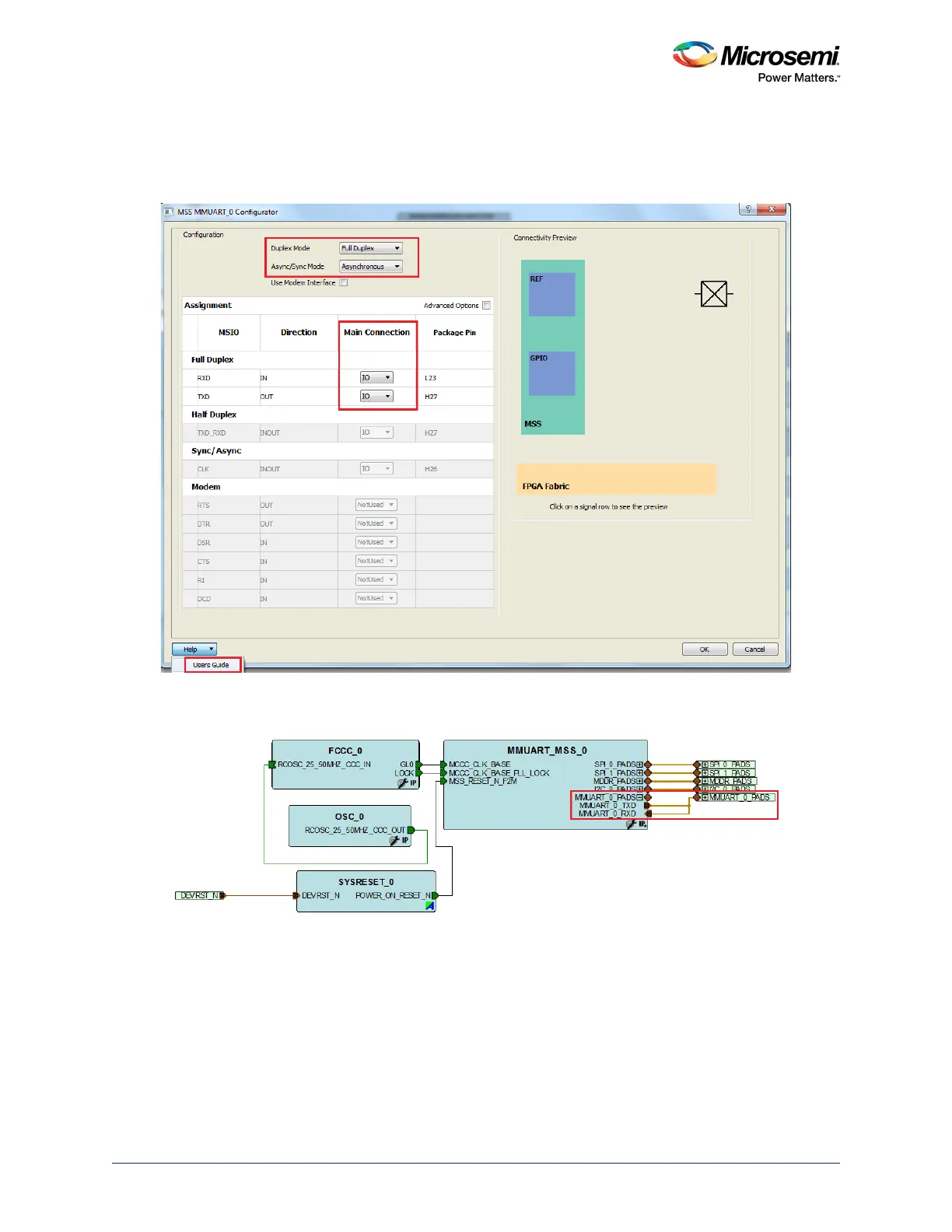
2. Configure Duplex Mode to Full Duplex and Async/Sync Mode to Asynchronous by using MSS
MMUART_0 Configurator as shown in the following figure. Use the Main Connection drop-down list
to connect the ports of enabled MMUART_0 instance to an I/O. Click the highlighted Users Guide
button to find more information on MMUART configuration details.
Figure 199 • MSS MMUART Configurator
3. The MMUART_0 interface signals in the MSS component are shown in the following figure
.
Figure 200 • MMUART Interface Signals




 To Next Page