Reset Controller
UG0331 User Guide Revision 15.0 667
21.4.2.1 Use Model 1: Resetting Cortex- M3 Processor from Fabric
M3_RESET_N is used to hold the Cortex-M3 processor in a reset state after MSS reset.
Use the following steps for holding the Cortex-M3 reset from the fabric.
1. Instantiate the SmartFusion2 MSS component in the SmartDesign canvas.
2. Configure the SmartFusion2 MSS peripheral components as needed using the MSS configurator.
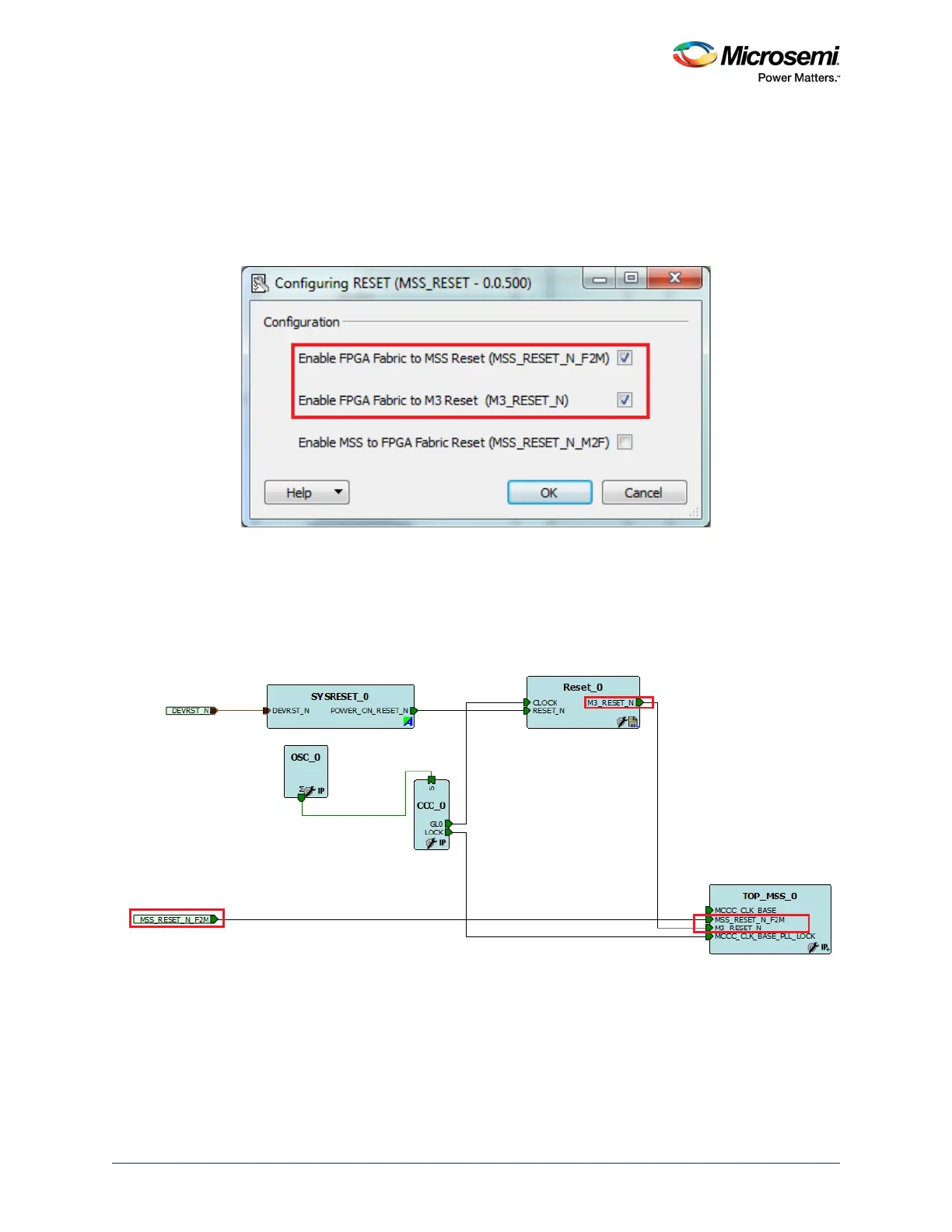
3. Configure the Reset Controller, as shown the following figure.
Figure 305 • Configuring Reset
4. Instantiate the fabric logic in the SmartDesign canvas. Connect the fabric logic to M3_RESET_N.
5. Instantiate the fabric CCC and SYSRESET_N for driving the clock and reset to fabric logic.
6. Connect the fabric logic to M3_RESET_N and make the other connections, as shown in the
following figure. MSS_RESET_N_F2M is promoted to the top level for resetting the MSS from an
external switch.
Figure 306 • Connecting Fabric Logic
21.4.2.2 Use Model 2: Creating Initialization Sub-system for MDDR
Use the following steps for creating Initialization Sub-system using the System Builder. CoreResetP,
CoreConfigP, SYSRESET and Oscillator are Instantiated and connections are made automatically.
1. Select Use System Builder while creating a new project from the Design Templates and Creators
panel in Libero SoC.
2. Check MSS External Memory in the System Builder - Device Features GUI.




 To Next Page