Fabric Interface Interrupt Controller
UG0331 User Guide Revision 15.0 741
23.2.2 FIIC Port List
23.3 How to Use FIIC
This section describes how to use the FIIC subsystem in the design.
23.3.1 Configuring the FIIC Using the Libero SoC
This section describes the FIIC configuration in the Libero SoC and shows different options available for
configuring the FIIC. The FIIC is not configured by default in the MSS configurator when the Libero SoC
project is created. The following steps are required to configure in the Libero SoC.
1. Instantiate the SmartFusion2 MSS component into the Libero project and configure
(enable/disable) the peripherals as per the application needs, using the MSS configurator.
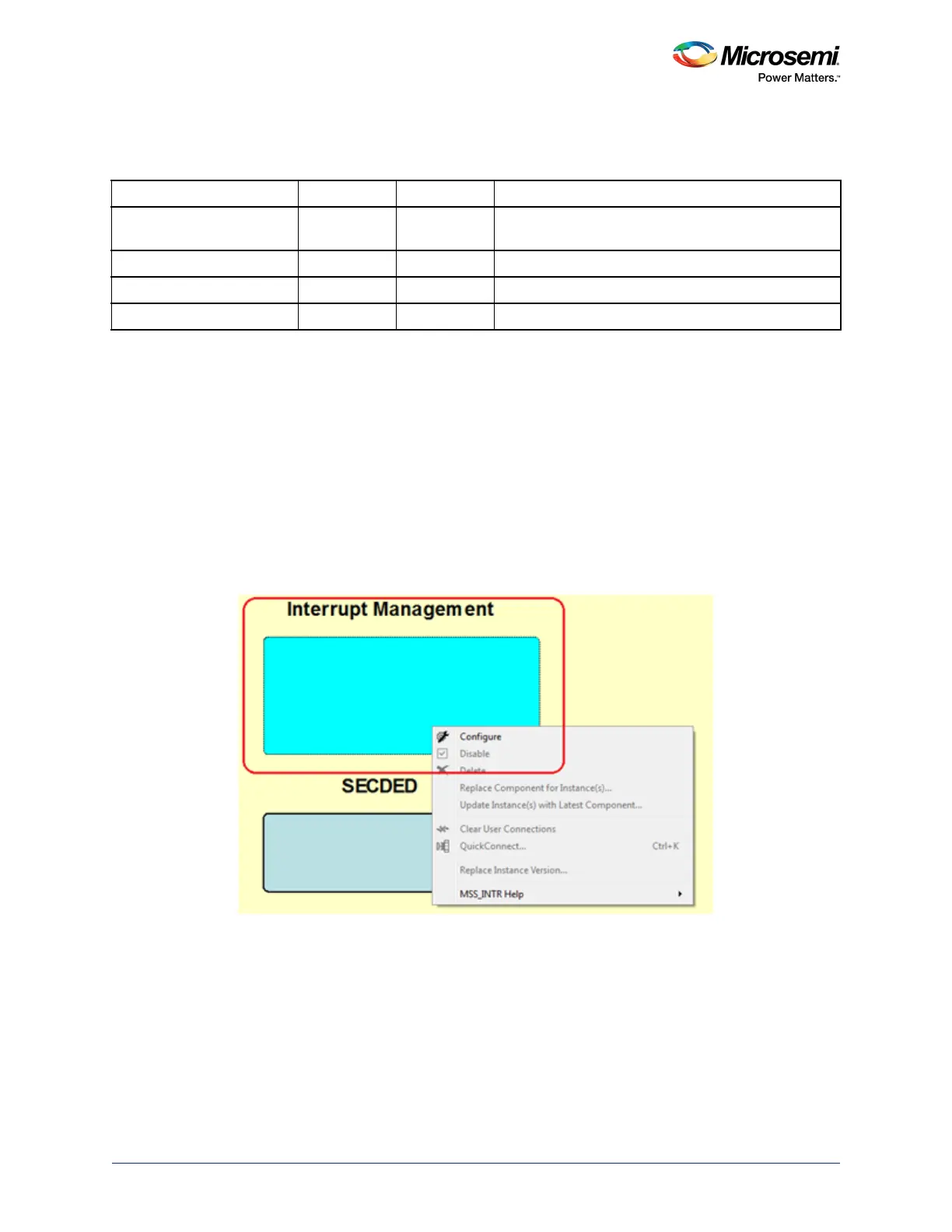
2. Double-click or right-click Interrupt Management and select the configure option, as shown in the
following figure.
Figure 322 • Configure FIIC in the MSS Configurator
The following options are available for configuring the FIIC subsystem.
• Use Fabric to MSS Interrupt
• Use MSS to Fabric Interrupt
Table 767 • FIIC Port List
Port name Direction Polarity Description
MSS_INT_M2F[15:0] Out High MSS to fabric interrupts. The FIIC routes MSS
peripheral interrupts to the fabric.
COMM_BLK_INT Out COMMS block interrupt.
M3_NMI Out Non-maskable interrupt from watchdog timer.
MSS_INT_F2M[15:0] In High Fabric to MSS interrupts.




 To Next Page