Cortex-M3 Processor Overview and Debug Features
UG0331 User Guide Revision 15.0 16
2.7 How to Use the Cortex-M3 Processor and the Debug
Subsystem
2.7.1 Configuration Through Libero Software and Firmware
The Cortex-M3 processor and debug subsystem can be configured using the Libero
®
SoC design
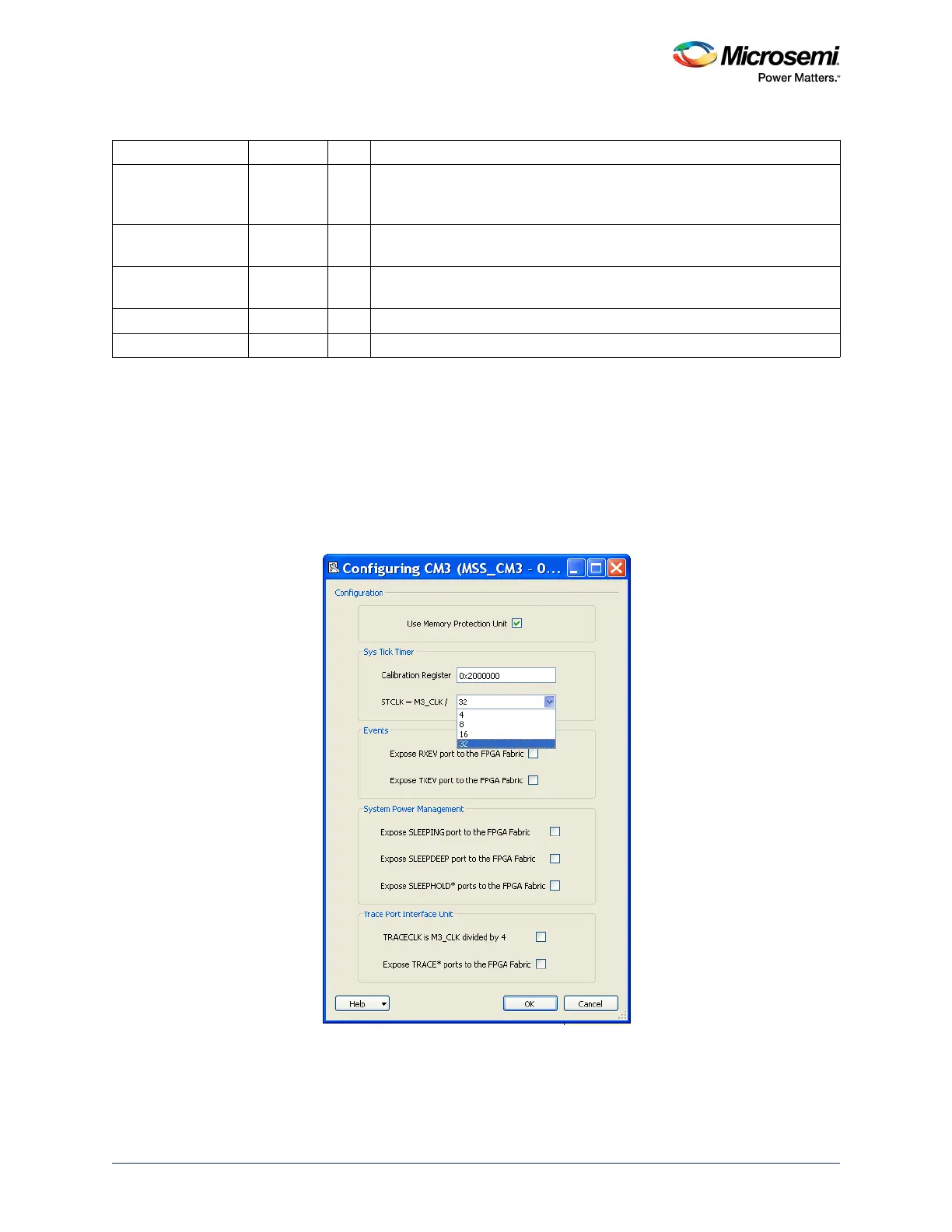
software. Using the MSS Cortex-M3 (CM3) configurator macro, various options can be selected, as
shown in the following figure.
Figure 3 • CM3 Configurator
The timing arcs for interrupts to the Cortex-M3 sourced from the FPGA fabric have been updated in
Libero SoC. In addition, timing arcs for the Cortex-M3 Embedded Trace Macrocell (ETM) have been
added.
DEEPSLEEP Out No Signal is asserted when the Cortex-M3 processor is in sleep now or sleep-
on-exit mode when the SLEEPDEEP bit of the system control register is
set.
SLEEPHOLDREQn In No Request to extend Cortex-M3 processor sleep state. Signal is asserted
when SLEEPING signal is High.
SLEEPHOLDACKn Out No Signal is asserted to confirm the Cortex-M3 processor sleep state
extension request.
TRACECLK Out No TRACETRACEDATA changes on both the edges of TRACECLK.
TRACEDATA[3:0] Out No Output data for clocked modes.
Table 4 • Port Details of the Cortex-M3-Subsystem (continued)
Port Name Direction Pad Description




 To Next Page