ECM SearchFH/FZ5 Processing Item Function Reference Manual
135
2
Inspecting and Measuring
Changing Model Parameters
Model parameter values can be changed as needed to address unstable measurement results or to increase the
processing speed. Normally, the factory default value will be used.
After changing a setting, check wheth
e
r measurement can be done properly by performing an actual
measurement.
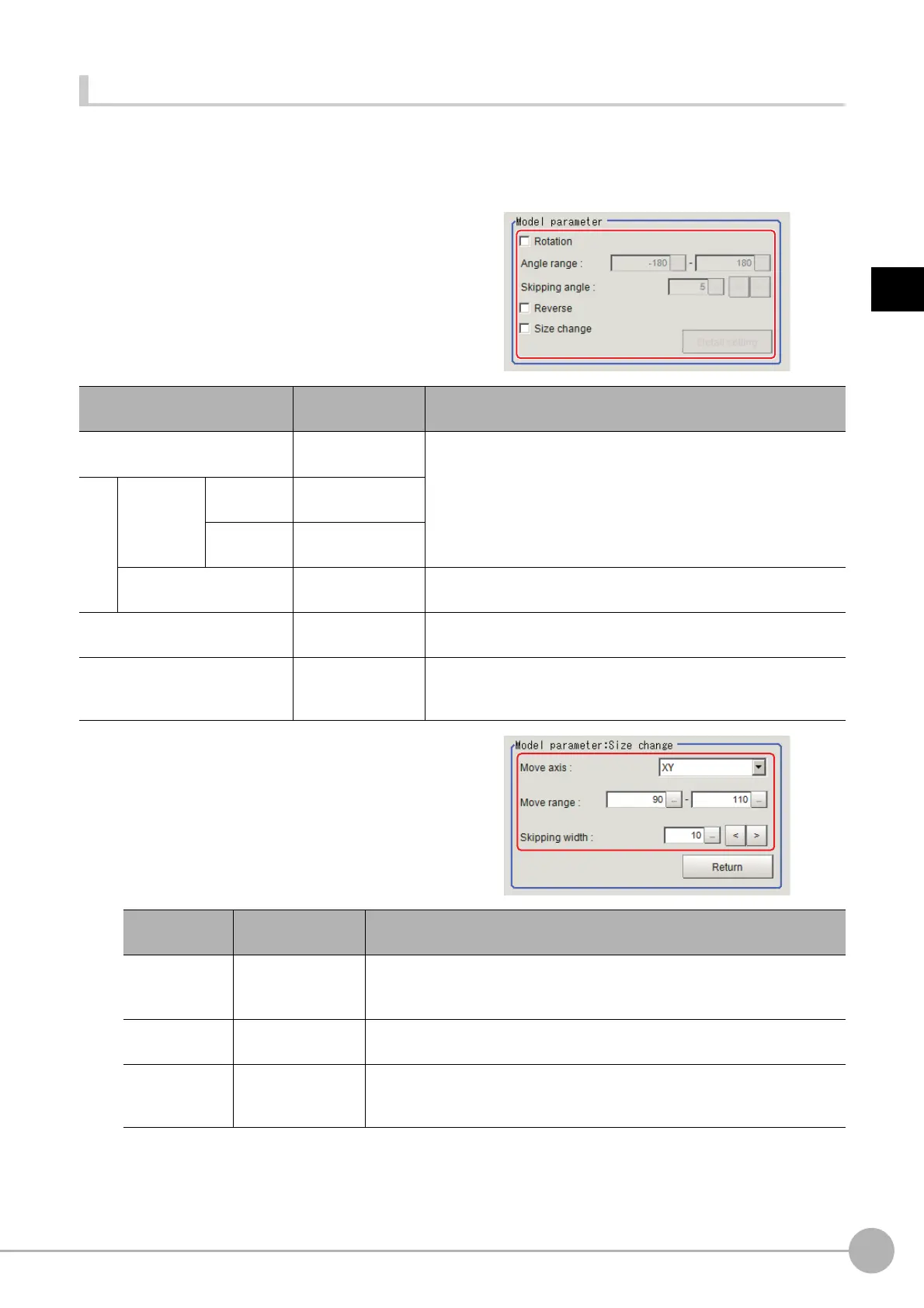
1 In the "Model parameter" area, specify a
value for each item.
2 When the "Size change" option is
checked, click [Detail setting].
The "Model parameter: Size change" area is
displayed.
3 Click [Return].
The "Model parameter" area is displayed.
Setting item
Set value
[Factory default]
Description
Rotation
• Checked
• [Unchecked]
When the measurement object is r
otating, select the "Rotation"
check box and specify how many degrees the model created
rotates each time and through what range of angles. A smaller
skipping angle increases stability, but slows down the processing.
The normal direction is clockwise.
Angle range
Upper limit
value
-180 to [180]
Lower limit
value
[-180] to 180
Skipping angle
1 to 30
[5]
Specify how many degrees the model created rotates each time. A
smal
ler angle increases stability, but slows down the processing.
Reverse
• Checked
• [Unchecked]
Specify whether to allow the reverse of light and dark for the model.
Size change
• Checked
• [Unchecked]
Specify whether to allow size change for the model.
When checked, click [Detail setting] and specify a value for each
it
em.
Setting item
Set value
[Factory default]
Description
Move axis
•[XY]
•X
•Y
Specify the model variable direction.
Move range
50 to 150
[90,110]
Specify the range in which to change the model size.
Skipping width
1 to 99
[10]
Specify the skipping percentage within the move range by which to change
mo
dels be
ing created. A smaller skipping width increases precision, but
slows down the processing.



 To Next Page
 Loading...










