LabelingFH/FZ5 Processing Item Function Reference Manual
337
2
Inspecting and Measuring
Mask Setting (Labeling)
Mask the measurement region when measuring it.
There are two types of masks, namely, a static mask that sets the mask region independent of measurement
and a dyna
mic mask that uses images generated in another unit for each measurement.
Creating a static mask
A static mask can be created manually or from an image of another unit.
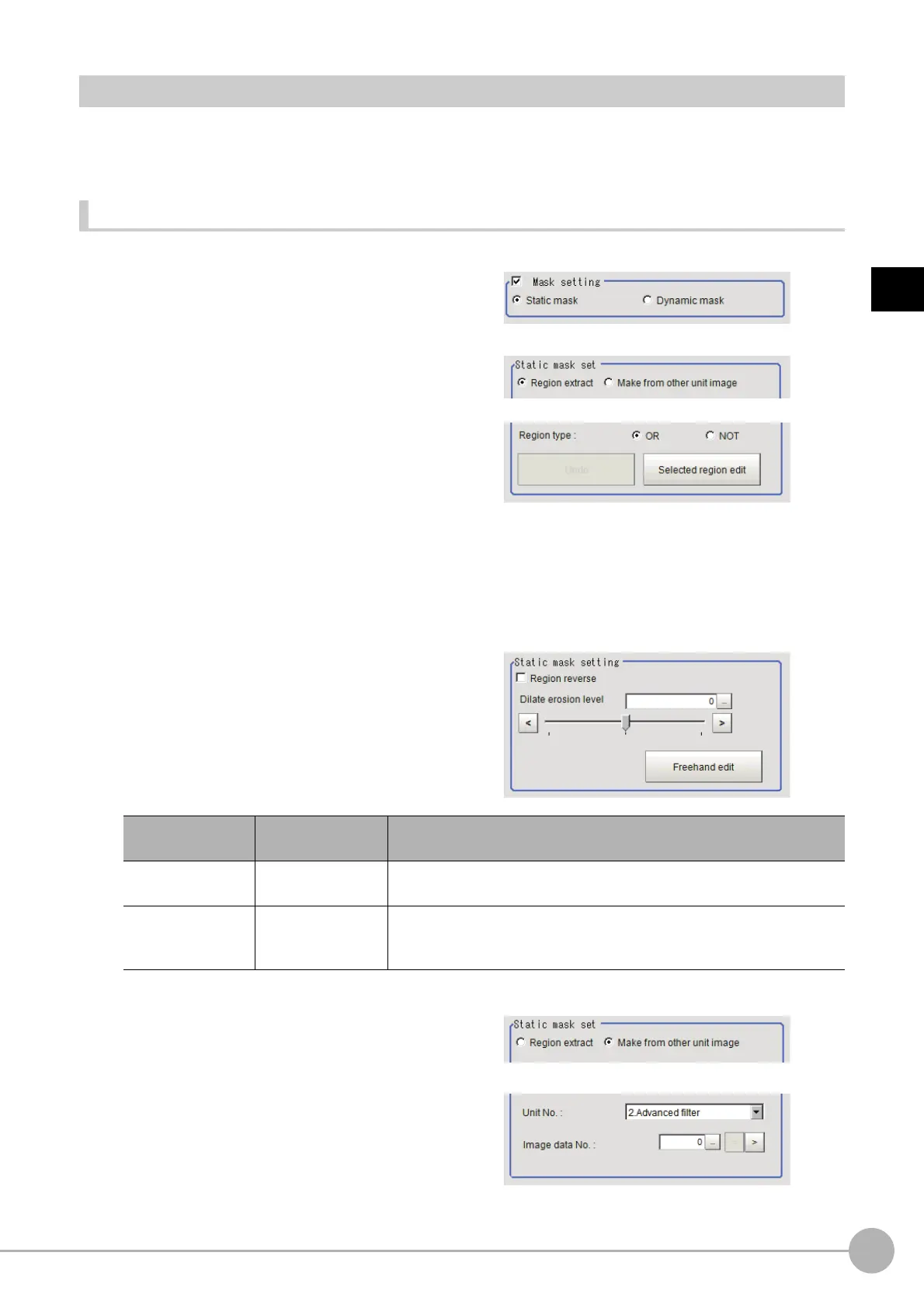
1 In the Mask setting area, select "Static
mask".
Generating a mask manually
1 In the Static mask set area, select
"Region extract".
2 Select the selection region type OR or
NOT and drag an image directly.
A region is created along successive similar
colors from the selected place. It is not
masked if the selection region type is OR.
It is masked if the selectio
n
region type is
NOT.
To deselect a selected region, click [Undo].
To edit a region selected with OR/NOT, click
[Sele
c
ted region edit].
3 Adjust the mask created in the Static
mask setting area.
Creating a static mask from an image of another unit
1 In the Static mask set area, select "Make
from other unit image".
2 Set the unit number and image data
number.
Setting item
Setting value
[Factory default]
Description
Region reverse
• Checked
•[Unchecked]
Place a check to revert the created mask region.
Dilate erosion level
-10 to 10
[0]
Perform fine adjustment on the mask reg
i
on using expansions/shrinkage.
The region is expanded if a positive value is set.
The region is shrunk if a negative value is set.



 To Next Page
 Loading...










