Ec CornerFH/FZ5 Processing Item Function Reference Manual
199
2
Inspecting and Measuring
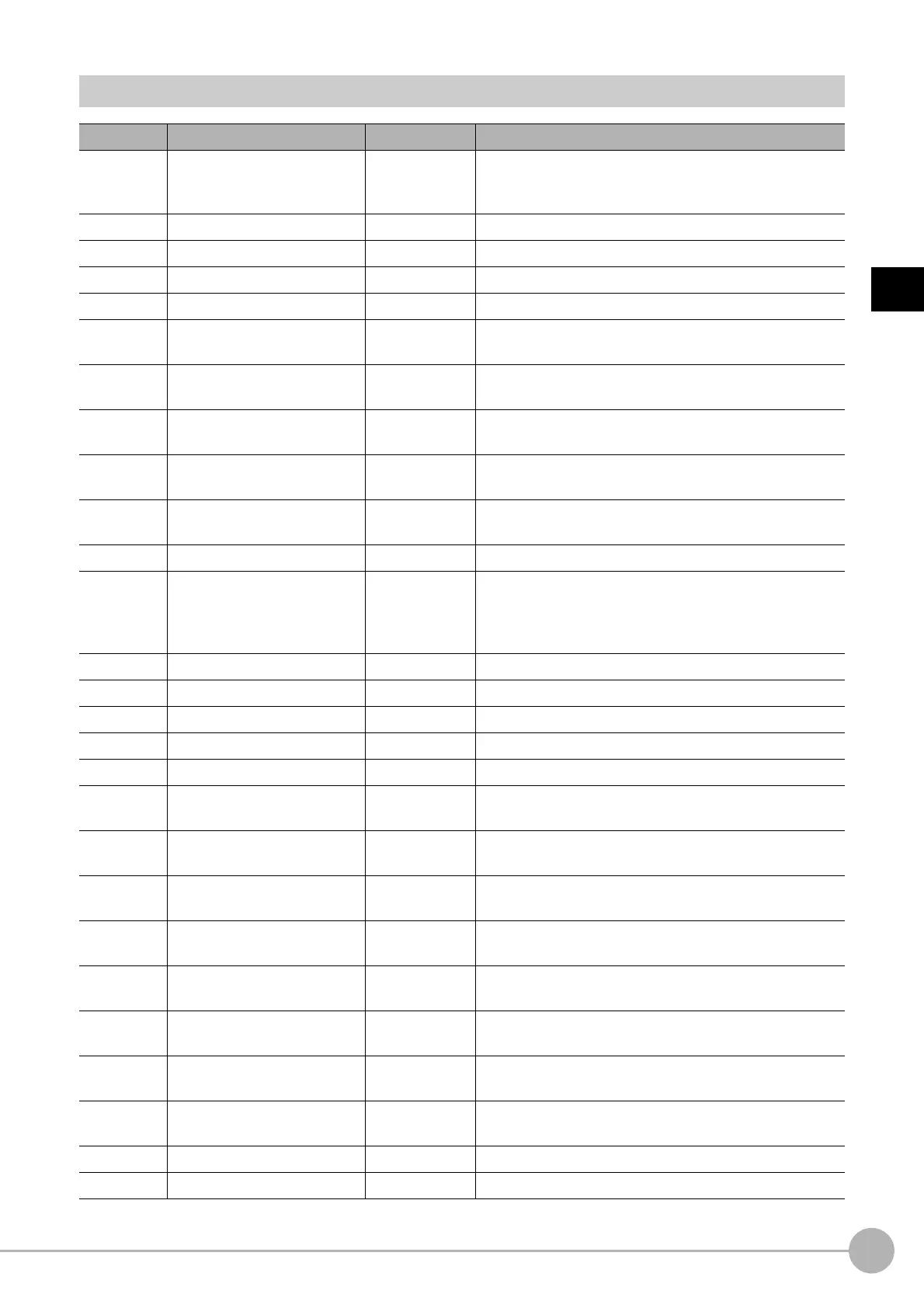
External Reference Tables (Ec Corner)
No. Data name Set/Get Data range
0 Judge Get only
0: No judgement (unmeasured)
1: Judgement result OK
-1: Judgement result NG
5 Number of detections Get only 0 to 100
6 Corner coordinate X Get only -99999.9999 to 99999.9999
7 Corner coordinate Y Get only -99999.9999 to 99999.9999
8 Angle Get only 0 to 360
9
Reference position X
co
ordinate
*1
Get only -99999.9999 to 99999.9999
10
Reference position Y
coordin
ate
*1
Get only -99999.9999 to 99999.9999
101 Output Coordinates Set/Get
0: After scroll
1: Before scroll
102 Calibration Set/Get
0: OFF
1: ON
103 Reflect to overall judgement Set/Get
0: ON
1: OFF
120 Edge level Set/Get 0 to 1000
121 Filter size Set/Get
0: 3 × 3
1: 5 × 5
2: 7 × 7
3: 9 × 9
122 Lower limit of line length Set/Get 5 to 4000
123 Upper limit of line length Set/Get 5 to 4000
124 Combination angle Set/Get 0.0 to 30.0
125 Combination tip distance Set/Get 0 to 1000
126 Combination seam distance Set/Get 0 to 1000
127
Line 0 condition
Lower limit of length range
Set/Get 5 to 4000
128
Line 0 condition
Upper limit of length range
Set/Get 5 to 4000
129
Line 1 condition
Lower limit of length range
Set/Get 5 to 4000
130
Line 1 condition
Upper limit of length range
Set/Get 5 to 4000
131
Line 0 condition
Line angle
Set/Get 0 to 359
132
Line 0 condition
Line angle range
Set/Get 0 to 180
133
Line 1 condition
Line angle
Set/Get 0 to 359
134
Line 1 condition
Line angle range
Set/Get 0 to 180
135 Formed angle Set/Get 10 to 350
136 Formed angle range Set/Get 0 to 180



 To Next Page
 Loading...










