Edge Position
228
FH/FZ5 Processing Item Function Reference Manual
A reference position can be set either directly or by referencing a unit.
Specifying directly
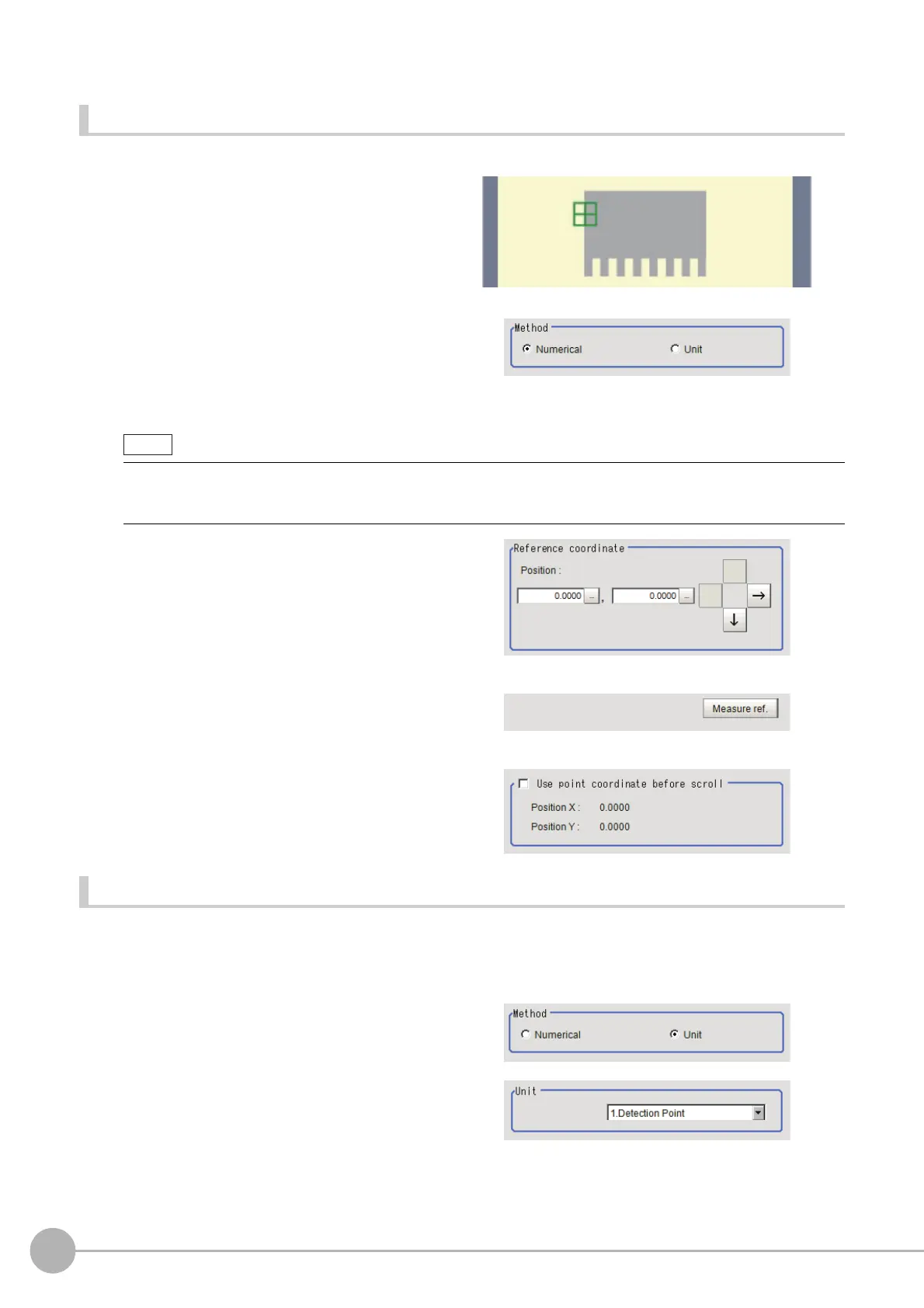
Click a position on the image you want to use as a reference position, or set coordinate data for that point.
1 In the Item Tab area, click [Ref. setting].
In the display area, the current reference
position will be displayed as the crosshair
cursor.
2 In the "Method" area, select "Numerical".
3 Click the position to be set as the
reference.
4 Make fine adjustments using numeric
value inputs or the arrow buttons as
required.
5 To remeasure on the displayed image
and set the reference, click the [Measure
ref.] button.
6 To use data before position
compensation for the reference setting
coordinates, place a check at "Use point
coordinate before scroll".
Referencing a unit
Set a reference by referencing a detection point unit with registered X coordinate, Y coordinate and angle data.
1 In the Item Tab area, click [Ref. setting].
In the display area, the current reference position will be displayed as the crosshair cursor.
2 In the "Method" area, select "Unit".
3 In the scene in the "Unit" area, select a
detection point unit.
4 Perform the next measurement, and the reference will be displayed.
• Displaying the image enlarged makes this clicking easier.
Reference: "Appendixes Basic Knowledge about Operations Using th
e Zoom Function" in the "Vision System
FH/FZ5 Series User's Manual (Z365)"



 To Next Page
 Loading...










