Camera Image InputFH/FZ5 Processing Item Function Reference Manual
29
1
Input image
2 In the "Frame/Field" area, select either "Frame" or "Field".
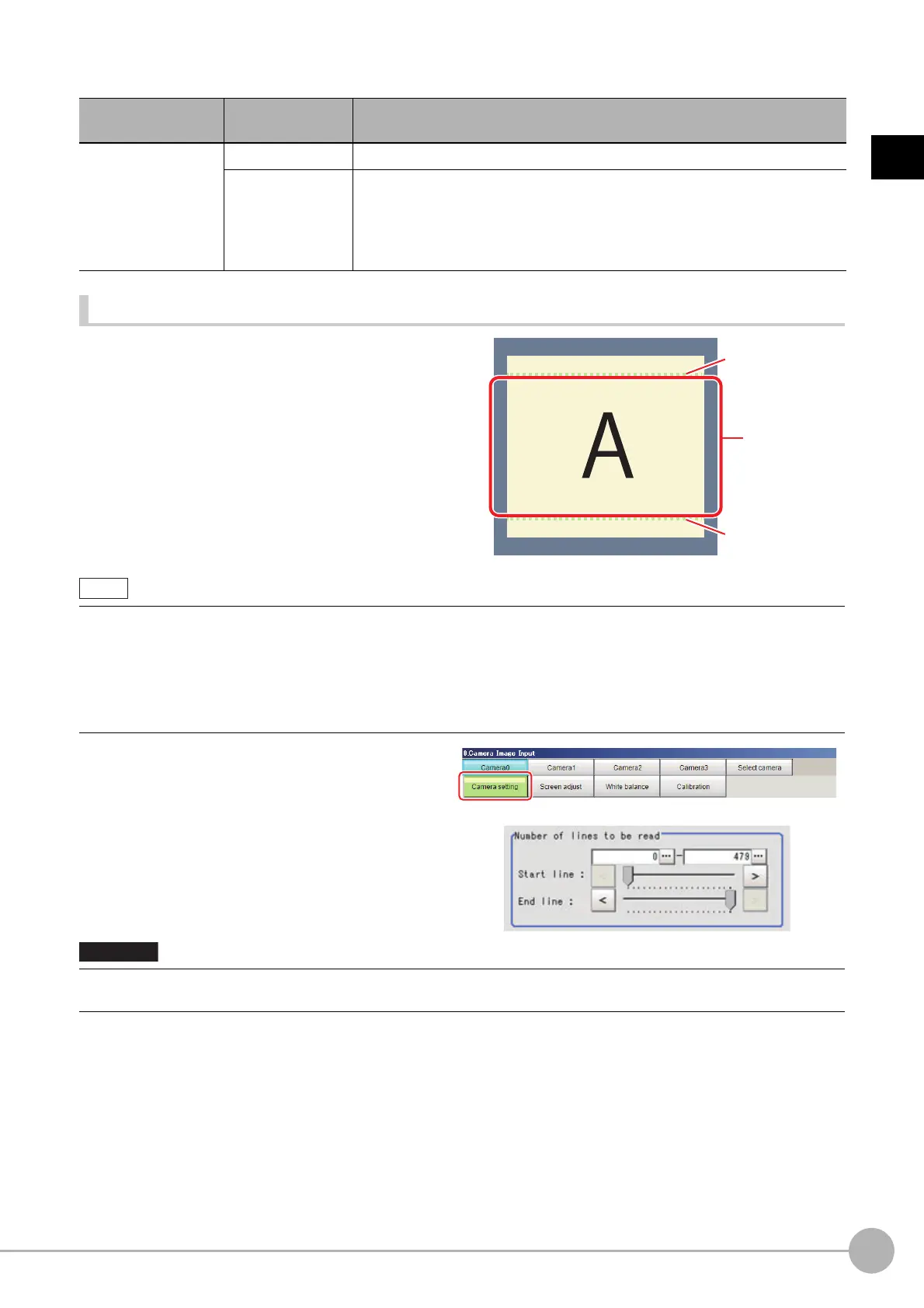
Number of lines to be read
By narrowing the image range to be loaded, the image
scan time can be shortened.
Set the range taking the offset of the measurement
object into
cons
ideration.
The part of the image narrowed down by the start line
and the end line will be displayed in the
Image Display
ar
ea of the processing item setting window or the Main
screen.
1 In the Item Tab area, click [Camera
setting].
2 Set the start/end line in the "Number of
lines to be read" area.
Item
Set value
[Factory default]
Description
Frame/Field
[Frame] Measurements are done in frame units.
Field
Measurements are done in field units. Select "Field" when you prefer shorter
image input time rather than higher accuracy.
Processing becomes faster since each imag
e is sca
nned skipping one scan
line per two consecutive lines, but the measurement precision is decreased
because the vertical image resolution is lower.
About minimum number of lines
• The minimum number of lines (minimum number of line
s
between start and end lines) is 12 lines.2043
• For 5 megapixel cameras, the end line is fixed from 1921 to 2043.
About coordinate values
• The coordinate values displayed as the me
asuremen
t results are the values of the display position on the monitor.
• The coordinate values do not vary according to the settings
for "Number of lines to be read".
• When the built-in lighting of an FZ-SQ is used, it may not be possible to shorten the processing time due to
restrictions on the light
emission time.
Start line
End line
Image range
to be scanned



 To Next Page
 Loading...










