Date VerificationFH/FZ5 Processing Item Function Reference Manual
405
2
Inspecting and Measuring
E.g.1 Measurement is performed on 9/30, and the period setting is: Year: 1, Month: 1, Day: 1.
• [Month→Day]:
A month is added to 9/30, and the result will be 10/30.
A day is added to 10/30, and the result will be 10/31.
•[Day→Month]:
A day is
added to 9/30, and the result will be 10/1.
A month is added to 10/1, and the result will be 11/1.
E.g.2 Measurement is performed on 1/31, and the period setting is: Year: 0, Month: 1, Day: 1.
• [Month→Da
y]:
A month is added to 1/31, and the result will be 2/31.
The month end adjustment will be applied since 2/31
does not exist.
The result of the month end a
djustment plus 1 will be the verification string.
•[Day→Month]: A day is
added to 1/31, and the result will be 2/1.
The month end adjustment will not be applie
d since 2/31 exists.
A month is added to 2/1, and the result will be 3/1.
E.g.3 Measurement is performed on 10/30, and the period setting is: Year: 0, Month: 1, Day: 1.
• [Month→Da
y]: A month is added to 10/30, and the result will be 11/30.
The month end adjustment will not be applied since 11/30 exists.
A day is added to 11/30, and the result will be 12/1.
•[Day→Month]:
A day is added to 10/30, and the result will be 10/31.
A month is added to 10/31, and the result will be 11/31.
The month end adjustment will be appli
ed since 1
1/31 does not exist.
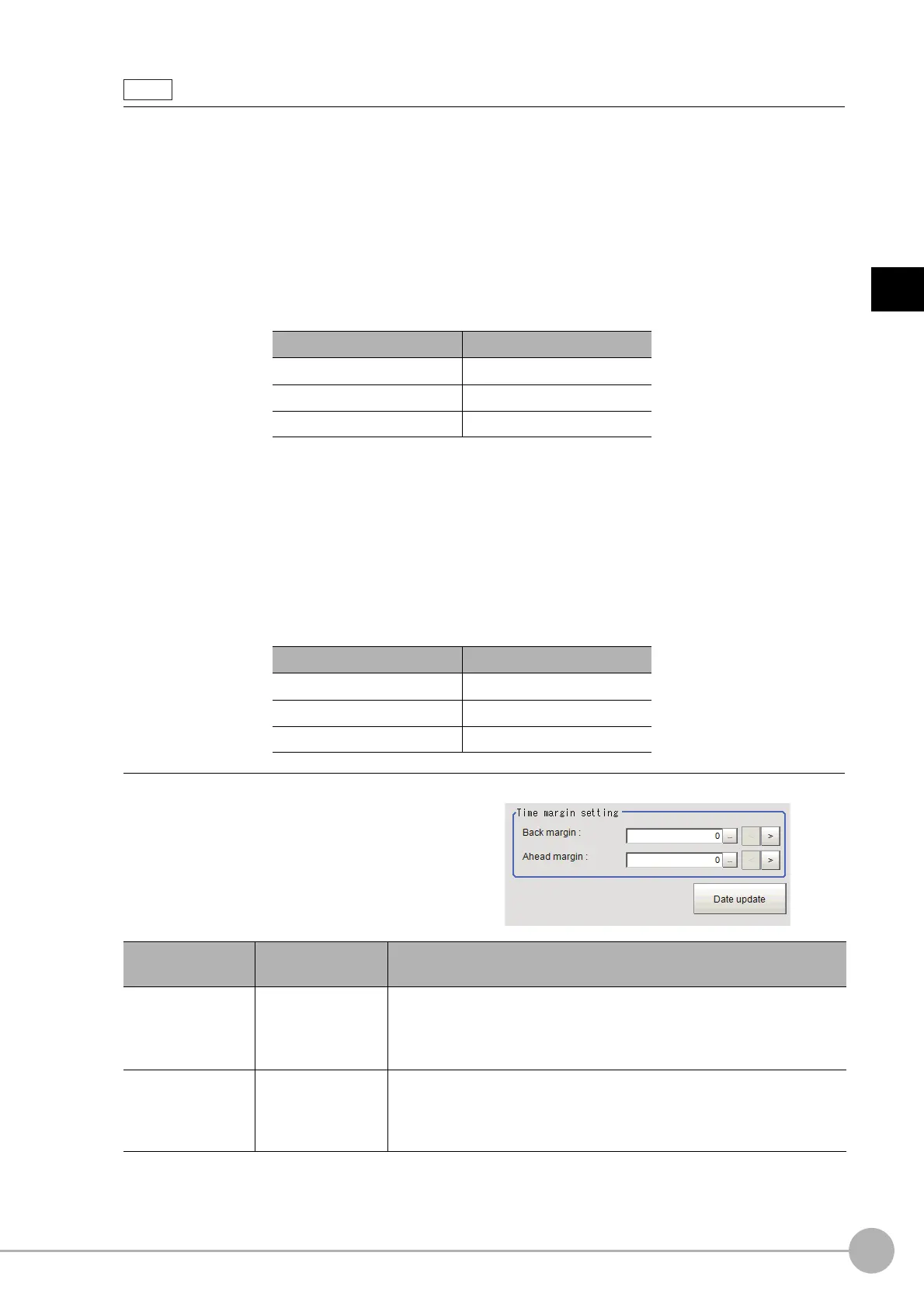
4 Set the time margin.
Clicking [Date update] updates the date information of the verification string.
Use the following examples as reference for setting of the date parameter.
Month end adjust Result
Last day of current month 2/28
First day of next month 3/1
Gap day of next month 3/3
Month end adjust Result
Last day of current month 11/30
First day of next month 12/1
Gap day of next month 12/1
Setting item
Set value
[Factory default]
Description
Back margin
0 to 99
[0]
Sets a time range up to the current time to be judged OK. The unit is
minutes.
Example) When set to 10, a character strin
g from 0 to 10 minutes before
the Verification string time is judged: OK.
Ahead margin
0 to 99
[0]
Sets a time range up to the current time to be judged OK. The unit is
minutes.
Example) When set to 10, a character strin
g
from 0 to 10 minutes before
the Verification string time is judged: OK.



 To Next Page
 Loading...










