Date VerificationFH/FZ5 Processing Item Function Reference Manual
407
2
Inspecting and Measuring
Input a character string of up to 4 characters.
Setting with a PC
Code files are complex, so performing the settings with a PC makes file editing easier and minimizes mistakes.
Saving an empty CSV file first and then editing and reading it with a PC makes setting the values more efficient.
Saving code files
Make an empty file for editing on the PC.
If encryption parameters are already set on the screen, a file re
flecting those settings is saved.
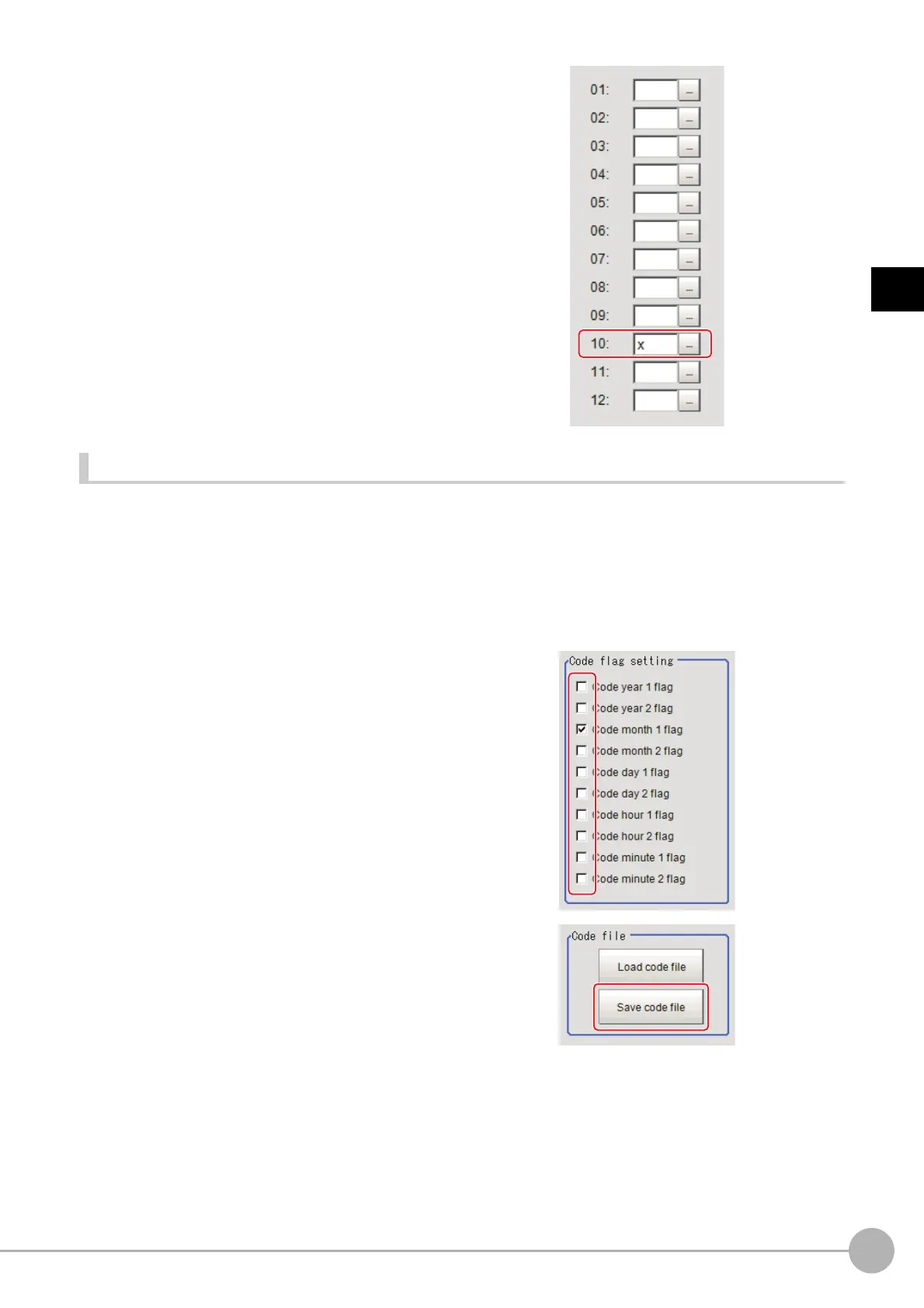
1 In the Item Tab area, click [Code parameter].
2 Place a check at the flag used in the
encrypted character strings to be edited.
3 In the "Code file" area, click [Save code
file].
4 Set the save destination folder and file name, and click [OK].
The code file is saved (in CSV format).



 To Next Page
 Loading...










