Trapezoidal CorrectionFH/FZ5 Processing Item Function Reference Manual
547
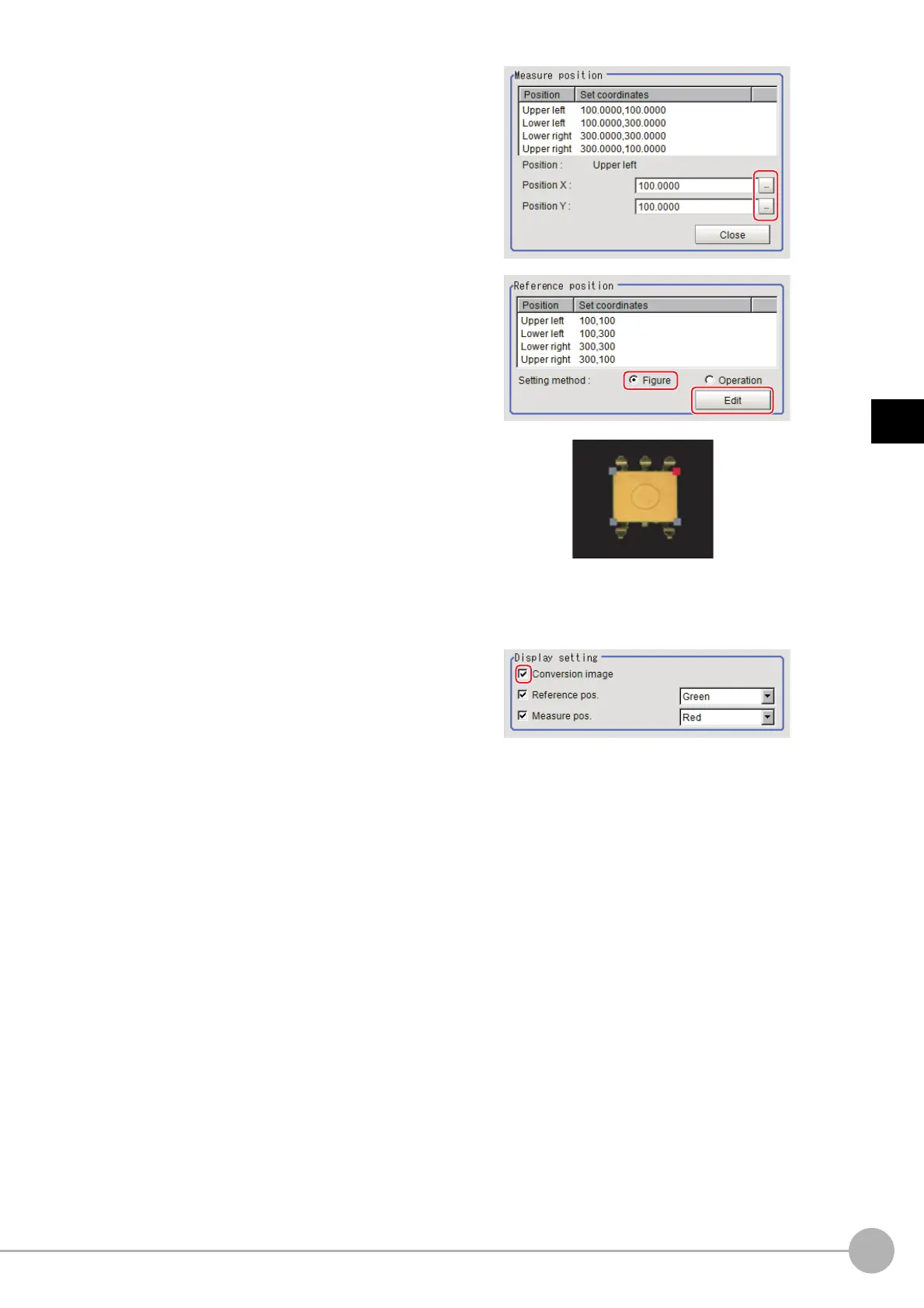
3
Compensate image
2 Specify with the expression which four
points to use the information of for
compensation.
Set the processing unit for acquiring the
positions before the processing unit for
trapezoidal distortion compensation.
3 Select "Figure" for the reference
position and click Edit.
4 On the image, specify which information
for the positions where the four
specified points should be to use for
distortion compensation.
When concrete coordinate positions are
known or to measure them and find accurate
positions, it is possible to set "Operation" and
substitute measurement values from other
processing units.
5 Place a check at "Conversion image" in
the display settings and check the image
in which the distortion has been
compensated for.



 To Next Page
 Loading...










