Camera Calibration
818
FH/FZ5 Processing Item Function Reference Manual
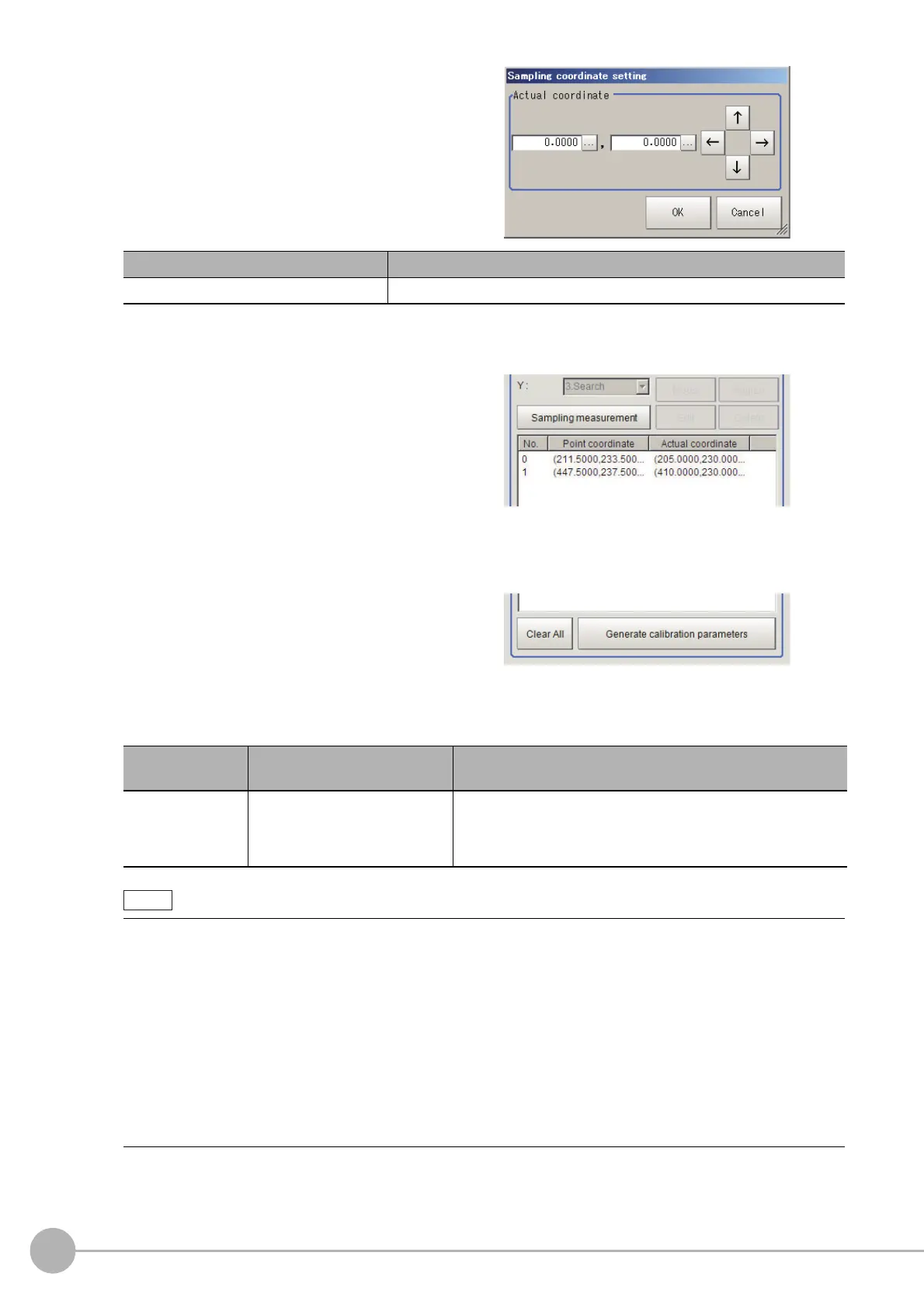
5 Set the actual coordinates for the
specified point.
The actual coordinate input window is
displayed.
The measurement result is added to the list.
6 Set the 2nd, 3rd and subsequent points in the same way.
7 Edit or delete the coordinates as
required.
Select the points to be edited or deleted from
the list.
Click [Edit] or [Delete].
To delete all points, click [Clear All].
8 Click [Generate calibration parameters].
The calibration parameters will be generated.
9 Changes display settings as needed.
Actual coordinate Setting value [Factory default]
Actual coordinate X, Y -99999.9999 to 99999.9999 [0]
Setting item
Setting value
[Factory default]
Explanation
Display setting
• [Input image]
• X unit image
• Y unit image
Select the type of image to display in the Image display area.
The display setting is valid only in the sampling tab screen.
The following processing items can be used for two point measurement in sampling.
• Search
• EC Circle Search
•ECM Search
•Ec Corner
•Ec Cross
• Shape Search II
• Shape Search III
• Edge Position
• Scan Edge Position
• Gravity and Area
• Labeling



 To Next Page
 Loading...










