ClassificationFH/FZ5 Processing Item Function Reference Manual
217
2
Inspecting and Measuring
Changing Model Parameters
Model parameter values can be changed as needed to address unstable measurement results or to increase the
processing speed. Normally, the factory default value will be used.
After changing a setting, re-register the model.
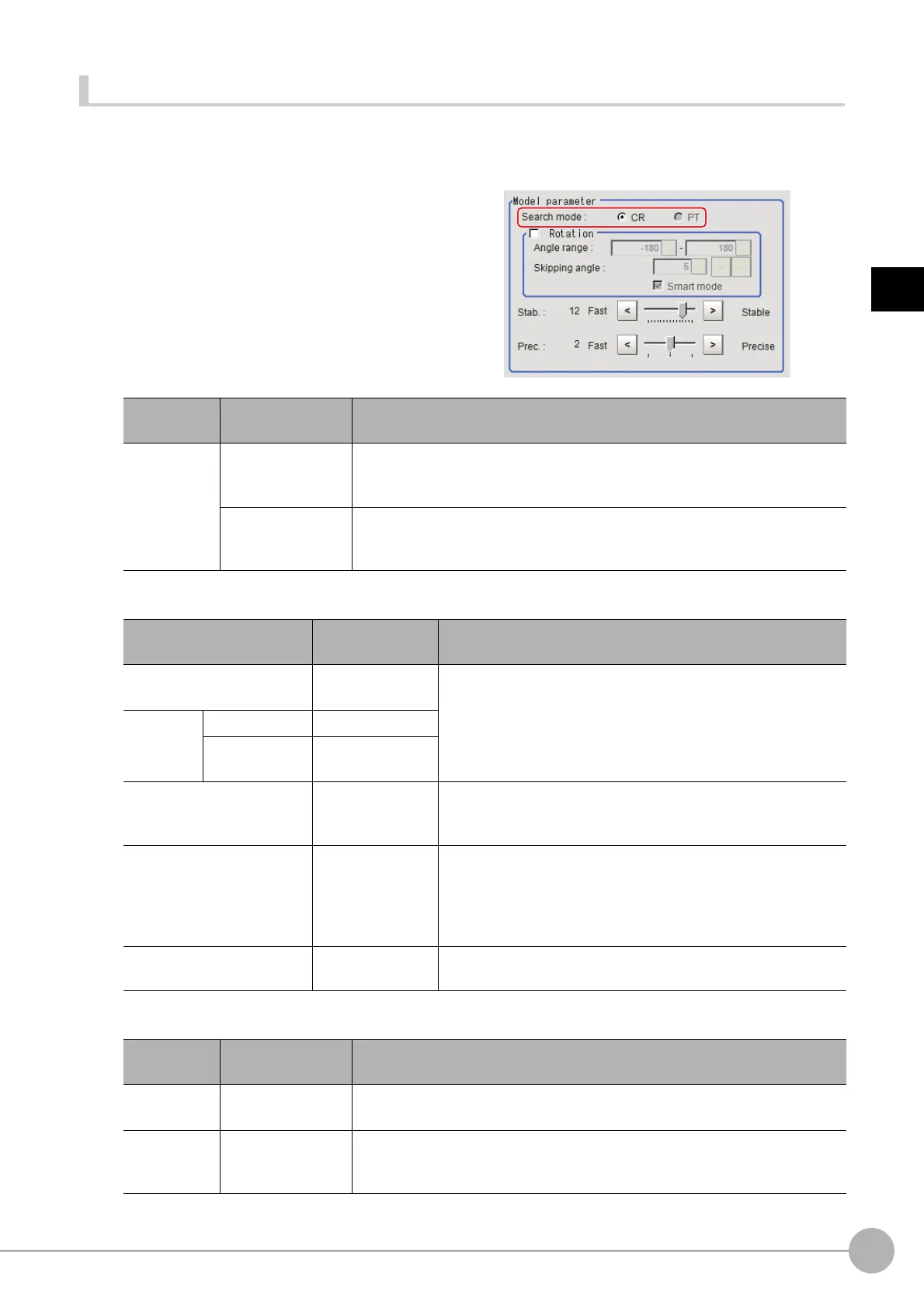
1 In the "Model parameter" area, select the
search mode, then specify a value for
each item for that mode.
When CR is selected
When PT is selected
Setting item
Set value
[Factory default]
Description
Search mode
[CR]
Search normalizing the brightness. This method can provide stable
measureme
n
t when there is fluctuation in the overall brightness and when the
image has low contrast.
PT
Measures with the degree of matchi
ng to the profile of the model. This method
can measure at higher speed when the rotation angle has a wide range.
It is available only when a 0.3 megapixel color camera is connected.
Setting item
Set value
[Factory default]
Description
Rotation
• Checked
• [Unchecked]
When the measurement object is rotating, select the "Rotation"
chec
k box and specify how many degrees the model created
rotates each time and through what range of angles. A smaller
skipping angle increases stability, but slows down the processing.
The normal direction is clockwise.
Angle range [-180 to 180]
Skipping angle
1 to 30
[5]
Smart mode
• [Checked]
• Unchecked
Checking the "Smart mode" option enables a high-speed rotation
sea
r
ch. However, the stability may be lowered when the model
shape aspect ratio is large or when the NOT mask is used.
Stab.
1 to 15
[The default value
de
pend
on the
connected camera.
9 or 12]
Specify which is to have priority, measurement stability or speed.
If lowering stability does not speed u
p
processing, it is likely that
many candidates have been detected. In this case, specify a
larger value for "Candidate level" or "Stab."
Prec.
1 to 3
[2]
Specify which is to have priority, measurement positional
pre
c
ision or speed.
Setting item
Set value
[Factory default]
Description
Angle range [-180 to 180]
This item specifies the rotation angle range for searching. The normal direction
is clockwise.
S
tability
1 to 5
[3]
If lowering stability does not speed up processing, it is likely that many
cand
idates have
been detected. In this case, specify a larger value for
"Candidate level" or "Stab."



 To Next Page
 Loading...










