Circular Scan Edge Position
274
FH/FZ5 Processing Item Function Reference Manual
For monochrome cameras:
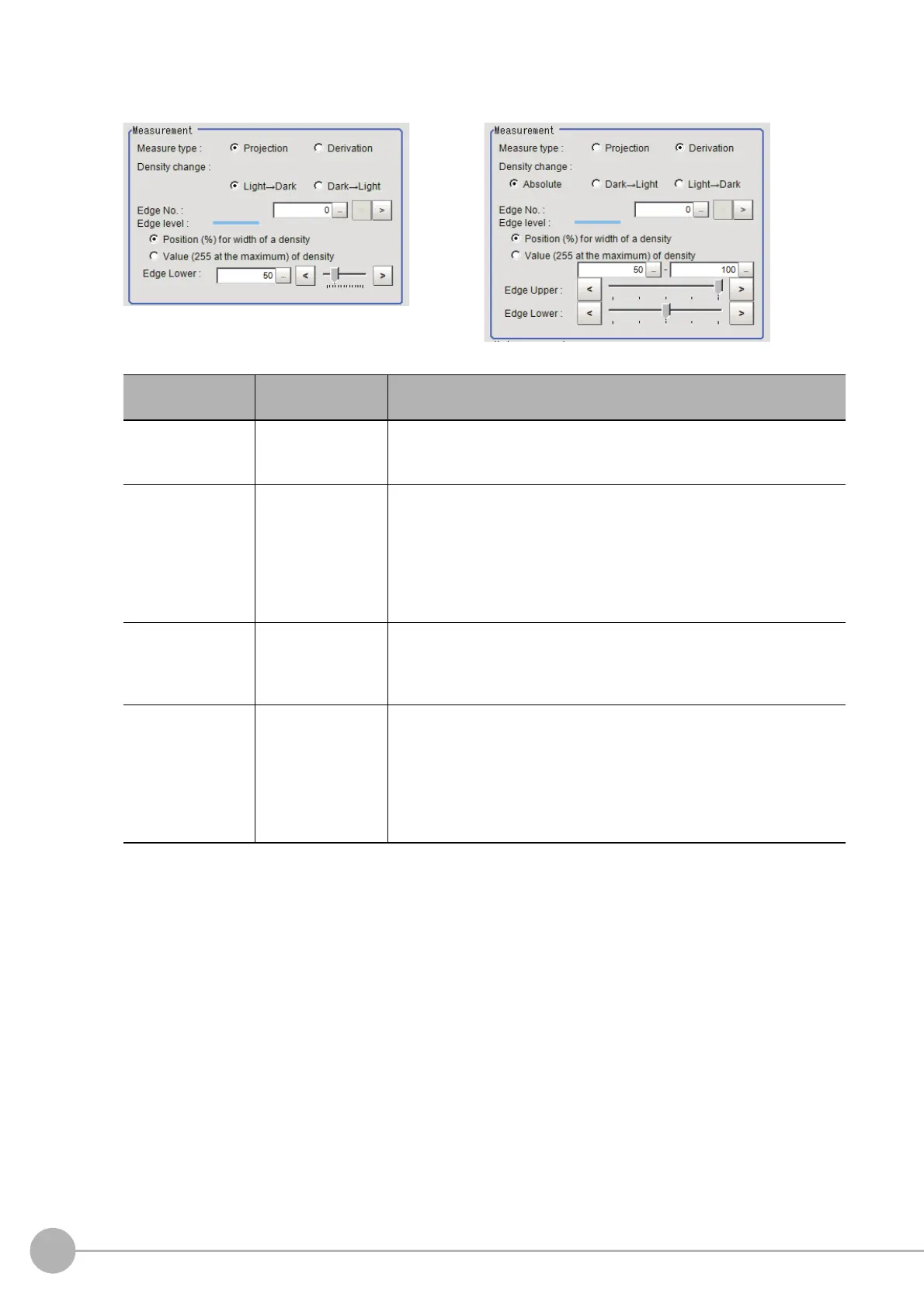
When the measurement method is "Projection" When the measurement method is "Derivation"
Setting item
Set value
[Factory default]
Description
Measure type
• [Projection]
• Derivation
As the measurement type, specify either proj
ection or derivation.
Reference: "Appendixes Measurement Mechanism Edge Detection
Method" in
the "Vision System FH/FZ5 Series User's Manual (Z365)"
Density change
• Absolute
(only when the
measu
rement
method is
"Derivation")
•[Light→Da
rk]
•D
ark→Light
Set
whether a black-to-white change or a white-to-black change should
be recog
nized as a density change in the specified region.
Edge No.
0 to 99
[0]
Specify the edge number used to extract edges.
Edge numbers are assigned to detected edges starting from 0 and in the
directio
n
from the start point (the arrow) to the end point (the arrow point)
in the selected region.
Edge Upper
Edge Lower
• Position (%) for
wid
th
of a density
0 to 100
[50] to [100]
• Value of density
0 to 255
[20] to [255]
Set the density change level to be detected as edges.
The upper limit of edges can be set only when the measurement method
is "Derivatio
n".
Reference: "Appendixes Measurement Mechanism Edge Detection
Measureme
n
t" in the "Vision System FH/FZ5 Series User's Manual
(Z365)"



 To Next Page
 Loading...










