Camera Image Input FHFH/FZ5 Processing Item Function Reference Manual
55
1
Input image
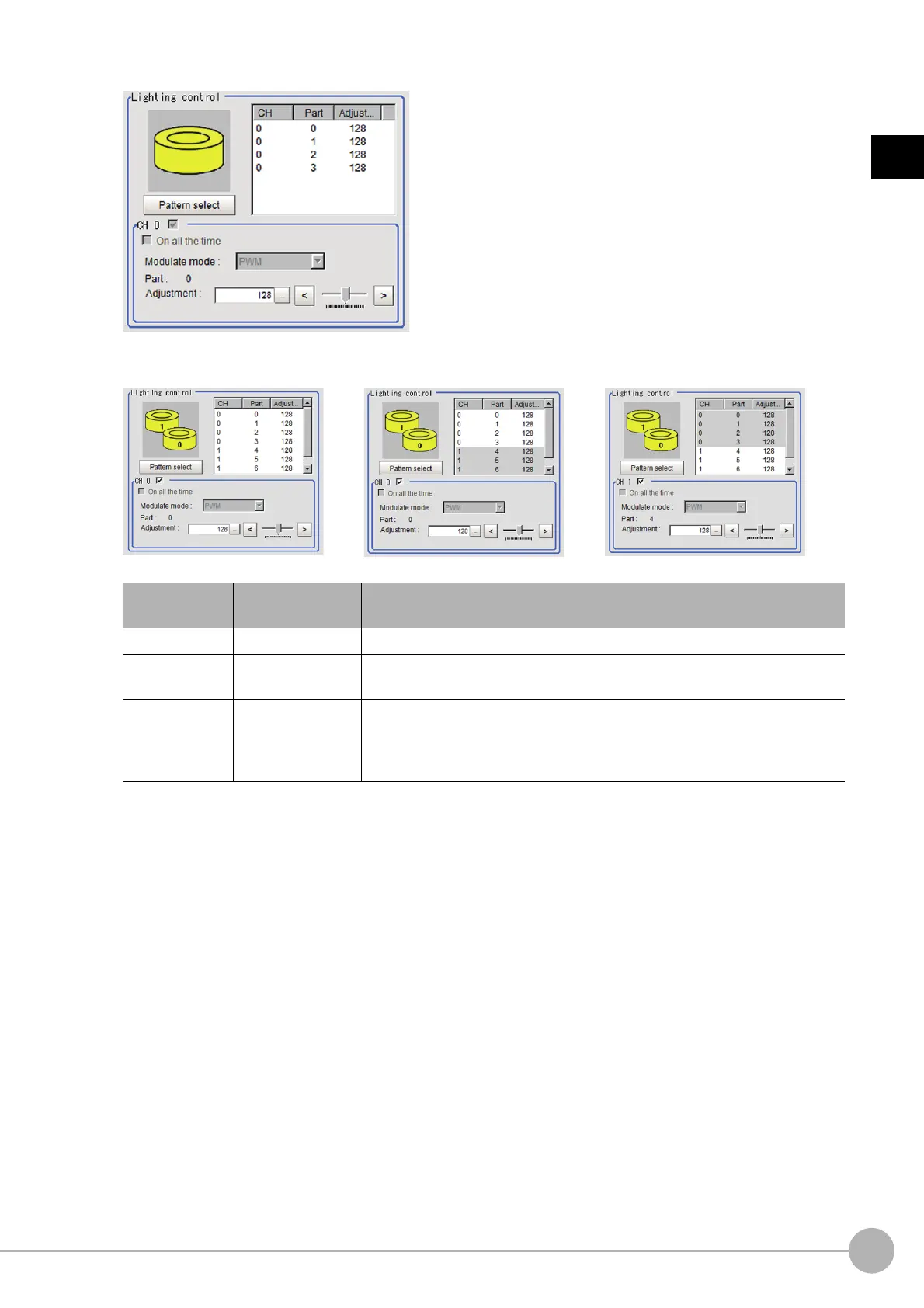
Electronic flash controller FZ-LTA100 is connected:
Electronic flash controller FZ-LTA200 is co
nnected:
0 + 1CH are used: 0CH is used: 1CH is used:
Item
Setting value
[Factory default]
Description
Pattern select Pattern 0 to 16 Select from a preset lighting pattern.
CH
• [Checked]
• Unchecked
Place a check here to enable the channel currently selected in the part list.
Adjustment
0 to 255
[128]
When 1 channels are used, the light volume can be adjusted to one of 256
l
e
vels. When 2 channels are used, the light volume can be adjusted to one of
128 levels. 0 indicates the lighting is OFF. The larger the number, the higher
the brightness.



 To Next Page
 Loading...










