Display Last NG Image
884
FH/FZ5 Processing Item Function Reference Manual
Expression Settings
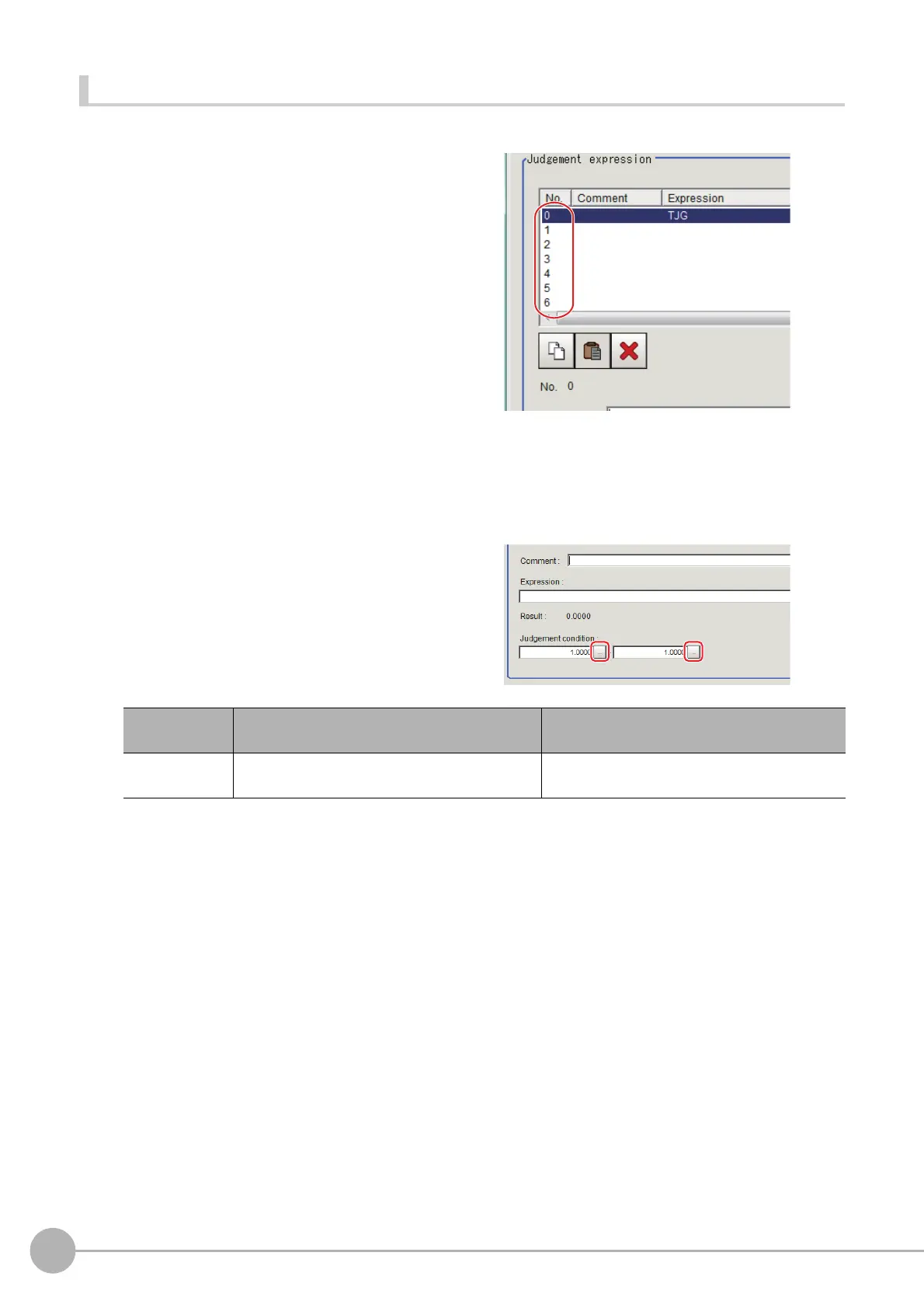
The measurement details used for NG judgment are set up using an expression.
1 Click [No.] to set the expression on the
[Judgement expression] area.
The No. selected will be displayed below the
list.
2 Click [...] for the expression and set the
expression.
An expression setting window appears.
3 After setting up the expression, click [OK].
The expression is confirmed.
4 Click [...] for Comment and input an explanation of the expression as necessary.
5 Set up the judgement upper limit and the
judgement lower limit for "Judgement".
6 Repeat the Reference: 1 (p.884) to Reference: 6 (p.884) and set up the expression.
Setting item
Setting value
[Factory default]
Description
Judgement
condition
-99
9999999.9999 to 999999999.9999
This is a judgement condition for the expression.
Se
t upper and lower limits for judging as OK.



 To Next Page
 Loading...










