iNFiNiT! Family Operation Manual
Revision D 2-65 Installation
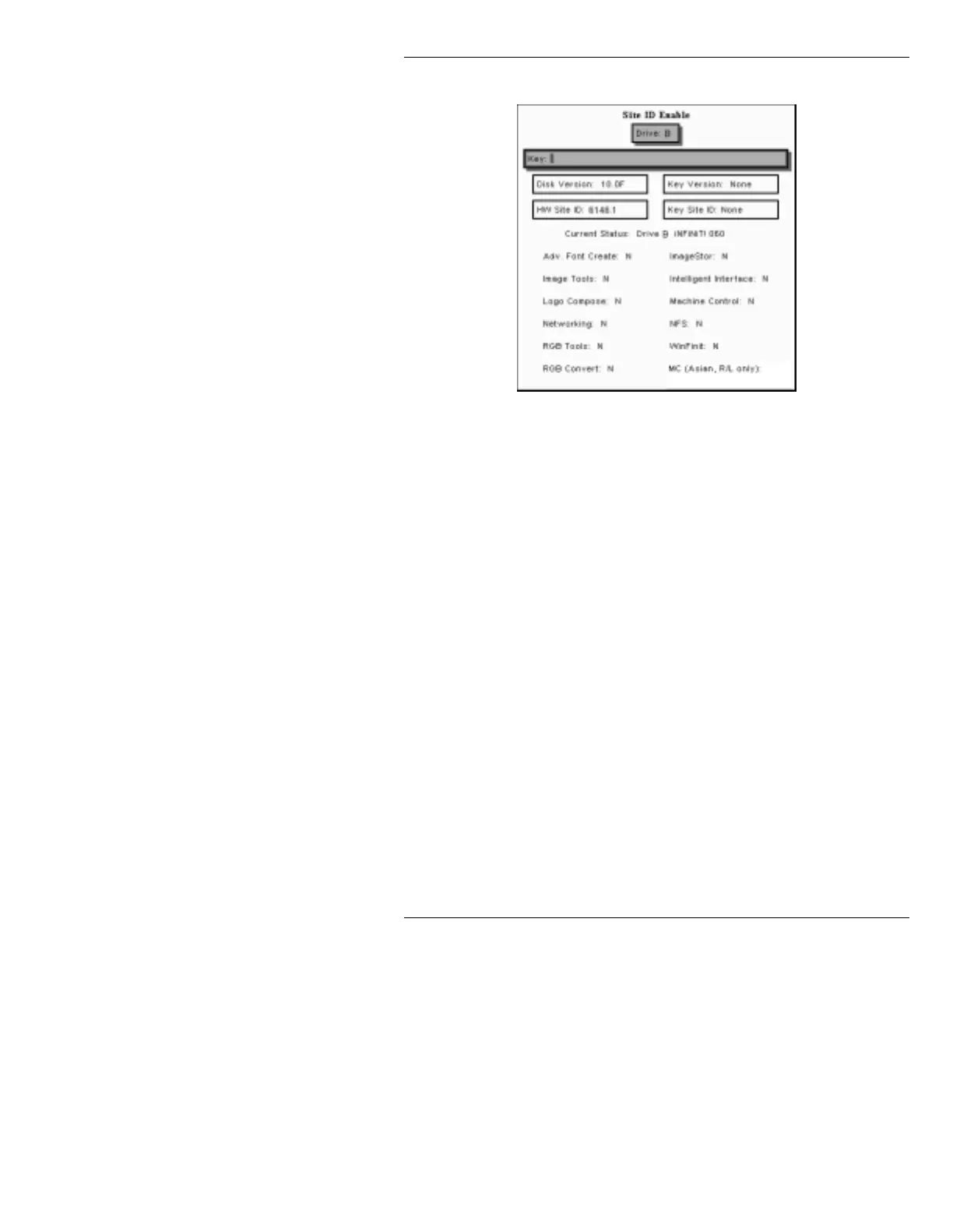
[ ] 5. Select the SITE ID function (E, from the second
page of selection buttons), to display:
Figure 2-36. Disk Utilities Site ID Enable Display
[ ] 6. Select Drive B (at the top of the menu), if not
already selected.
[ ] 7. Enter the 44-digit License Key in the Key: field,
then press
. You will see some or all of the listed
Options change from N to Y, indicating they will be
properly enabled.
[ ] 8. Press CNTL X to enable the software options, then
use MODE SELCT to exit from Disk Utilities.
[ ] 9. Boot the iNFiNiT! Family system from the Zip
disk. When the Program Loader menu appears,
select the Disk Utils icon, then press
or the
SPACE BAR to load Disk Utilities. (You can also
click on the Disk Utils icon.)
[ ] 10. Press C or select Copy to display the COPY
window.
[ ] 11. Enter the following information into the fields:
FROM:
<ZIP Drive Letter>/
TO: C/
FILE TYPE: ALL
CONFIRM: Y
VERIFY: Y
FILE NAME: *



 To Next Page