iNFiNiT! Family Operation Manual
Revision D 3-3 Start-Up
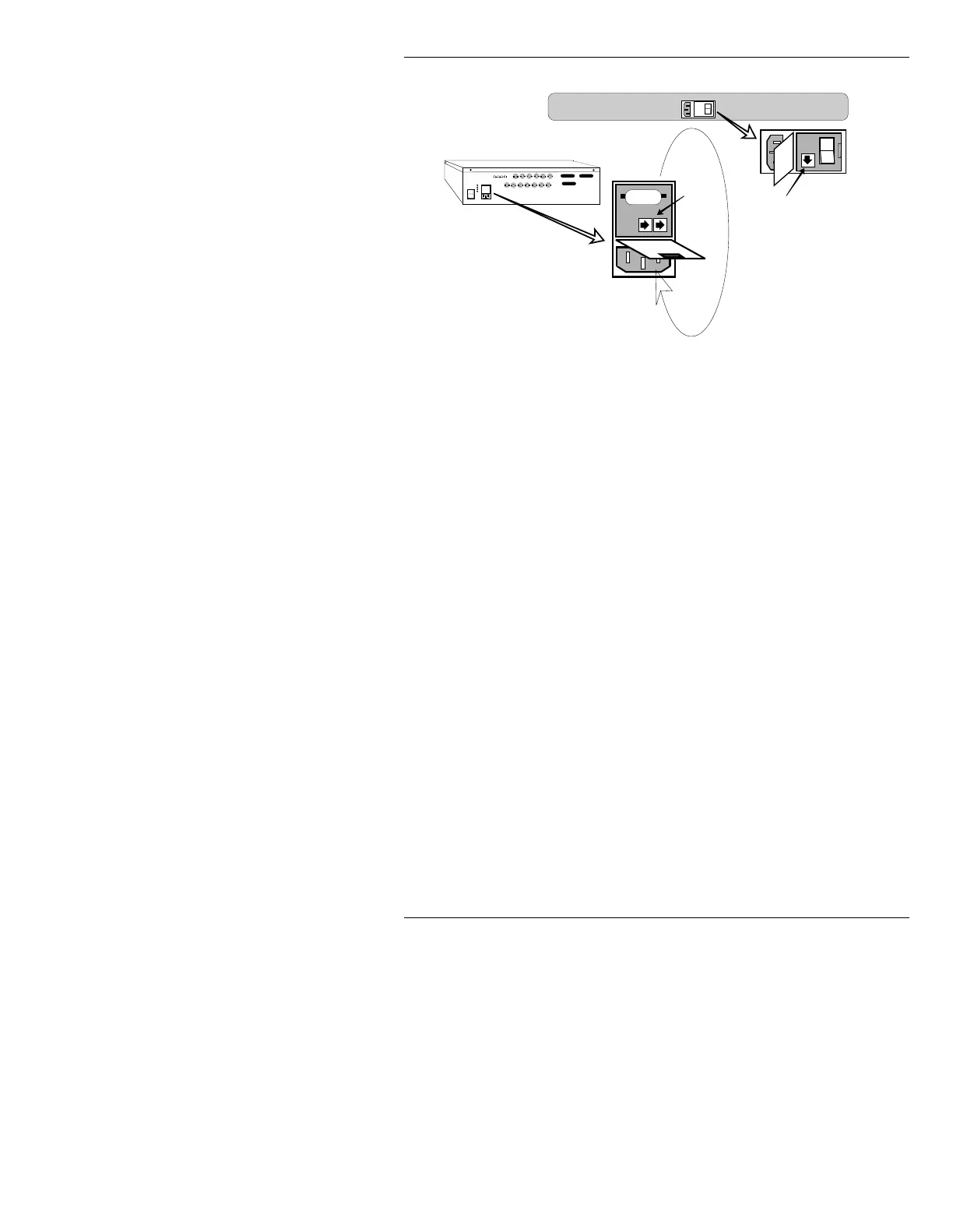
Figure 3-3. MAXINE! Fuse Locations
If both units are receiving power, but diagnostics don’t
start after a few seconds, reboot the system by pressing
the
RESET button on the front of the CPU board. Avoid
turning off power to reboot the system.
After power up diagnostics (§3.4) have run, the operating
system loads automatically and the Program Loader
menu (Figure 3-7) is displayed on the Prompts Monitor.
The icons on the right side of the menu (
Message Com-
pose
,
Disk Utilities
, etc.) are displayed in the order in
which the programs were copied to the boot disk.
3RZHU8S'LDJQRVWLFV
As soon as power is applied, the system performs a series
of self-tests to confirm all hardware is working properly.
NOTE
The actual self tests performed are
specific to the type of system in use.
Therefore, your diagnostics screen(s)
may appear differently than the
examples provided here.
1
0
Pry receptacle door with screwdriver,
then rotate down as shown
115v
1
0
1
0
Fuse
Fuses
Keyboard Fuse Location
MAXINE!> Chassis Fuse Location



 To Next Page