iNFiNiT! Family Operation Manual
Revision D 21-43 RGB Tools
are dedicated elsewhere. If an attempt is made to exe-
cute, the following message is displayed on the Prompt
Line:
PLEASE ASSIGN A FRAME BUFFER TO CHANNEL B.
,PDJ H0DWWH
0$;,1(,0$ *(67 2 5
To perform an Image Matte from within IMAGESTOR!:
[ ] 1. From within the IMAGESTOR! RGB Tools
(
CNTL G or CNTL K) Matte Tools (M) menu,
Press
M or select Image Matte to display the
Message Matte menu.
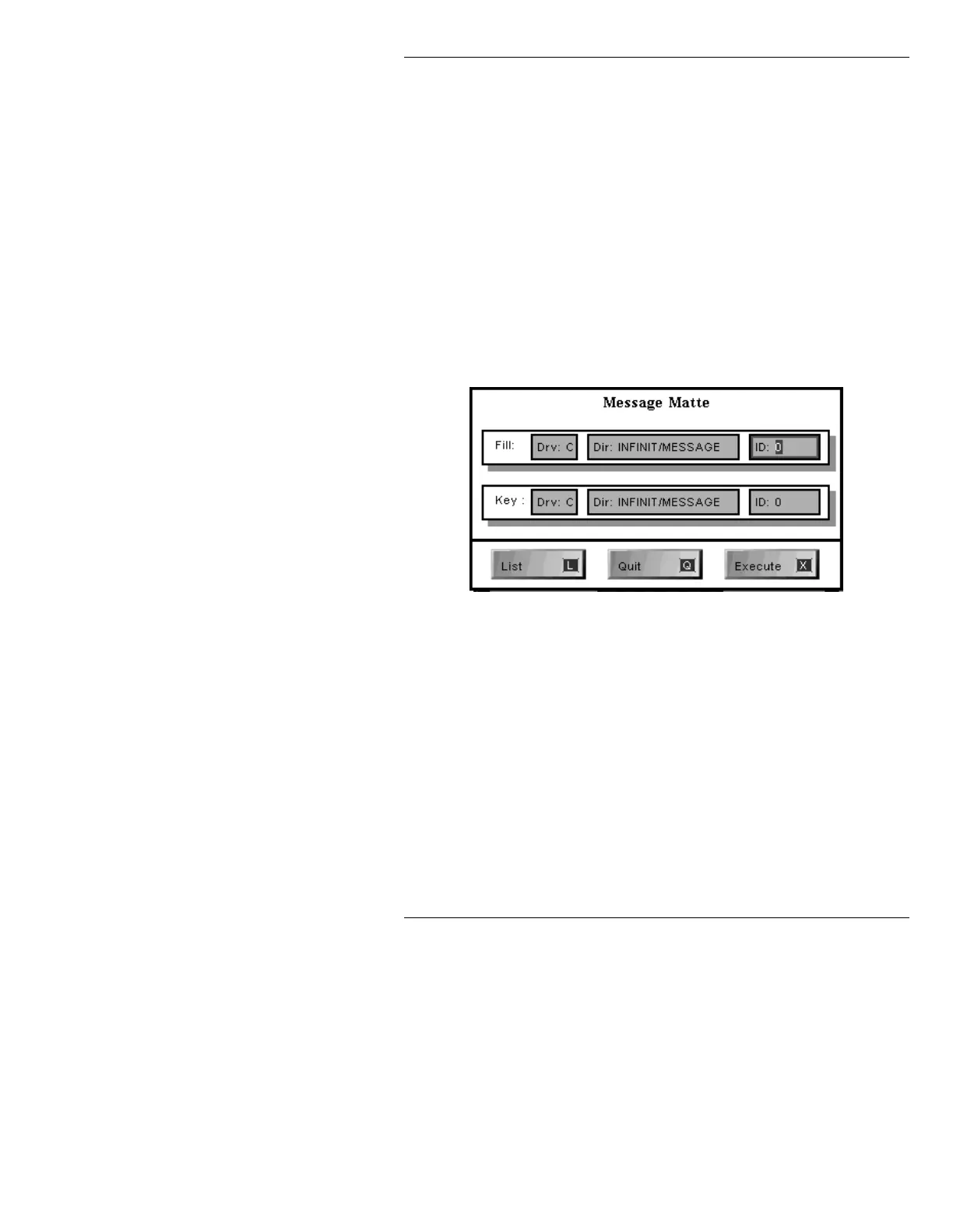
Figure 21-23. IMAGESTOR! Message Matte Menu
[ ] 2. If necessary, press L or select List to list
available files as follows:
• If the cursor is on any field in the Fill row,
a list of files in the directory specified in
the Fill row will be displayed.
• If the cursor is on any field in the Key row,
a list of files in the directory specified in
the Key row will be displayed.
The
ID:
field allows entry of 8 digit ID numbers
only when IMAGESTOR! is in 8 digit mode.



 To Next Page