iNFiNiT! Family Operation Manual
Revision D 3-13 Start-Up
8 VHU 0RGH6(78 38
MAX!> or MAXINE! systems can only be operated by a
single user at one time. The iNFiNiT! can be simulta-
neously operated by two users.
All systems can be can be controlled from the ArcNet
keyboard locally, the KeyPC keyboard (either locally or
remotely) or from a PC remotely.
Both the number of users and control are set from the
User Mode function.
Remember that a Secondary User on an iNFiNiT! system
cannot access the Program Loader Setup menu. Note
that the Primary User has the ability to change the User
mode for the Secondary User while the Secondary User
is operating the system. Care must be taken to prevent
accidental interruption of Secondary User operation.
To set
User Mode:
[ ] 1. From the Setup menu, press
U, or select the
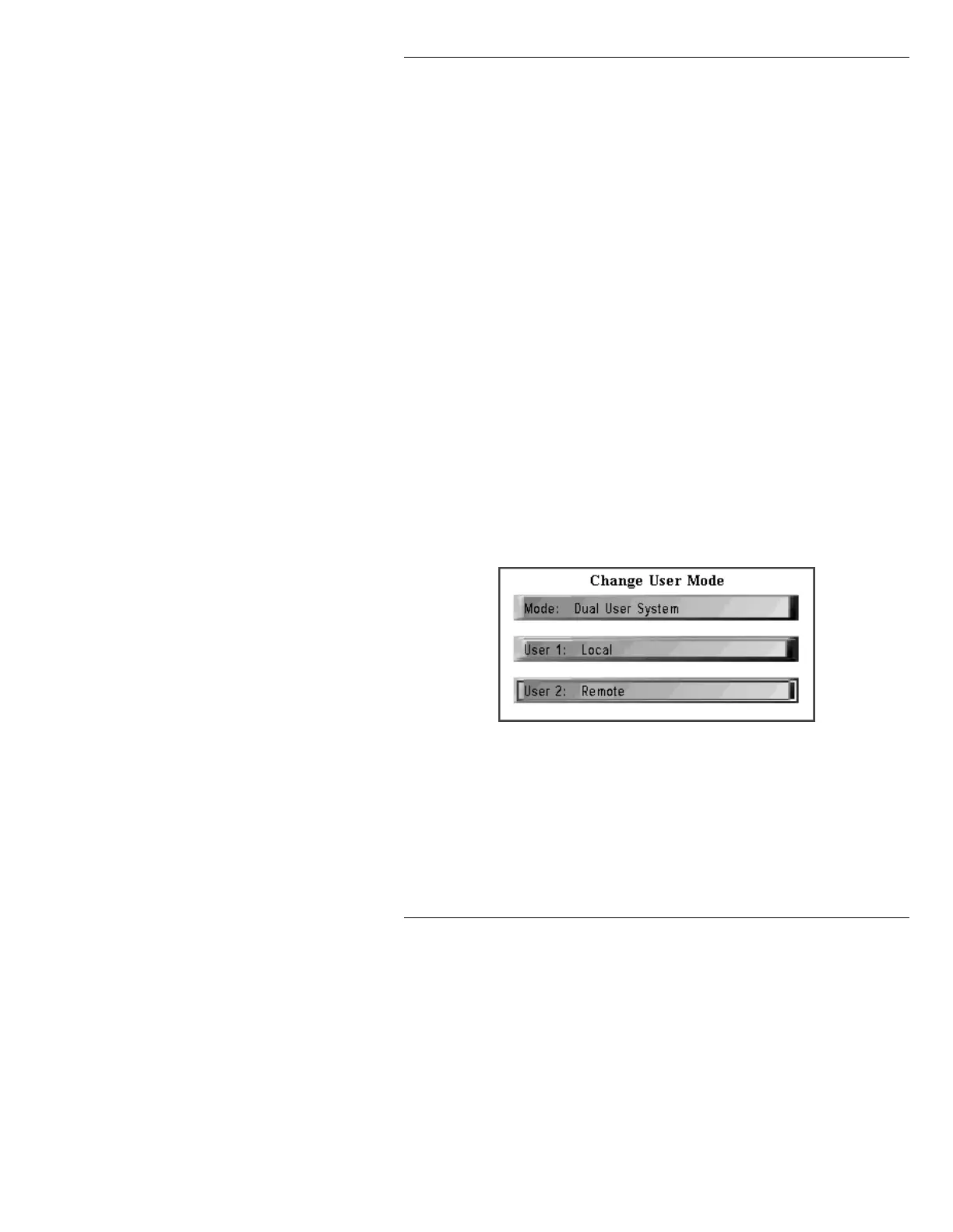
User Mode icon. The Change User Mode
menu is displayed.
Figure 3-11. Change User Mode Menu
Note that the Mode: field appears on all systems,
although it cannot be changed from
Single User System
to
Dual User System unless the system is an iNFiNiT!.
Additionally, a MAX!> or MAXINE system will not dis-
play a
User 2: field.



 To Next Page