iNFiNiT! Family Operation Manual
Revision D 7-5 Formatting & Editing
6DIH7LWOH%R[DQG
&XUVRU6HWXS$GMXVWPHQW V
The Safe Title Box confines text to a predefined area on
the Edit Monitor. This can be a handy tool placing titles,
names, places, etc.
Note that changes to the Safe Title Box are not reflected
until you erase the current buffer. Additionally, text can
be moved out of the Safe Title Box by using the text shift
functions described in §7.8.2 - §7.8.5.
6DIH7LWOH%R[$GMXVWPHQW
&17/RU6(7836
To adjust the Safe Title Box to a size other than default
(for example, to place a title in the lower-third of the
screen):
[ ] 1. Press
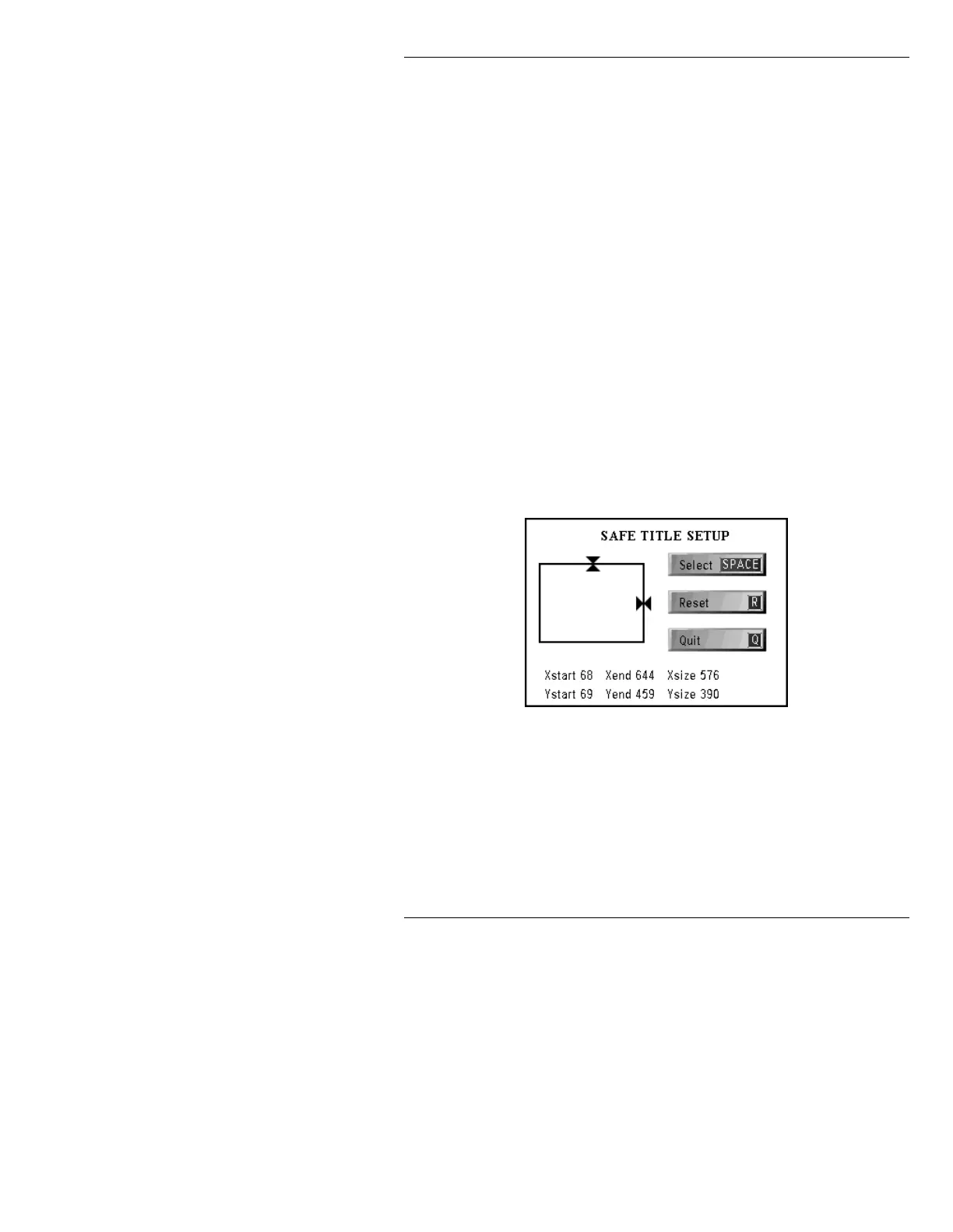
CNTL S or SETUP S. The Safe Title
Setup window is displayed (Figure 7-1).
Figure 7-1. Safe Title Setup Window
[ ] 2. Choose which border(s) to adjust:
• To adjust the TOP border, use the cursor
ÎÏ keys.
• To adjust the RIGHT border, use the cursor
ÌÍ keys.



 To Next Page